

When you add a person to your group's team, you can make them an Admin and give them one or more roles. The roles control which emails the person gets and which data they can see. A person with no Admin setting and no roles shows as General user.
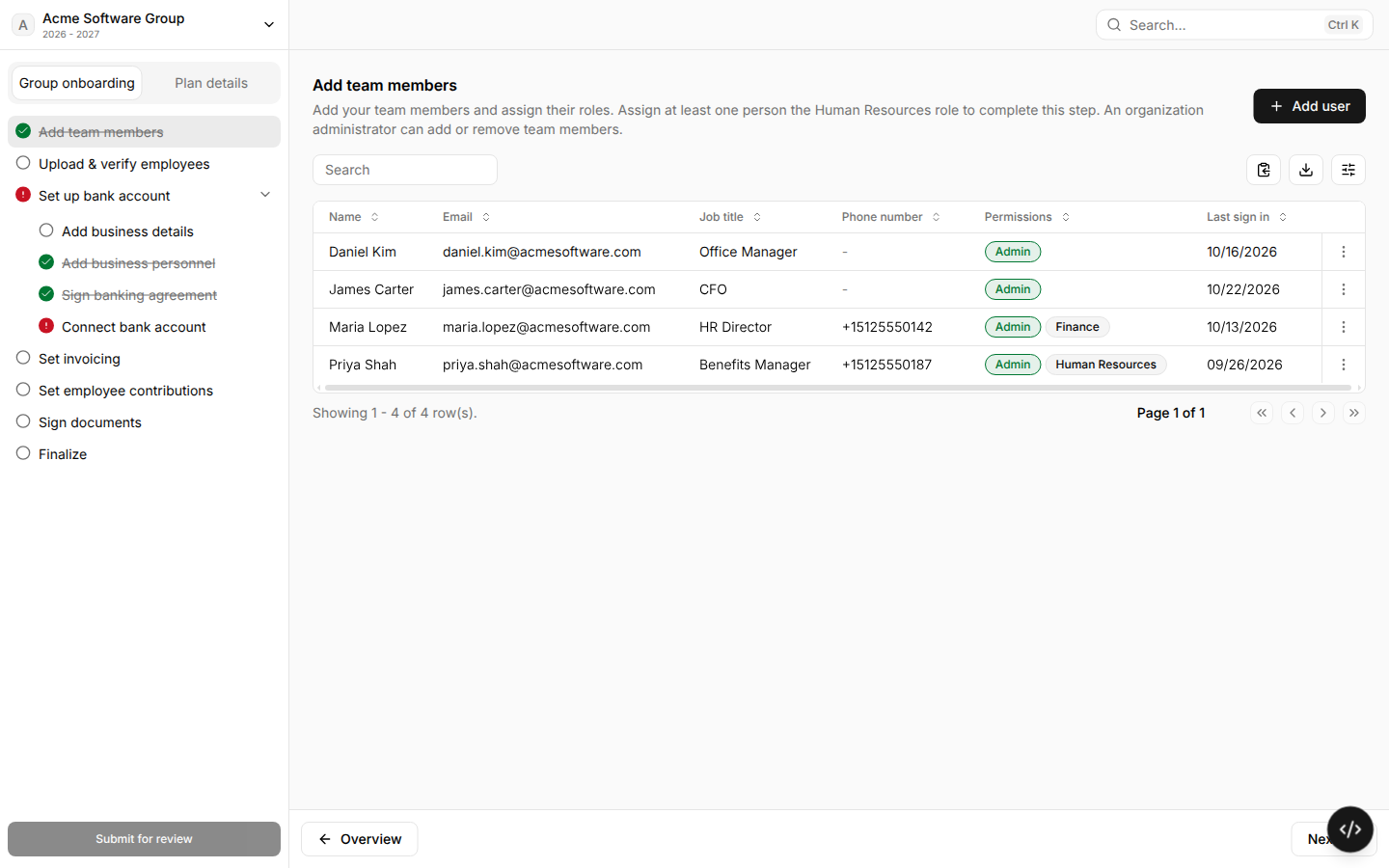
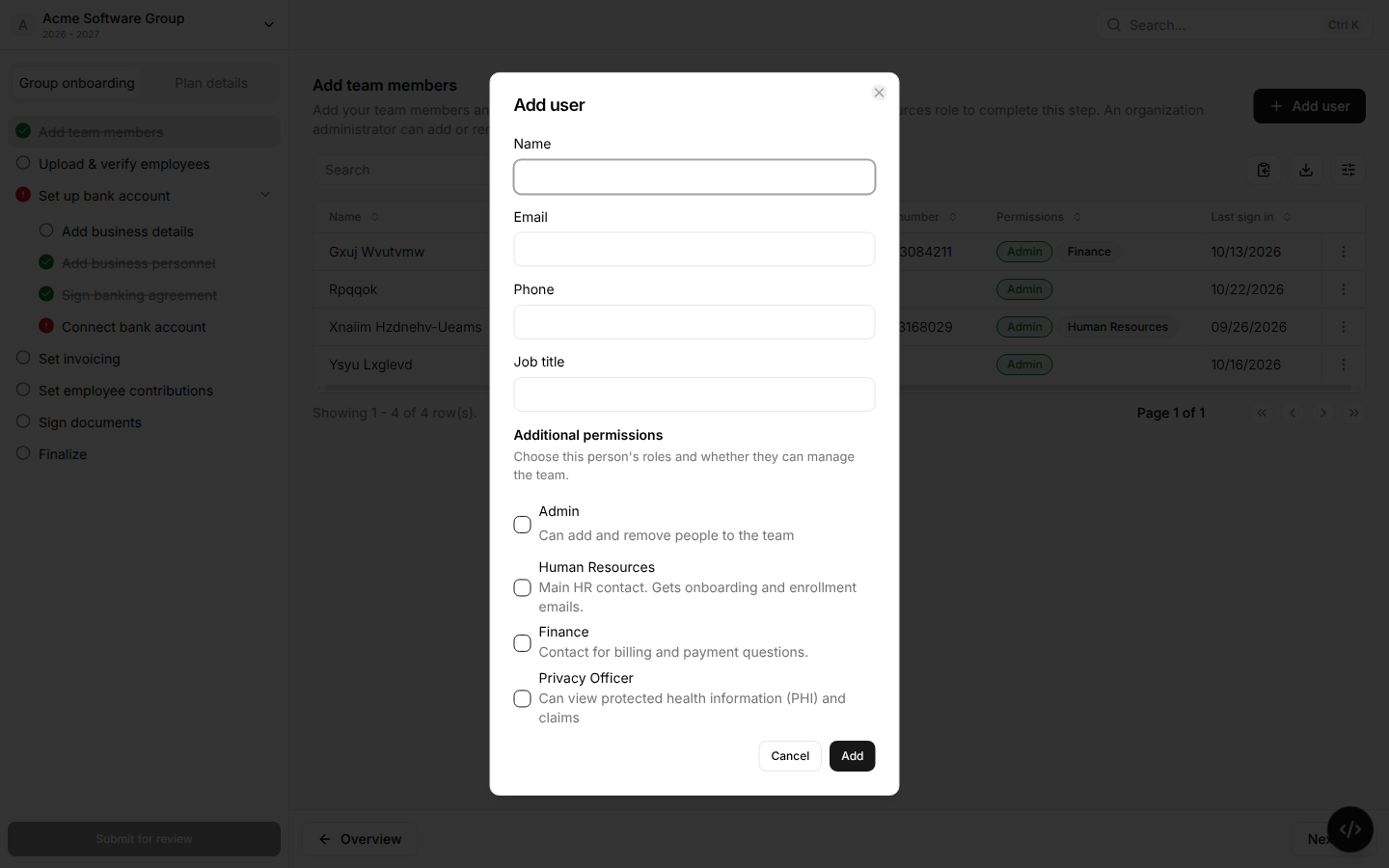
Sometimes, roles have different permissions in the portal. Below is a rundown of each role.
Every team Member
Can see the group's plans, benefits, invoices, banking details, and basic coverage for each employee.
Can add, edit, and approve enrollment changes.
Can see the standard reports: Aggregate, Pharmacy Claims, Medical Claims, Enrollment, Member Accumulators, and Lag Report. Claims reports do not show member names.
Admin
Can add and remove people on the team.
Admins can also change group settings, such as the bank account, banking agreement, invoicing, employee contributions, and group documents.
Human Resource
Gets onboarding and enrollment emails, reminders about open tasks, and "Work Status Form” when we must verify eligibility.
Note: Every group must have at least 1 person with the Human Resources role. You cannot complete the Add team members step without one.
Finance
The contact for billing and payment questions. This role does not change what the person can see in the portal.
Privacy Officer
Can see protected health information (PHI): full coverage details, COB, precertifications, claim details and attachments, and member messages. Privacy Officers can also submit cases.
Privacy Officers also get more reports: Pharmacy Claims and Medical Claims reports with member names + Trigger Code, High Cost Claimant, Prescription Utilization, Provider Utilization, TAT Report, Check Register, and Overpayments
Vendor team roles
These roles are for plan designer and other vendor teams, not group teams. You cannot select them in the portal. Ask Yuzu to add or change them.
Plan Design Lead: Can approve plan designs, and can edit a plan design after it is active.
Implementation: The vendor's main contact during onboarding. On a plan designer team, this person also gets renewal emails.