How to enable notifications
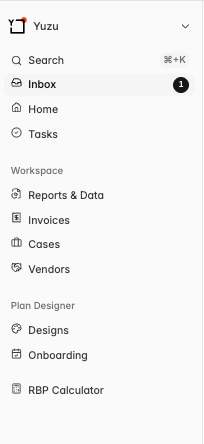
In the top left corner, click the Icon with your group name > Settings associated with your log-in > Notifications > Toggle On, and choose whether you want to receive an email or an in-app notification for that notification.
You can also edit notifications by Clicking the little gear on the top right of the Inbox Tab as well!
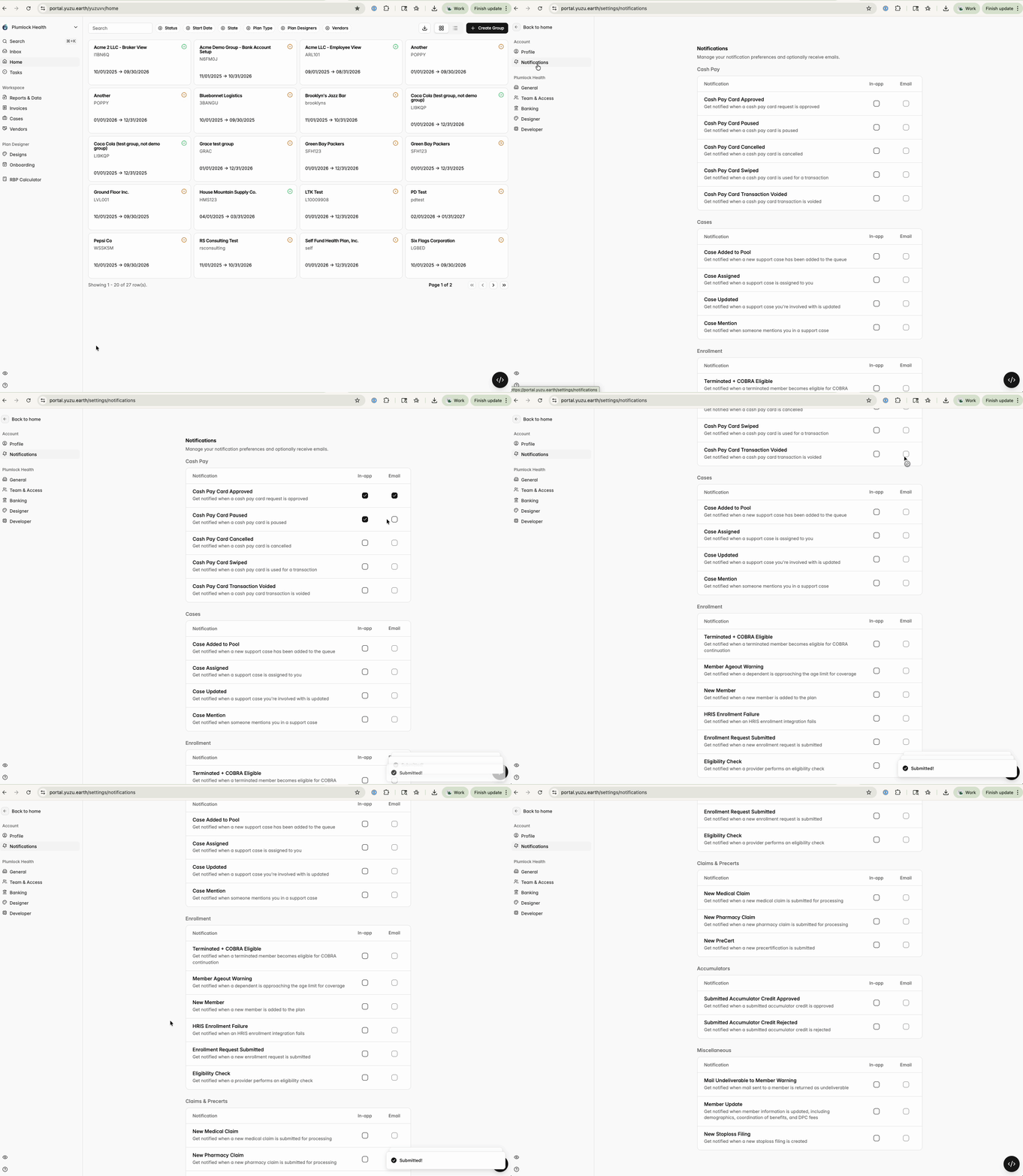
Notification categories
Cash Pay Cards
Cash Pay Card Requested
Cash Pay Card Approved
Cash Pay Card Paused
Cash Pay Card Cancelled
Cash Pay Card Swiped
Cash Pay Card Transaction Voided
Case updates
Case Added to Pool
Case Assigned
Case Updated
Case Mention (by using the @ feature)
Enrollment & Member events
Terminated + COBRA Eligible
Member Ageout Warning
New Member
HRIS Enrollment Failure
Enrollment Request Submitted
Eligibility Check
Claims & Precerts events
New Medical Claim
New Pharmacy Claim
New Precert
Accumulator events
Submitted Accumulator Credit Approved
Submitted Accumulator Credit Rejected
Miscellaneous events
Mail Undeliverable to Member Warning
Member Update
New Stoploss Filing
See notifications in the portal
You will be able to locate all of your notifications by looking at the left hand column and toggling to the ‘Inbox’ tag.