

Layout
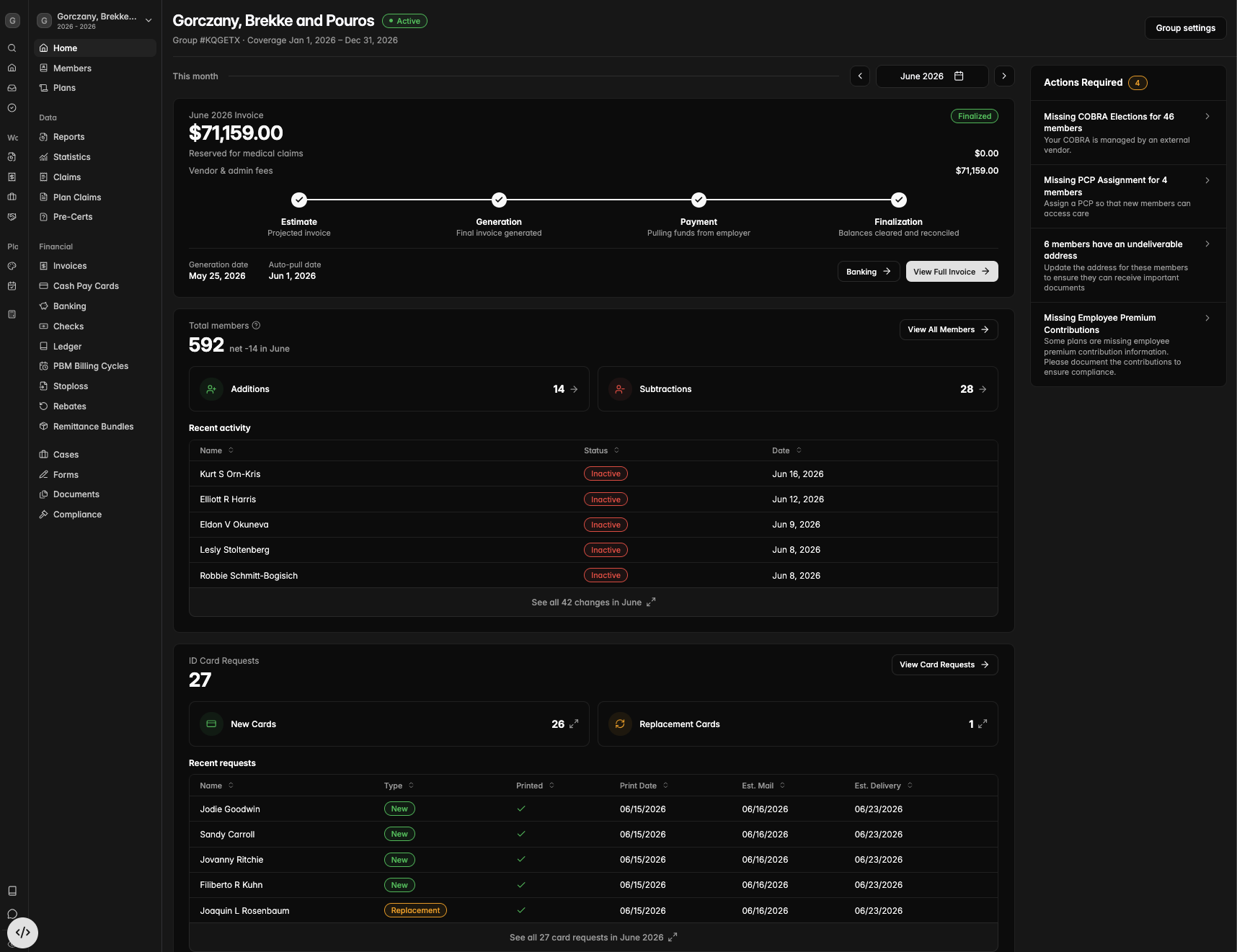
The page is divided into four parts:
Left sidebar: navigation to every other section of the portal (Members, Plans, Reports, Claims, Invoices, and more)
Multiple group management: use the group switcher on the very top-left to switch between groups
Center with four sections: Invoice Tracking, Member Activity, and ID Card Tracking
Right panel: Action Required
Header: basic group information including group name, status (e.g., active, run-out), group policy number, and coverage period.
Month Selector locates directly under the header
Invoice Tracking
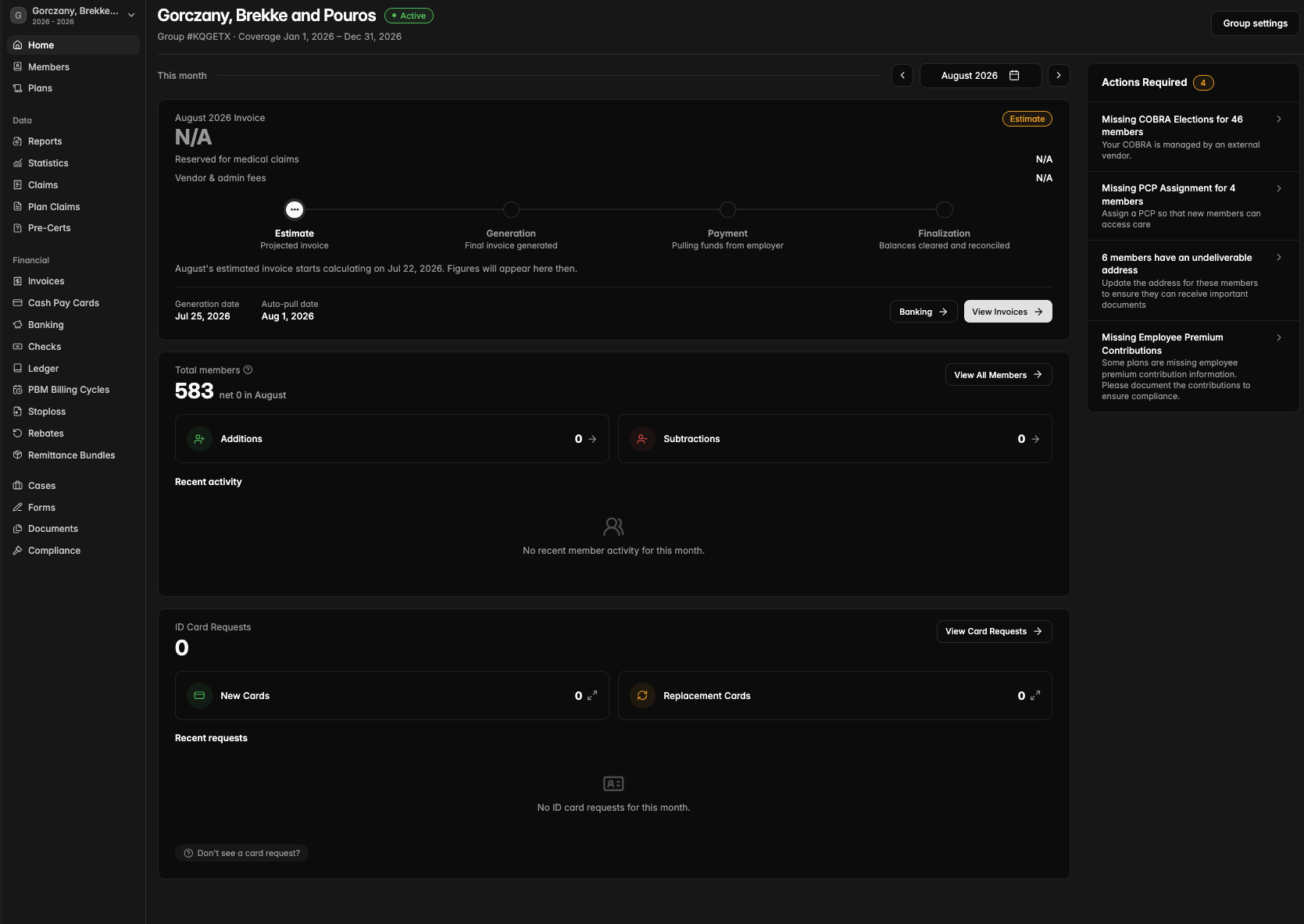
The top section shows the selected month's invoice status at a glance, following the month's invoice lifecycle from Estimate --> Generation --> Payment --> Finalization. “Banking” and “View Full Invoice” buttons allow users to act on it directly.
Member Activity
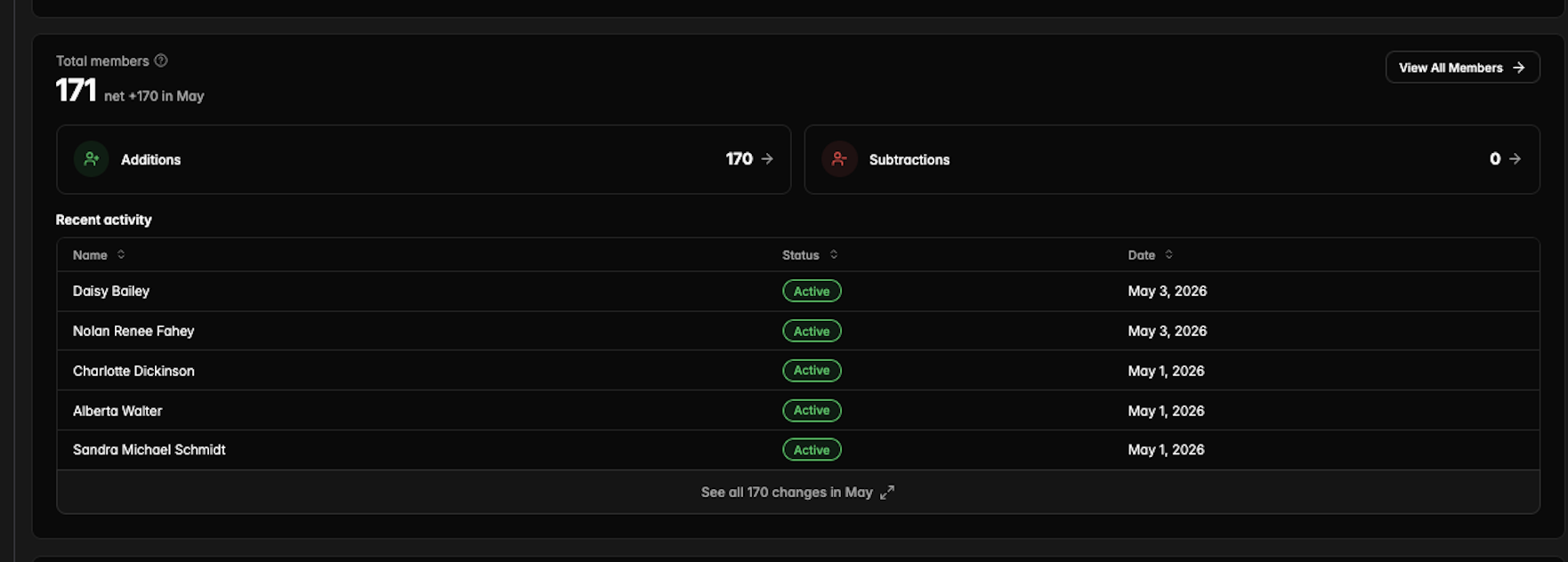
The second section summarizes member enrollment changes (additions/terminations) for the selected month
Additions and Subtractions counts
A Recent activity table (Name, Status, Date) showing the latest changes
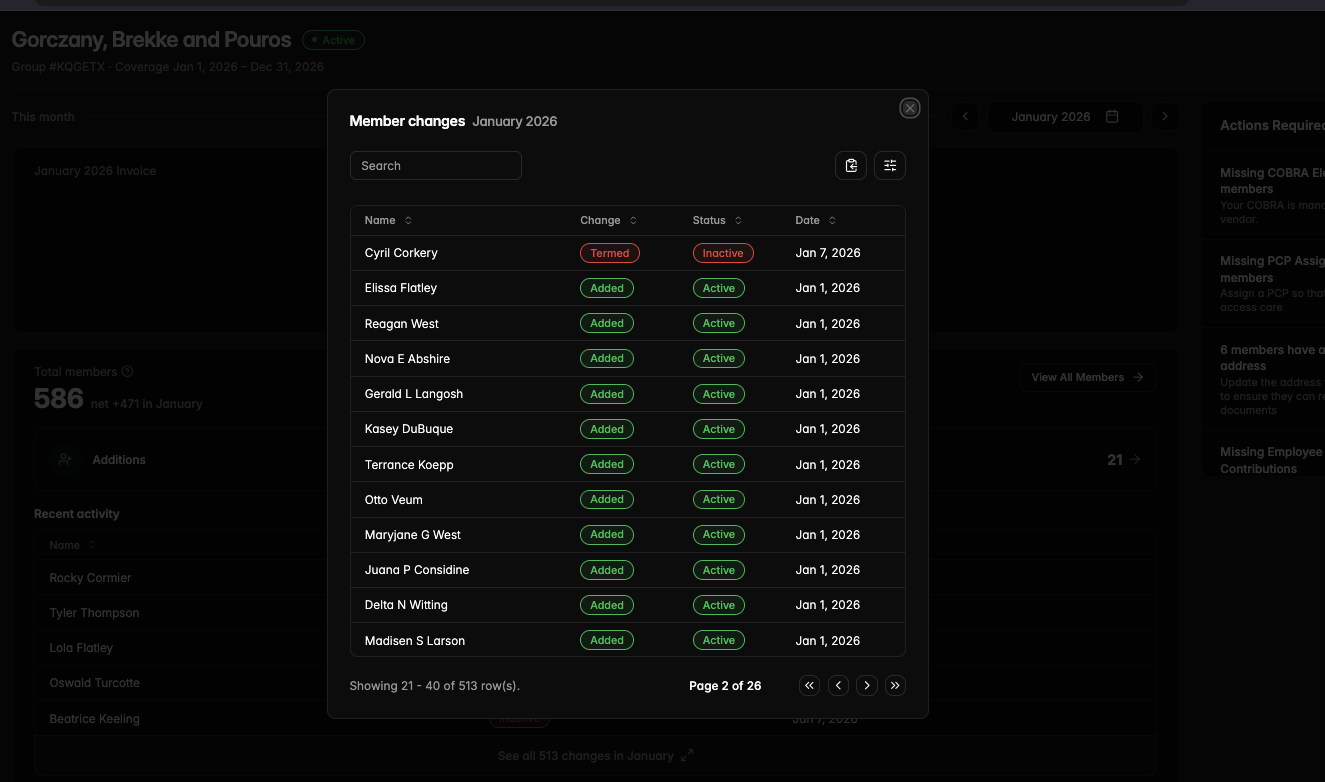
“See all N changes in [month]" button opens a searchable modal with every member change
Member Activity Tracker
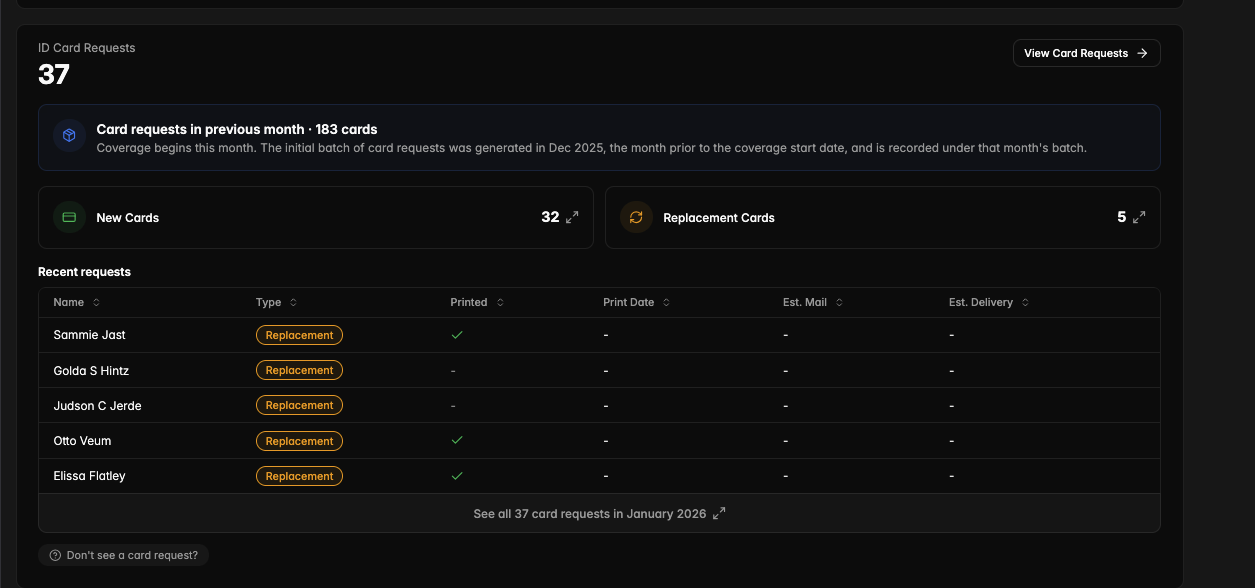
ID Cards Tracking
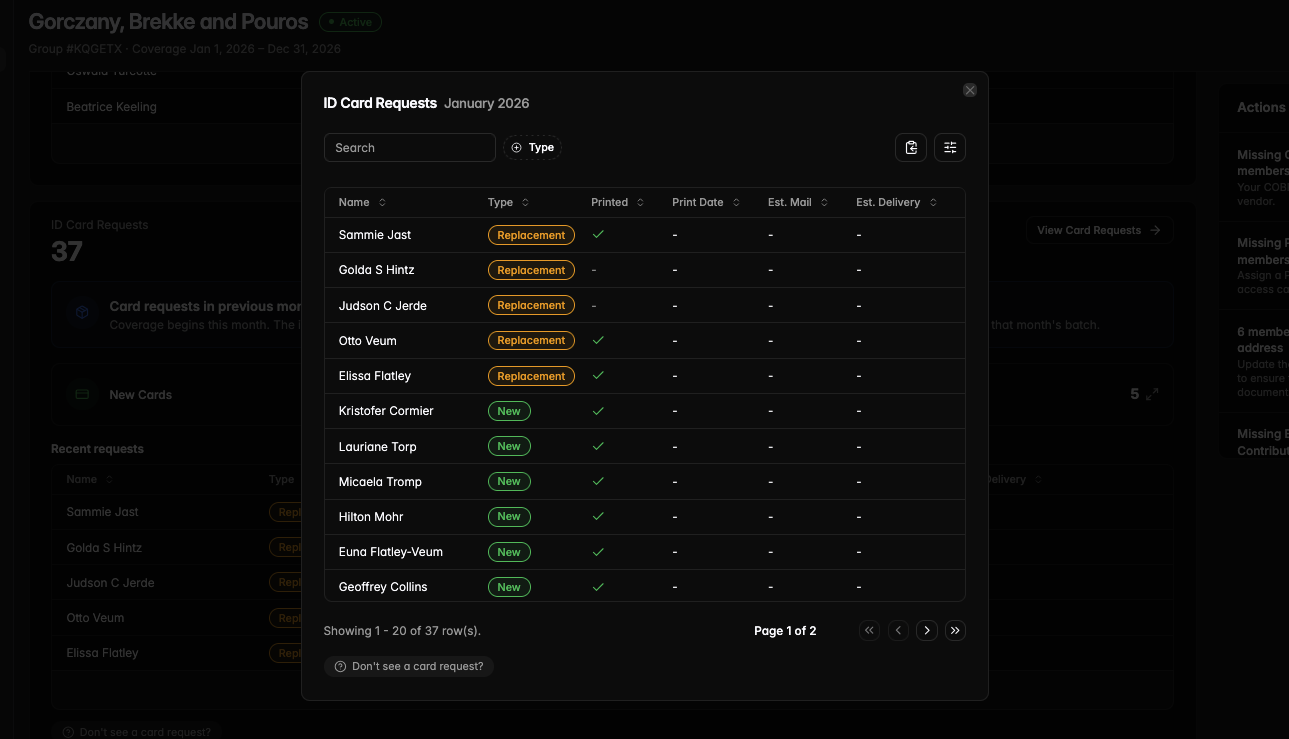
The third panel allows users to easily track ID card requests from one place
New or replacement, printing status, estimated mailing and delivery dates
“See all N cards requests in [month]" button opens a searchable modal with every request
Action Required
Actions Required on the right side shows alerts and incomplete tasks such as COBRA assignments, undeliverable addresses etc.