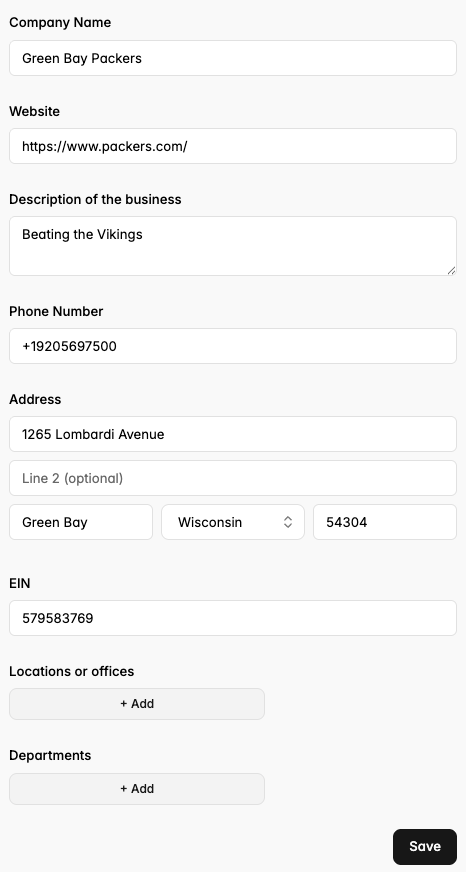
The Details tab on your portal will ask you to fill in both invoice preferences and company information.
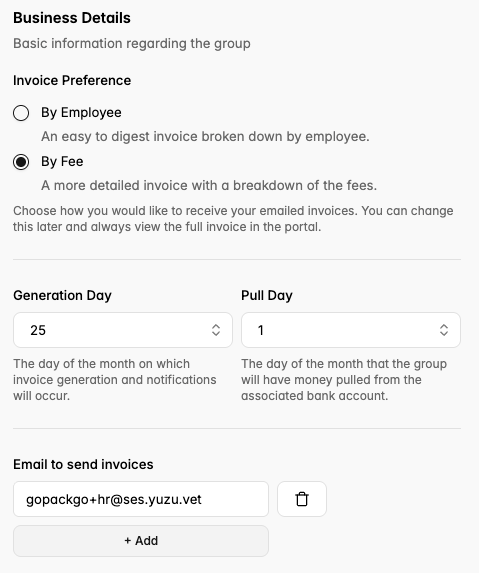
Invoice Preferences
Choose between an easy to digest invoice broken down by employee, or a more detailed invoice with a breakdown of the fees for your health plan.
Fill in the appropriate email for your team member who should receive invoices.
*Note: We generate invoices on the 25th of the month and pull money on the 1st of the month.
Business Information
Fill in your company’s DBA name.
Add your company’s website.
Write a description of your company.
Add your business phone number.
Add your business address.
Add your EIN (please verify for accuracy).