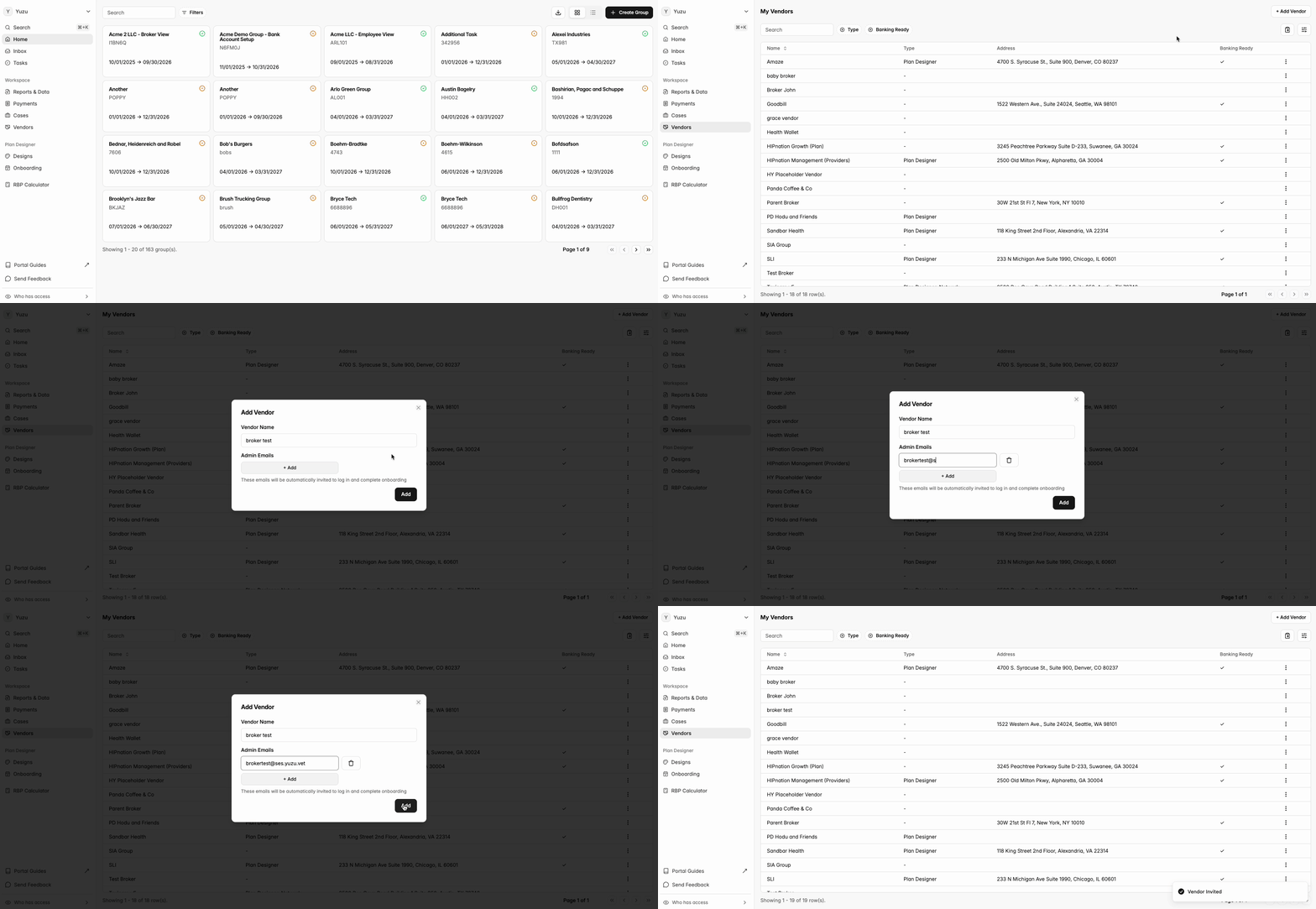
As the Plan Designer, you can add brokers as affiliated vendors to the portal. Before a broker can be paid, they're required to connect their bank account and tax information.
Process:
In the lefthand sidebar, go to the 'Vendors' tab and click '+ Add Vendor' in the top right.
Enter the vendor name and admin email. The admin is the point of contact who adds banking information, tax information, and additional team members.
The broker receives a welcome email prompting them to log in and add their group, banking, and tax information directly to the portal.
Once the broker appears in your Vendors list, you can add them to a group as a vendor.
Note: You can't create a fee for any vendor until they've added their banking information. If a vendor's status shows 'Onboarding,' they haven't yet completed the required information.