

Navigating to Procedure Search
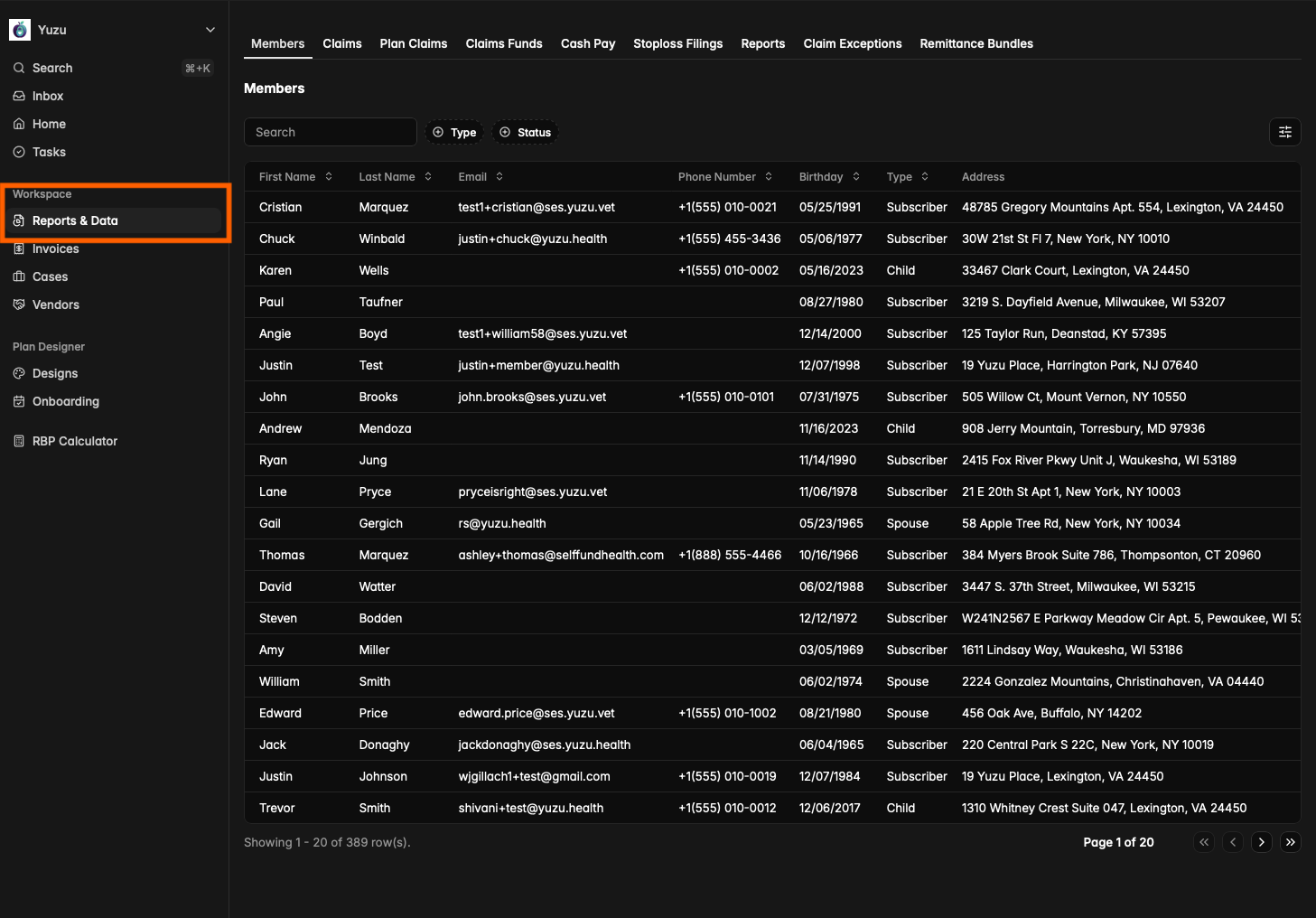
On the left hand side of the portal, under the Workspace section, navigate to “Reports & Data”.
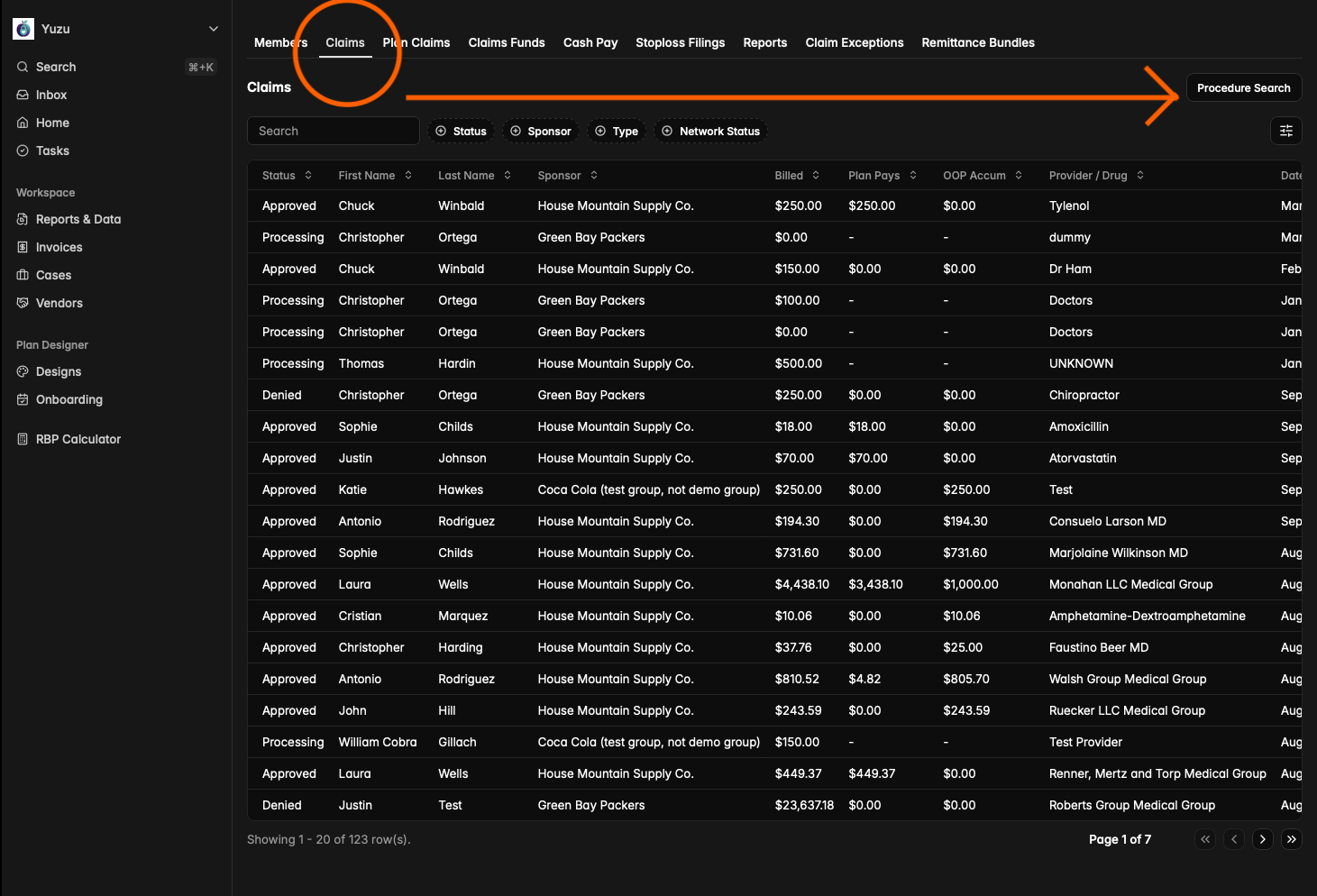
Then go to the “Claims” tab and click on the “Procedure Search” button.
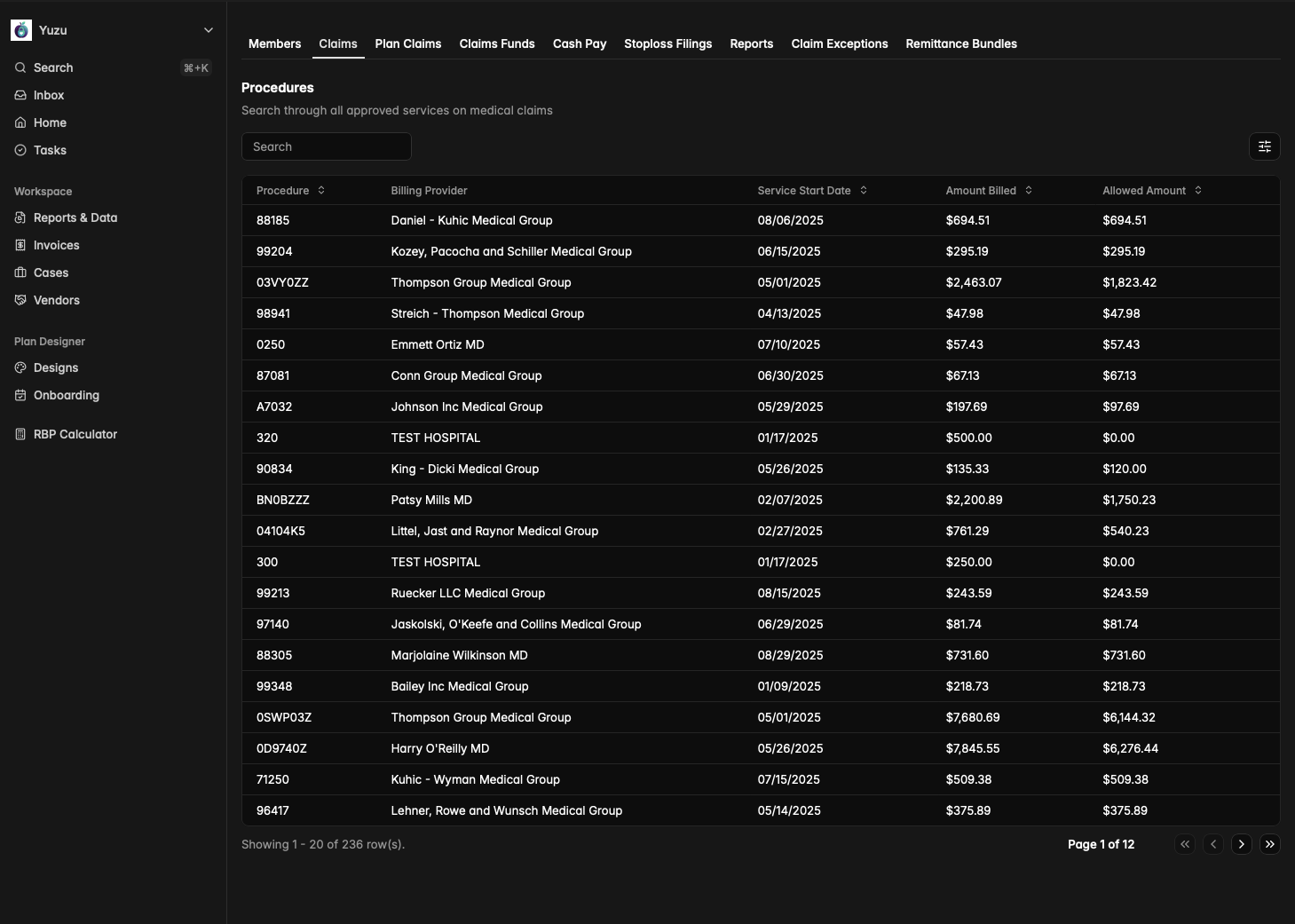
You should see the below:
Why Procedure Search?
This a unique section that makes figuring out reasonable prices for services a lot easier. By using this feature you’re able to see historical data of past procedures and you can click into each of these procedures to find more details as well:
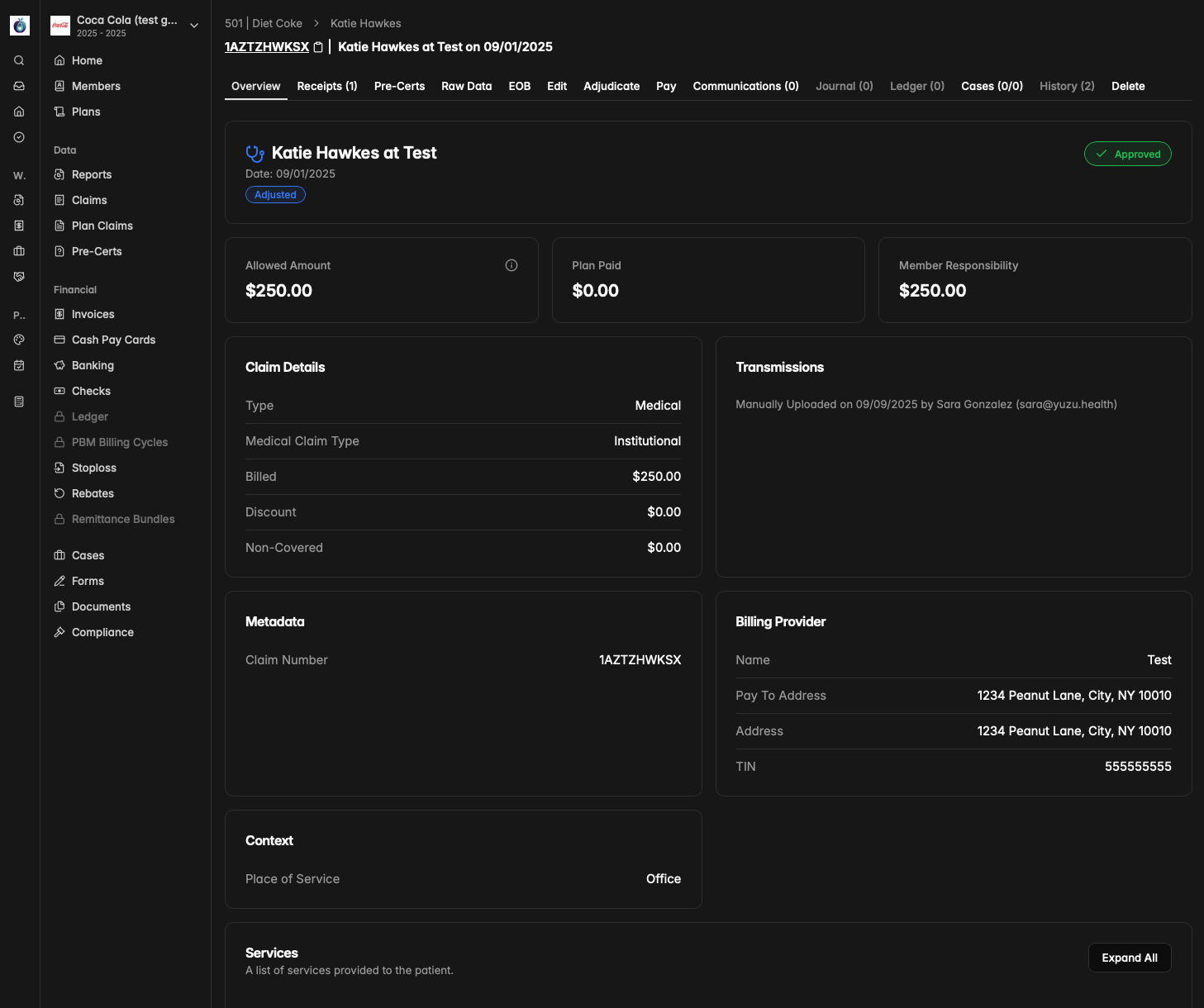
If you need help figuring out what a procedure should generally cost, Procedure Search is a great place to gather information. It shows details like the Allowed Amount, what the Plan Paid, as well as what the Member Responsibility was.