There are two ways to track payments to vendors and payments from sponsors. Both ways show the proof of payment between the group’s account and vendors/sponsors.
Banking (amount-based) pathway
Invoice (month-based) pathway
Pathway One: Banking (group-based)
The first pathway is to go to the Banking tab on the left sidebar → search/select the desired transaction by amount or description → Payment data
Status Description:
“Voided” - Transaction did not complete, check to see if it has been reattempted
“Open” - Transaction has been initiated on Yuzu’s end, the recipient will receive funds within 1-2 business days
“Posted” - Transaction has been completed, recipient has received the funds
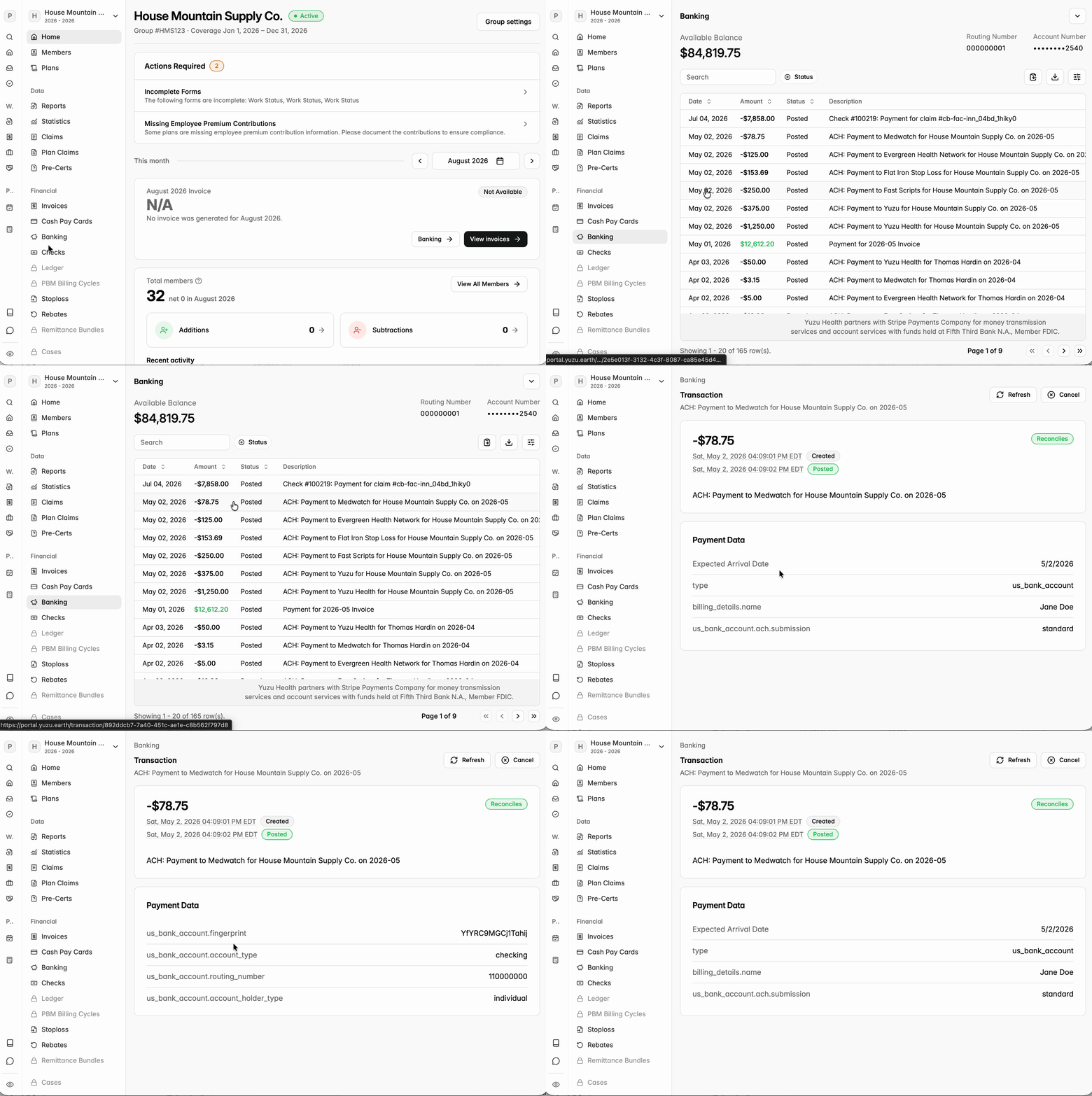
Payment data includes recipient’s:
Expected Arrival Date
Type of bank account (us_bank_account e.g.)
Name
Submission method (ACH/Check)
The last four digits of the bank account
Bank name
Bank account fingerprint
Account type (Checking e.g.)
Routing number
Account holder type
Pathway Two: Invoice (month-based)
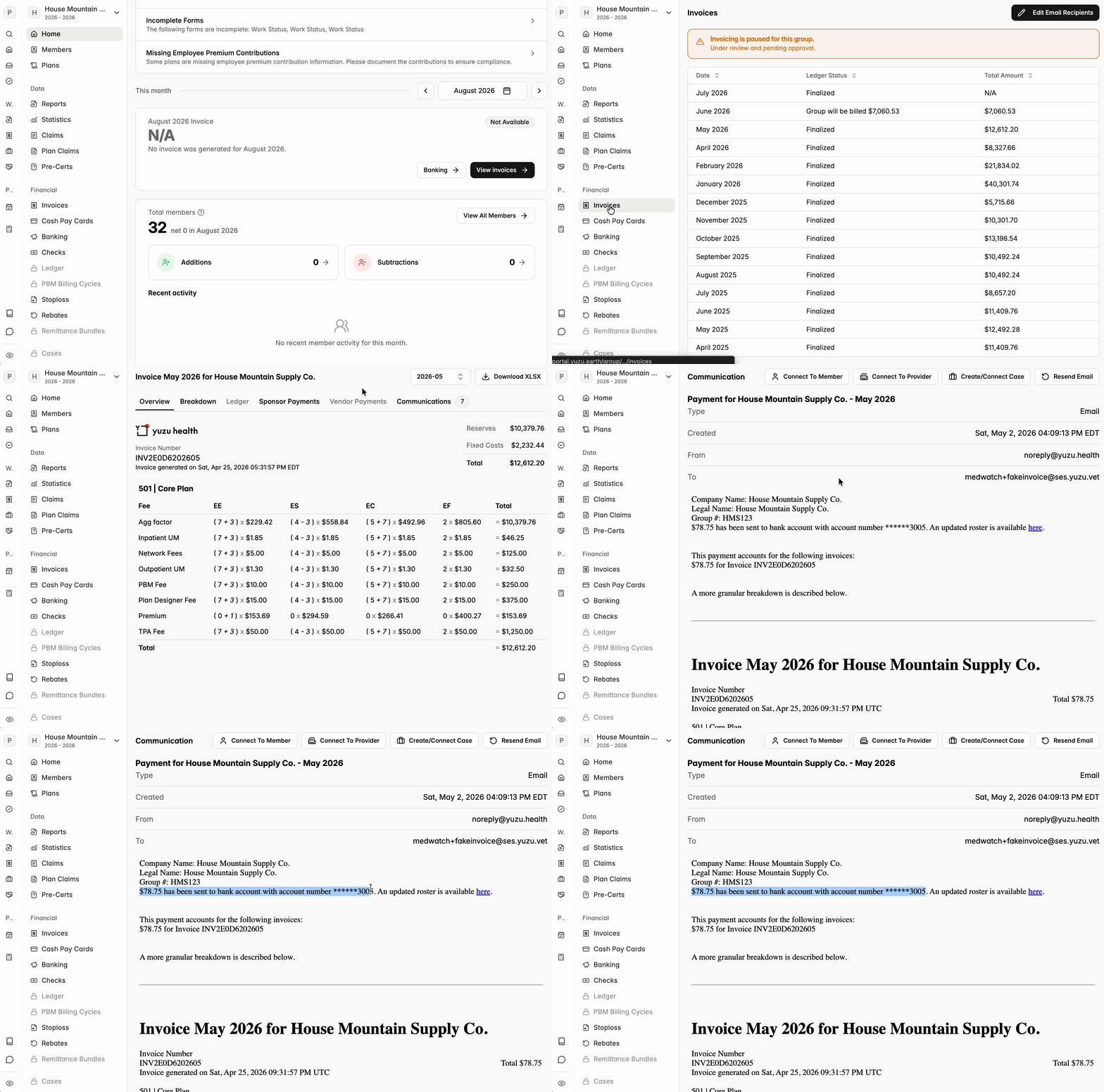
The pathway is to go to the Invoices tab on the left sidebar → select the desired month → click on Communications tab.
The communications tab shows all email communications for each payment
From each communication you can see the amount, date and the last four digits of the recipient’s bank account
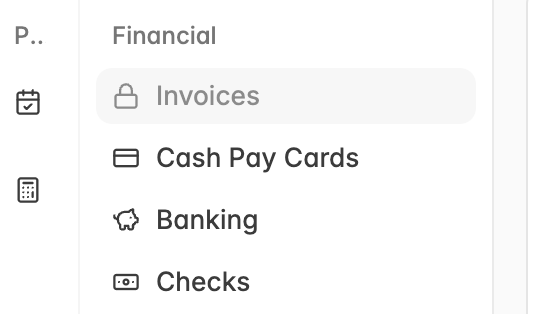
Permission Trouble Shoot: Note that not all brokers have permissions to view invoices. If your invoices tab is locked (as shown in the screenshot below), please reach out to the group’s plan designer and ask for permission