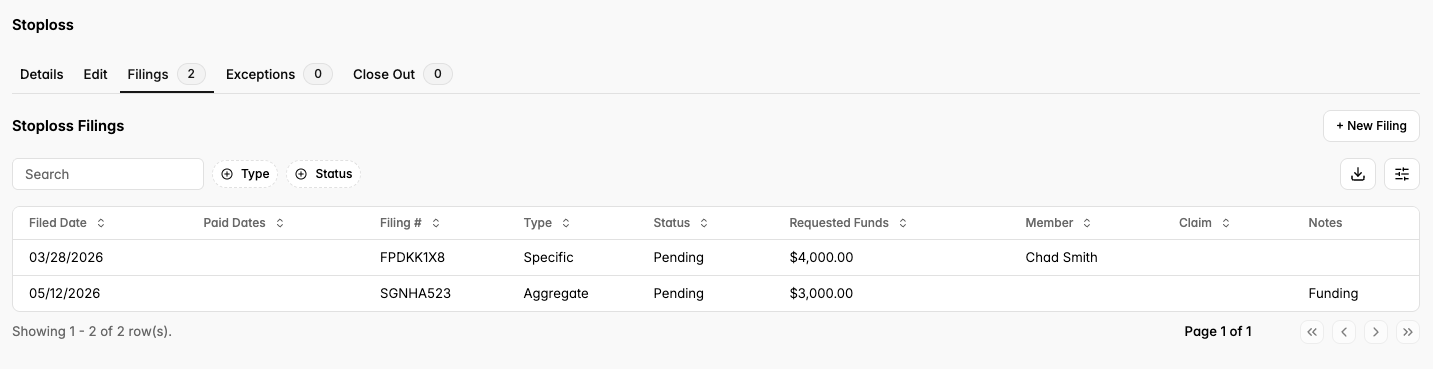
In comparison to other Third Party Administrators, we file claims continuously — submitting each claim as soon as it's ready, rather than holding them to a weekly, bi-weekly, or monthly schedule. Our stop loss process happens in real time.
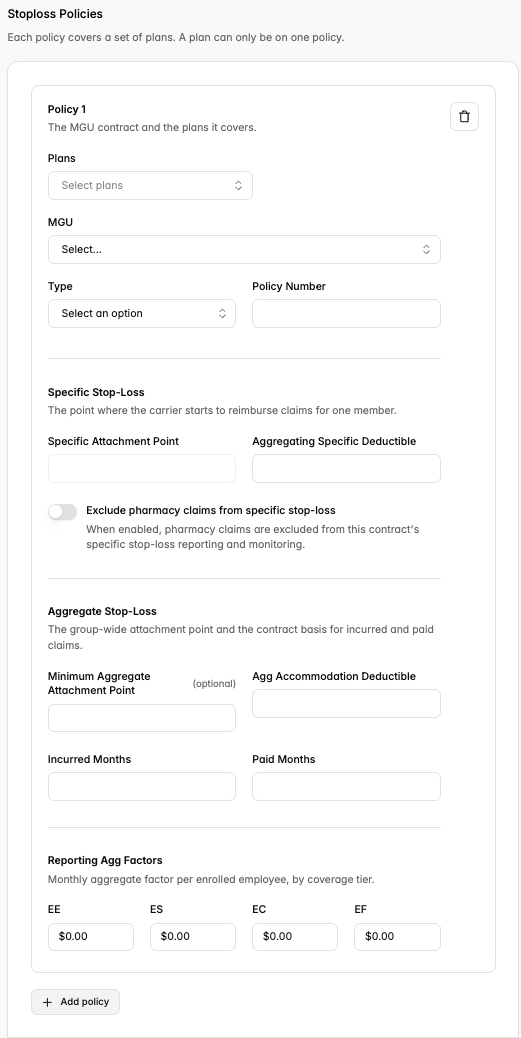
1. During Onboarding: Add Stop Loss Policy
Navigate to the “Stop Loss” tab on the left sidebar. Fill out the required fields, displayed below:
Plans
MGU
Type (aggregate only, specific only, specific and aggregate)
Policy Number
Specific Attachment Point
Deductible(s)
Incurred Months / Paid Months
Aggregate Factors
2. Post Go-Live: Create and View Stop Loss Filings
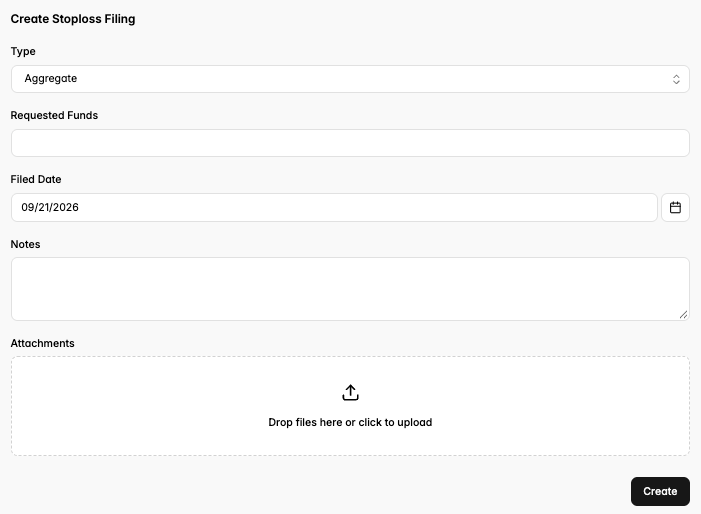
Creating a Filing
On the same “Stop Loss” tab, navigate to the “Filings” header.
Enter the requested information to create the filing.
Viewing a Filing
In the same “Filings” header, all previous filings will be displayed along with their current status (“Pending” or “Paid”).