
Updating Remittance Address - Provider Page

Updating your address here does not automatically change where your claim payments are sent. We remit payments to the address on each individual claim file we receive, so the address is set claim by claim.  If you need us to use the address below instead of the address on your claim files, please let us know by emailing support@yuzu.health.

Update Your Address

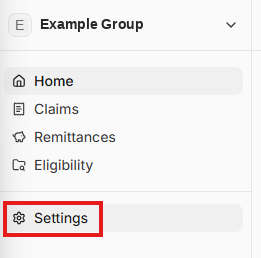
From your home page, click “Settings” in the menu on the left
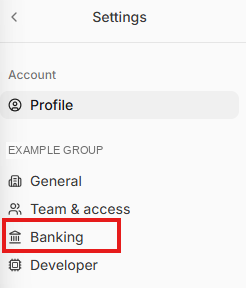
From the Settings page, click “Banking”
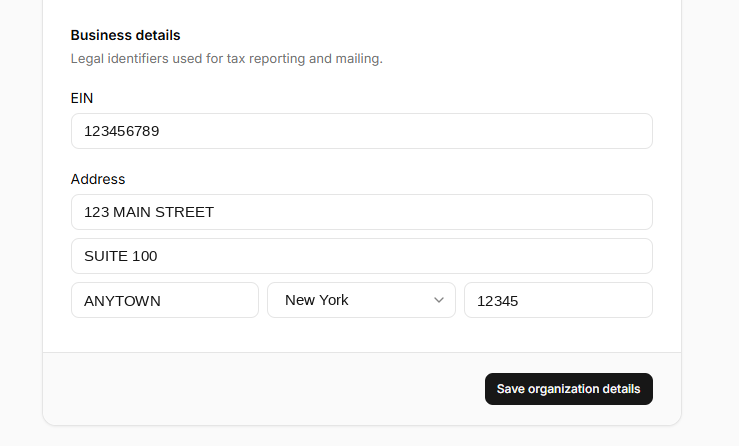
On the Banking page, update your address under “Business details”, then click “Save organization details”.
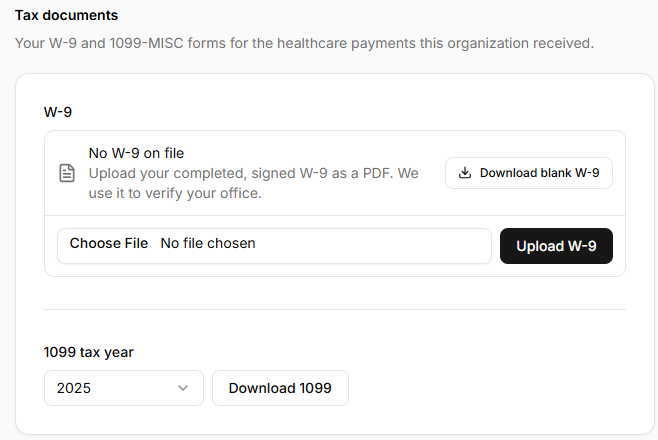
Upload an Updated W-9

At the bottom of that same page, you can also upload an updated W-9 with the corrected address.
Was this page helpful?