Why we ask for this:
Under Section 204 (Title II, Division BB) of the Consolidated Appropriations Act, employer-based health plans must submit information about prescription drugs and health care spending. This annual data submission is known as the RxDC report. The RxDC report includes details not only about prescription drugs but also about overall health care costs and premiums paid by both employers and employees.
For this key compliance reason, we collect employee premium contributions during group onboarding.
What to know:
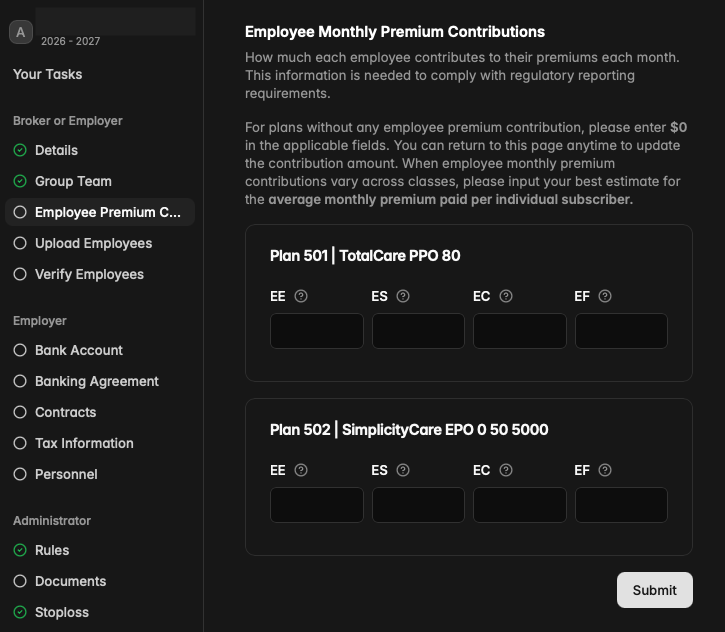
For each plan, please enter how much each employee contributes to their premiums each month.
For plans without any employee premium contribution, please enter $0 in the applicable fields.
When employee monthly premium contributions vary across classes, please input your best estimate for the average monthly premium paid per individual subscriber.
This information is required for finalization. Without it, the group cannot go live.
How to make edits:
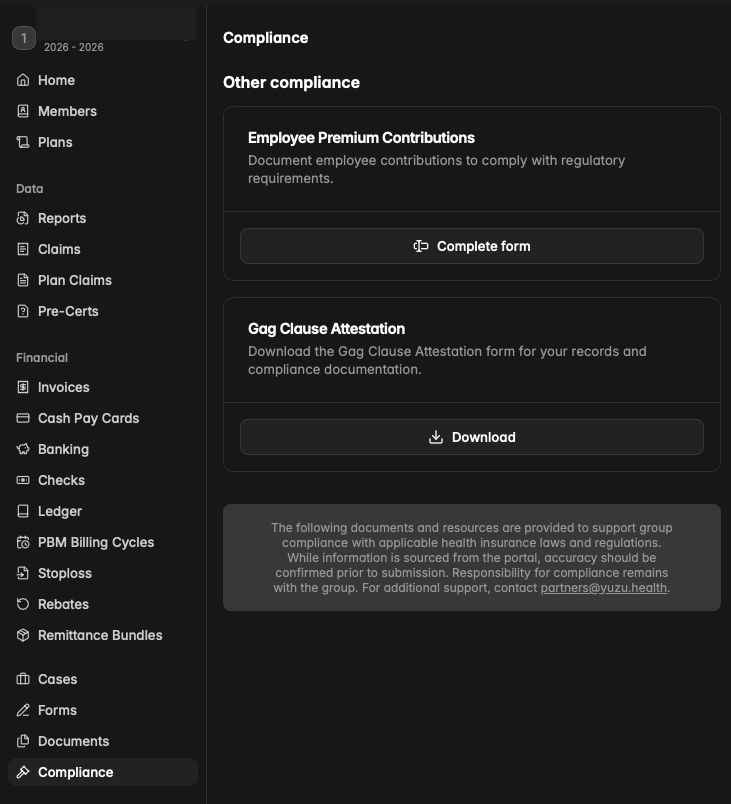
You can return to this page anytime to update the contribution amount. Once the group is active, the page can be found under the “Compliance” tab at the bottom of the left-hand panel. Simply click “Complete Form” to make edits.