

Why do I need to connect my bank account?
Connecting your external bank account allows us to securely process payment for your monthly invoice. All daily transactions are handled within your FBO ("For Benefit Of") account, so this external bank account will remit payment for your monthly invoice with a single pull per month, on the first business day of the month.
All employer contributions and member funds collected to fund the health plan are held at Fifth Third Bank, our banking partner. Fifth Third Bank is a nationally chartered financial institution and deposits are FDIC insured up to applicable limits.
What is Stripe and how is my information kept secure?
We understand that the security of your financial information is of utmost importance. That's why we partner with Stripe, a leading payments and financial technology company, to handle the connection to your bank account through Stripe Financial Connections. Stripe uses advanced encryption protocols and strict security measures to protect your data. Your banking credentials are never shared with us — we only receive a secure, tokenized payment method that allows us to process payments, ensuring your sensitive information remains private and protected.
We do not support groups that wish to fund plans only by mailing checks or by initiating outbound ACH payments directly to us.
How do I connect my bank account?
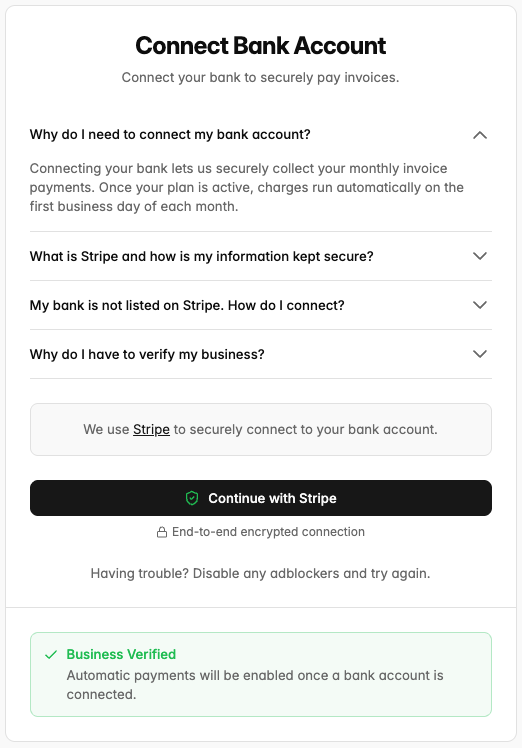
We use Stripe to securely link banking info. You will find "Bank Account" on the left side of your onboarding flow under "Employer." Once you click into the page, the button you see depends on your business verification status — it will read either "Connect with Stripe" or "Continue with Stripe." Both open the same secure Stripe window and are shown below.
If you are updating your bank account, the button will read '“Update Bank Account” — click this and continue through the following steps to change your bank account.
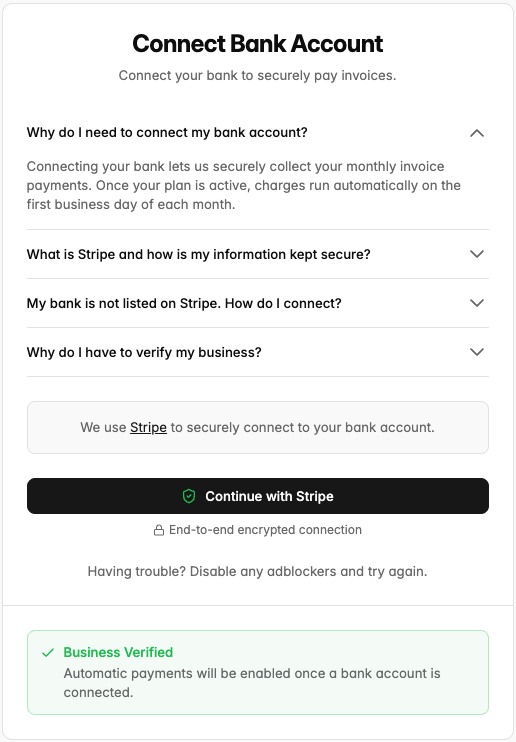
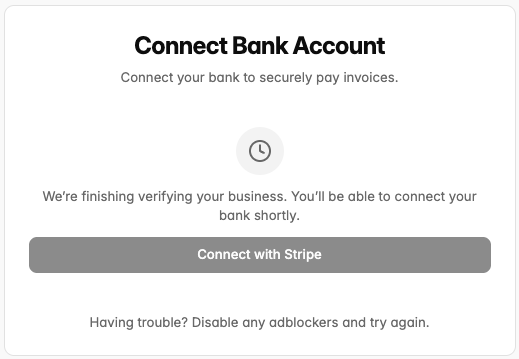
If the button is disabled and you see a note that "we're finishing verifying your business," your verification hasn't been submitted yet — wait for it to be processed (usually instant, up to 24 hours) and the button will become available.
There are two ways to connect your bank account:
1. Logging into your banking portal (recommended)
Search for or select your bank in the Stripe window and log in directly through your bank's secure portal. This is the fastest option — Stripe verifies account ownership instantly and your connection is active as soon as you finish.
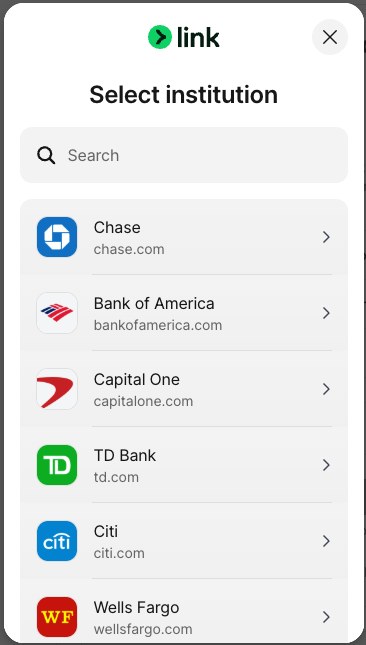
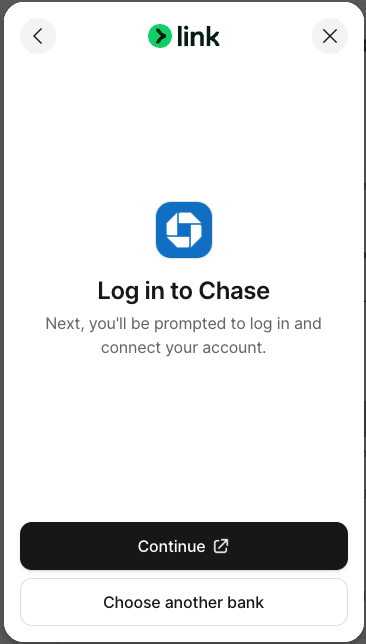
Bank login is always available — even while your business verification is still in progress or not yet started. As long as the button isn't disabled, you can connect immediately this way regardless of whether it says "Connect" or "Continue with Stripe."
2. Entering account and routing numbers manually
If your bank isn't listed in Stripe, you can connect manually:
Your business must be verified first. Manual entry doesn't prove account ownership, so Stripe requires your business verification (KYB) to be complete before this option is available. You can complete business verification by filling out the “Details”, “Tax Information”, and “Personnel” sections on the lefthand sidebar with accurate information of your business. Verification is usually instant but can take up to 24 hours — you can check your status at the bottom of the Bank Account page. If verification is still pending, the connect button will be disabled with a note that we're finishing verifying your business.
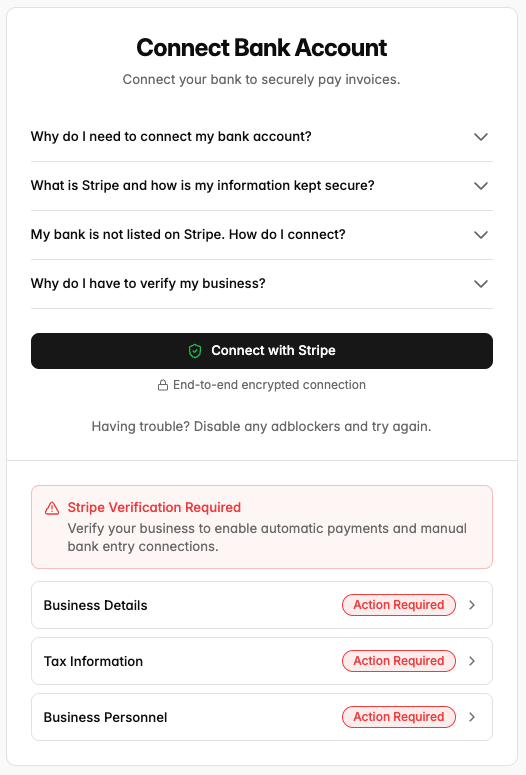
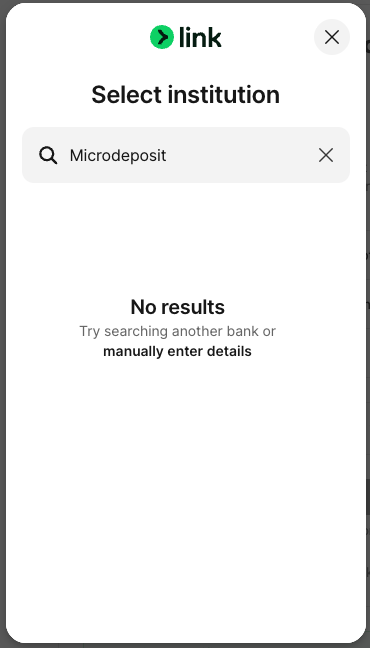
Once verified, click “Continue with Stripe” and in the Stripe window, search "Microdeposit" as though it were a bank name, then click “manually enter details” and continue with manual entry of your routing and account numbers.
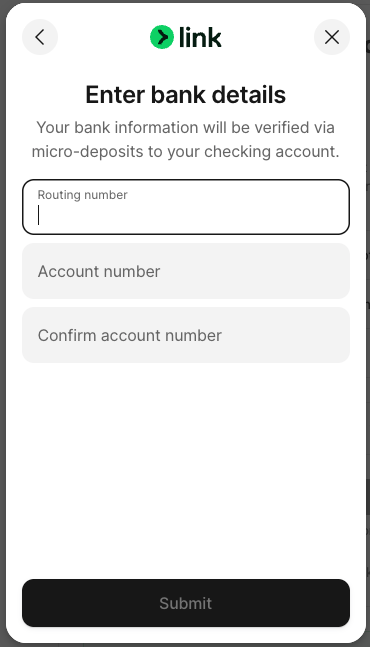
Stripe will send a small deposit to your account within 1–2 business days. The transaction description contains a 6-character code starting with "SM".
Once the deposit arrives, return to the portal and click the verification button to enter the code on Stripe's secure verification page. We'll also email you a verification link you can use directly.
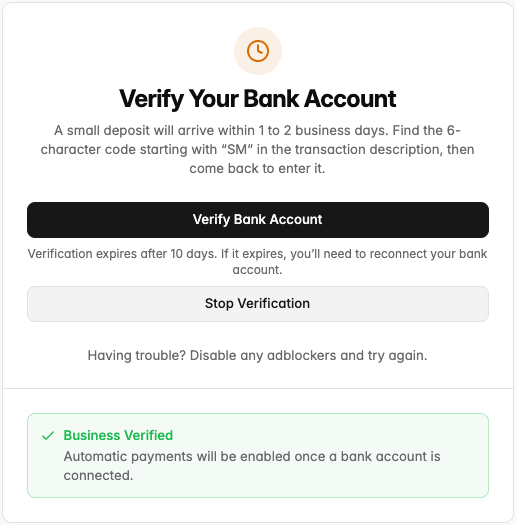
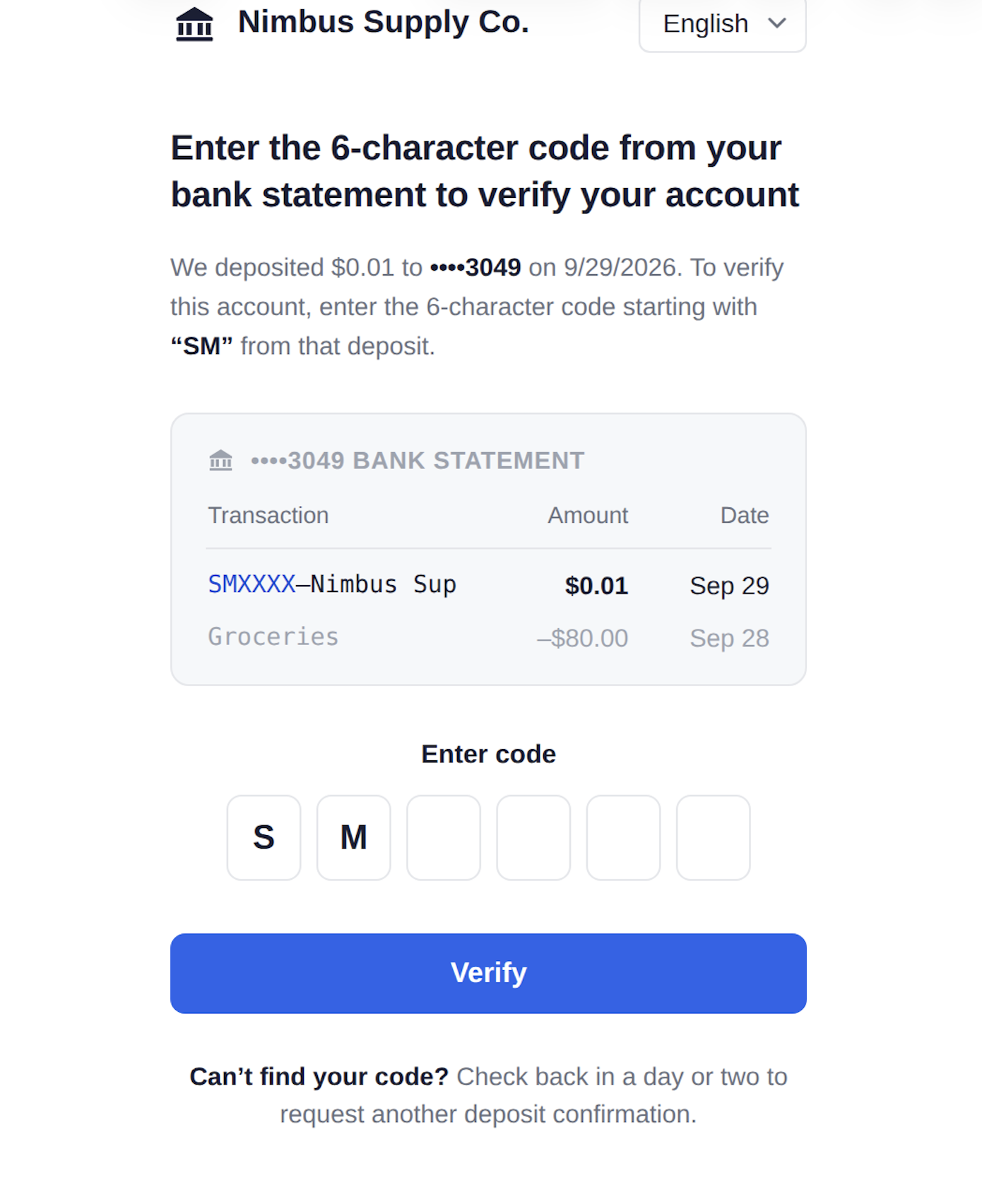
Note: the verification link expires after 10 days. If it expires, you'll need to reconnect your bank account.
If you're in a time crunch, we recommend the direct bank login flow - it verifies instantly with no waiting period.
Troubleshooting Banking Connection
"A bank verification is already in progress" — a microdeposit verification is still pending. Either finish it by entering your SM code, or click "Stop Verification" on the Bank Account page to cancel it and connect a different account.
Manual entry option not available / bank not found — if your business verification is still in progress, manual entry is disabled and bank login is the only option. If your bank isn't listed on Stripe, wait for business verification to complete (we'll email you), then use the "Microdeposit" search flow above.
Connection failed — the page will show "Reconnect Your Bank" with a "Reconnect Bank Account" button to start over.
For other issues, contact your bank directly or reach out to Yuzu support.