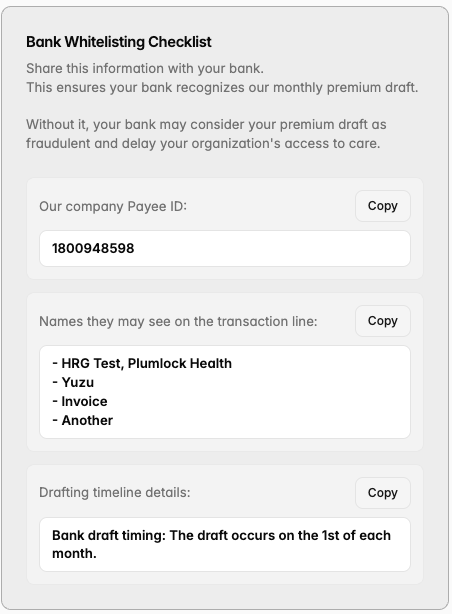
How do I whitelist Yuzu’s banking info?
In order to ensure that monthly premiums pull easily and on time, we recommend taking the below steps to whitelist Yuzu’s banking info with your own external bank account (the one set up in the ‘Add Banking’ flow).
How do I add more emails to receive invoices?
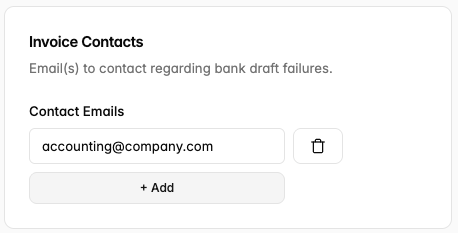
On this page you can also add additional emails that will receive invoicing-related remittances. Click the ‘+Add’ button to add more emails, and click the trash icon to delete the email. At least one email must be added before this step is considered completed.
What is the Banking Agreement?
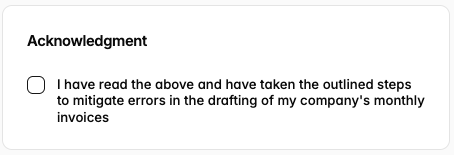
The banking agreement itself lives at the bottom of this page and is a checkbox acknowledging that you’ve read and taken the necessary steps outlined above.
Is that all?
Once you’ve checked the agreement and added any invoicing emails you can hit ‘Acknowledge & Save’ and you’re good to go!