

About Plan Designs
We create and store these Plan Designs as templates in the Plan Design tab on the portal. A templated plan from this list must be selected when a new Group is created in Yuzu.
Plan Designs are filterable by Designer, Nickname, Type, Status, Tags, and associated Vendors, making it easy to manage a large repository of plans directly in Yuzu.
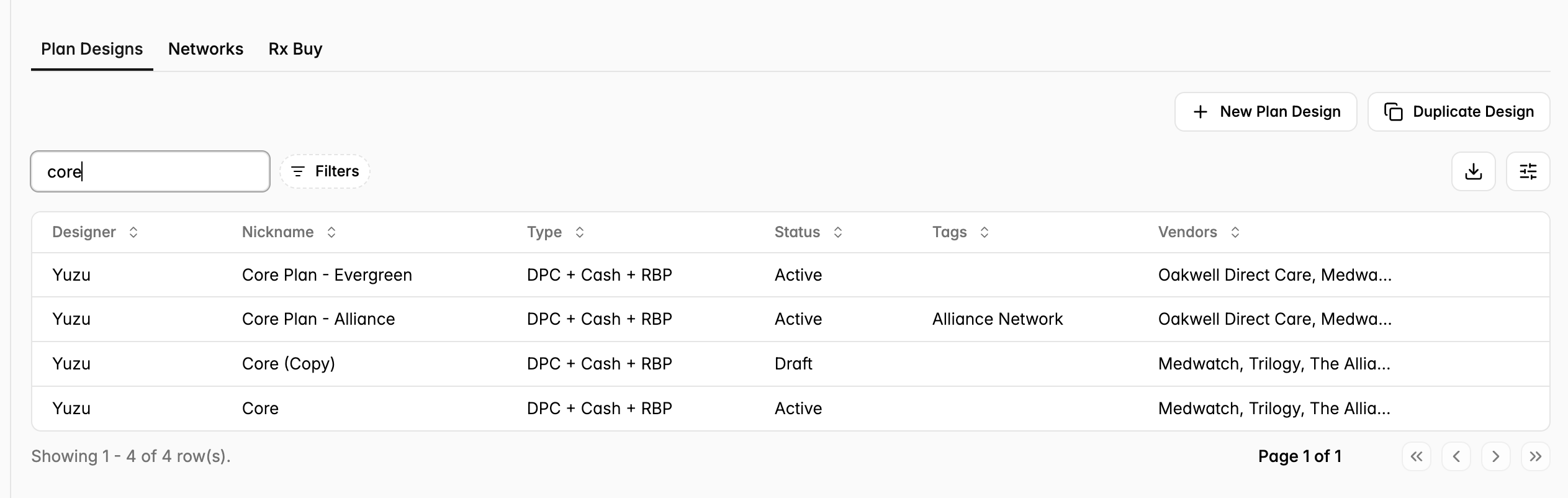
Each plan can have one of four statuses:
Draft
Active
Archived
In Review
Only plans that are Active can be applied to a new group. This prevents sales and implementation teams from accidentally selecting a WIP plan when loading a new group in Yuzu.
Yuzu Benefit Builder
Yuzu’s Benefit Builder allows us to create the benefits that apply to each plan design. Yuzu’s Launch team reviews your plan grids, SBCs, and SPD to create custom plan designs that captures your plan entirely.
The Benefit Builder has highly granular functionality, and allows us to add and adjust tiers, accumulators, Rx payments and limitations, medical payments and limitations, exclusions list, pre-cert list, and RBP percentages to plans.
Here’s a breakdown of Benefit Builder functionality in more detail:
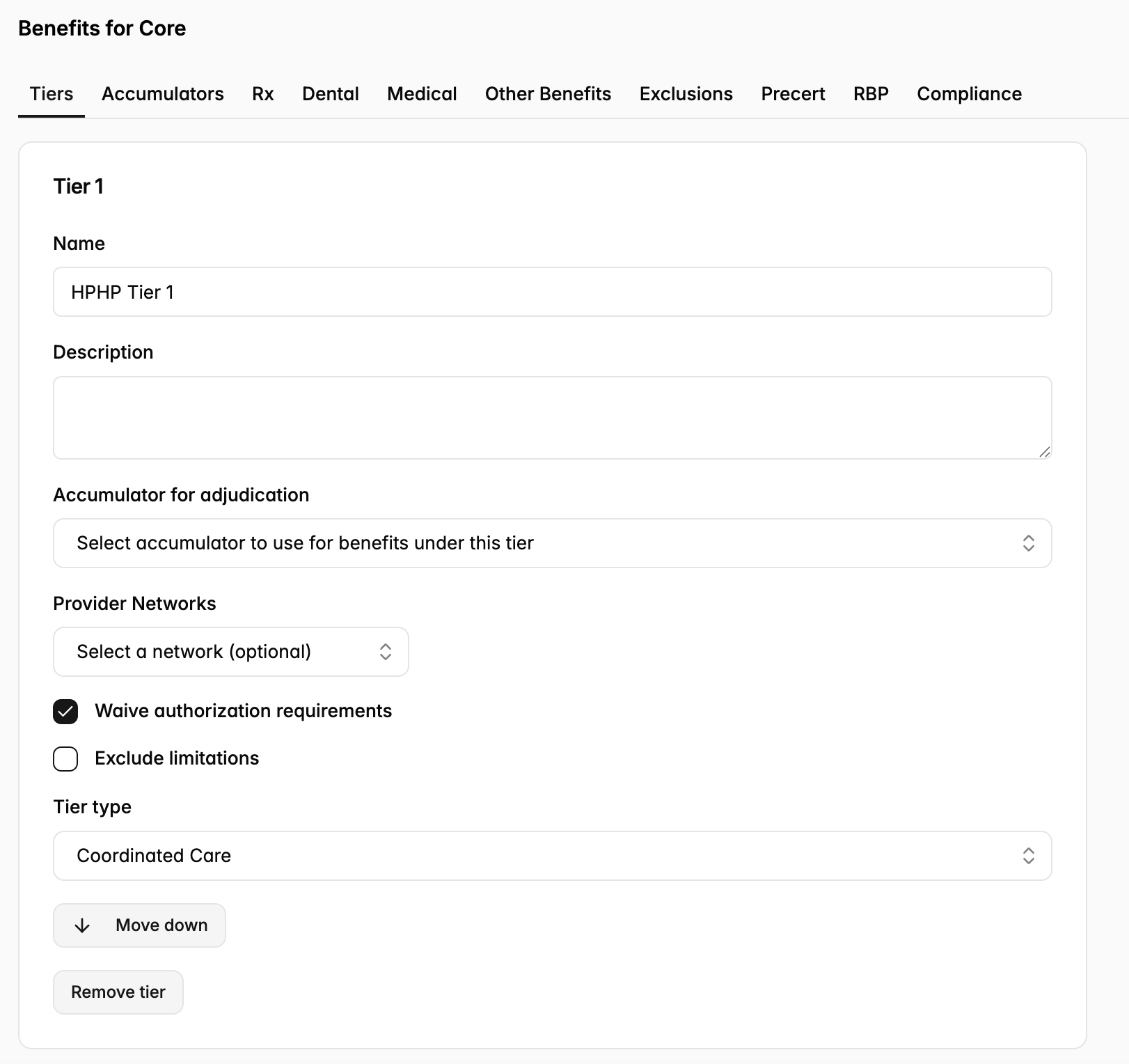
Tiers
Add and adjust tiers (e.g., In-Network). Add the relevant provider network if applicable.
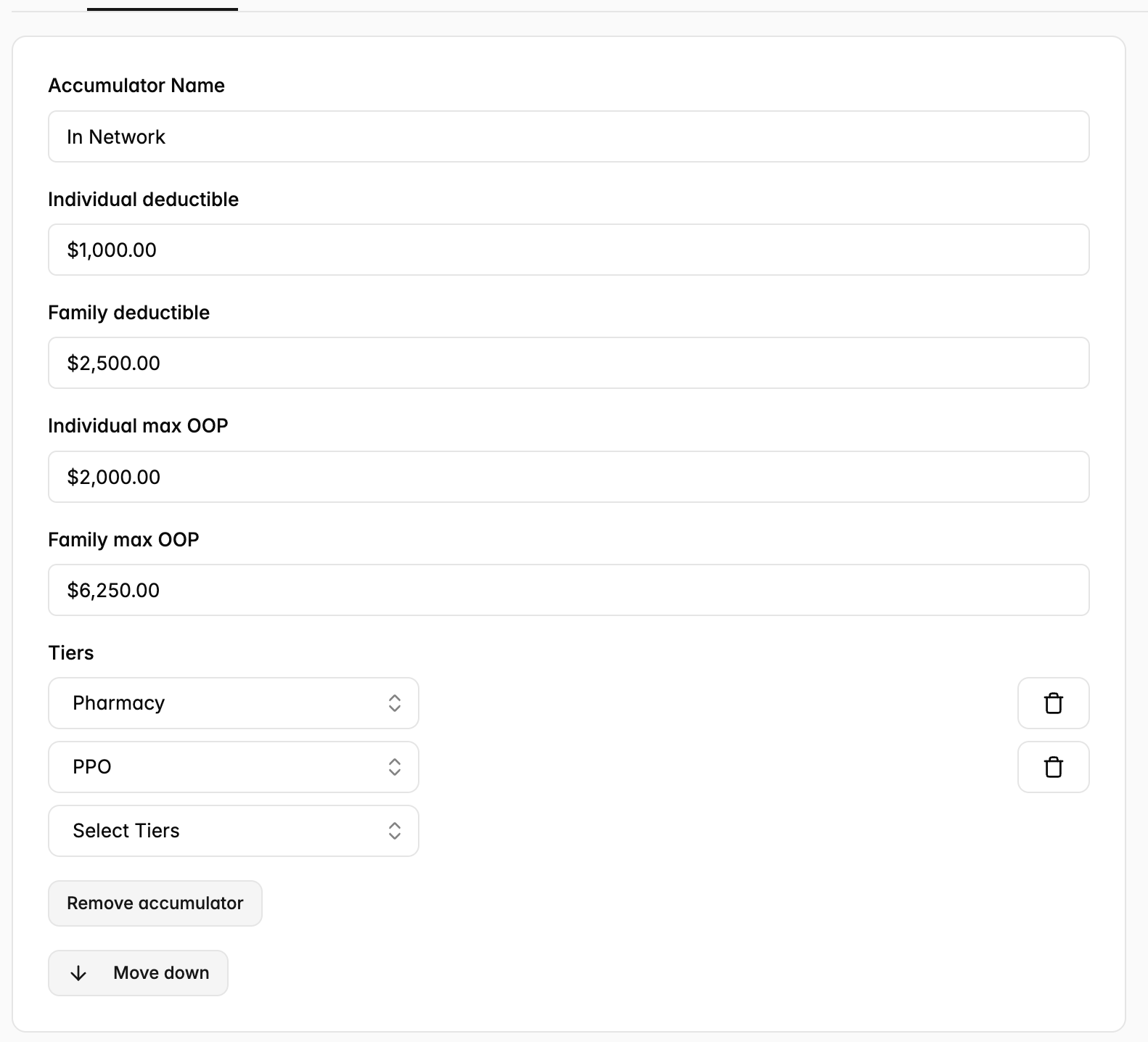
Accumulators
Add and adjust accumulators (e.g., In-Network). The accumulator is associated with a tier, but they are separate objects in Yuzu. This allows for cross-accumulation, $0 accumulators, and other customization between accumulators and tiers.
Rx
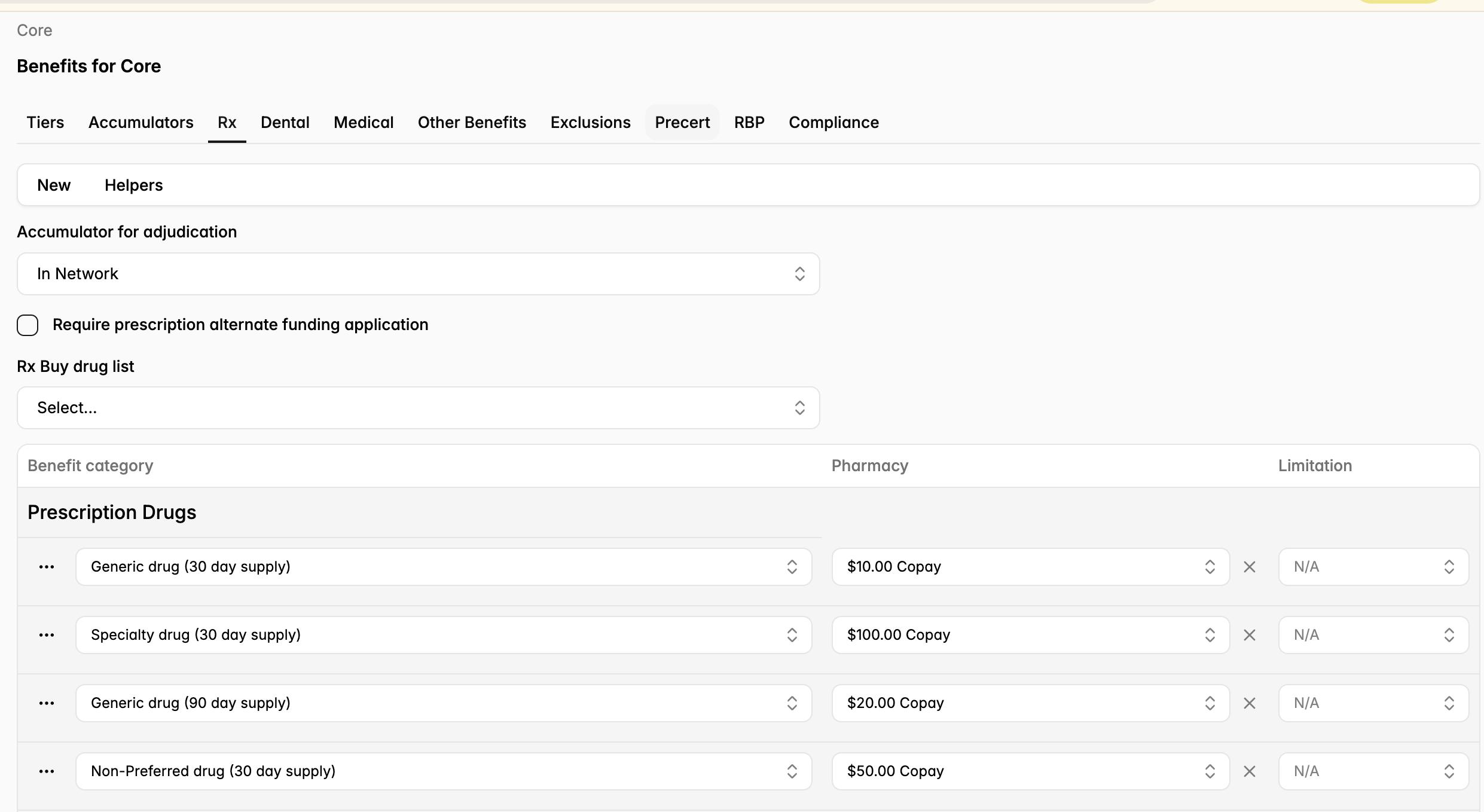
While your PBM is determining coverage for Rx claims, Yuzu is handling all payment and reconciliation, so we load all Rx benefit information. The Rx tab allows Yuzu to:
Add drug categories.
Add coverage and cost sharing, broken down into 30 day vs 90 day fills.
Add limitations.
Add fully adjustable copays and coinsurance.
Medical
The Medical tab allows Yuzu to:
Add coverage and cost sharing by tier by benefit category.
Add limitations.
Add fully adjustable copays and coinsurance.
Our “New” button allows us to add new payment amounts, while “Helpers” allows us to Find and Replace or Auto-fill categories. This makes creating and updating plan designs simple and clean - no manual entry by category.
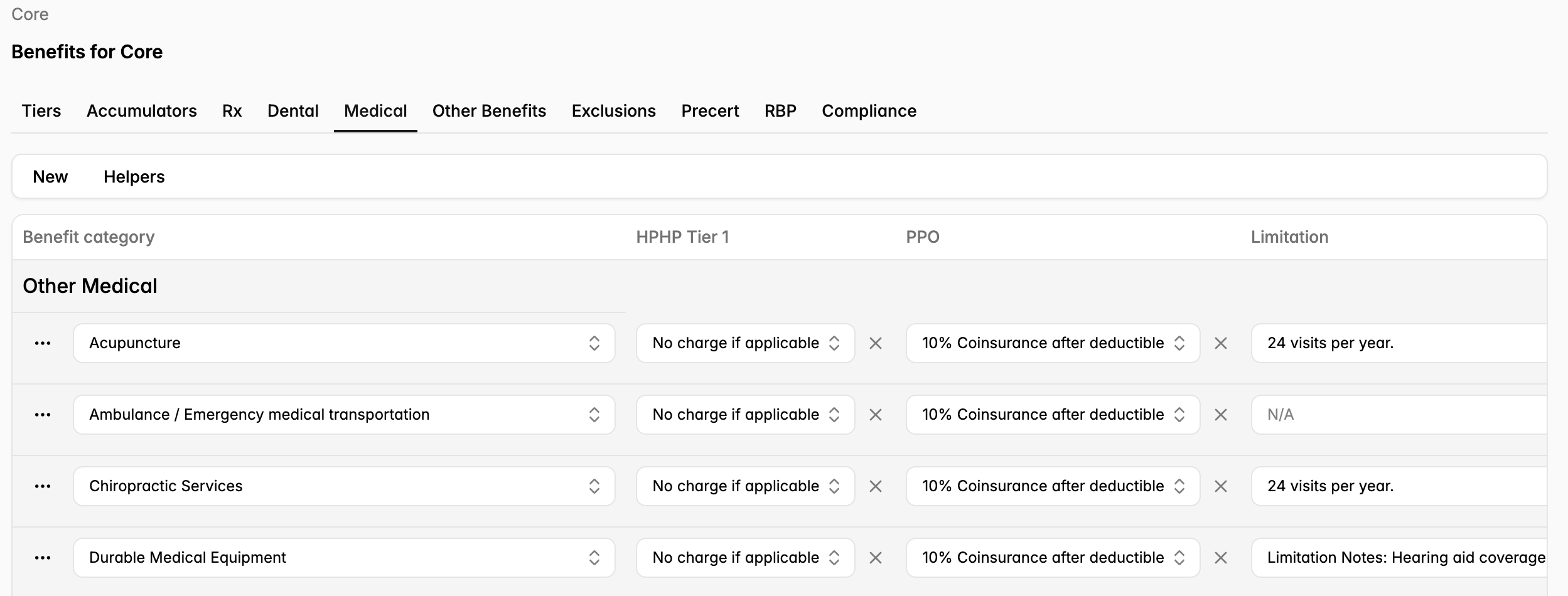
Yuzu maintains our list of benefit categories broken down by CPT code, Procedure Code, Procedure Code Modifier, Place of Service, Revenue Code, Provider Taxonomy, Diagnosis Code, Claim Type, and Admit Type. Plan Designers can choose whatever selection of benefit categories makes sense for their plan, but we do not typically permit one-off changes to our standard benefit categories. If you believe you may need an adjustment, reach out to your Launch Lead who can take a look for you.
Exclusions, Pre-Certs
While general exclusions are handled directly in the SPD and are not adjustable, medical exclusions vary plan-to-plan and are adjustable in the Benefit Builder. We can take benefit categories from our repository and add them as Exclusions - all of these adjustable exclusions are automatically added when the SPD is generated for the plan.
Additionally, Yuzu has built pre-done precertification requirement lists for our two Utilization Management vendors: Medwatch and Cigna. This means there’s no building required! Yuzu simply selects the precert list based on Utilization Management provider.
RBP
For plans with OON claims adjusted using Yuzu RBP, we build in a base and max RBP percentage.
Compliance
Yuzu uses the compliance tab to determine if the plan is compliant with Mental Health Parity, Minimal Essential Coverage, and/or HSA law.
Other Plan Design Components
Vendors
Within a plan, the Plan Designer creates a templated vendor stack. Plan Designers can only add onboarded vendors (connected bank account, tax information collected) to a plan. Collecting this information is a standard part of Yuzu’s Launch process, and is easiest when plan designers use vendors that are already integrated with Yuzu.
If you have vendors who will need to be added after launch, see more information here.
Fees
Once a vendor has been added to the plan, then the Plan Designer can add the associated fee based on coverage tier (e.g., EE, ES). Only fixed fees are loaded in to the Plan Design. If the fee varies from group to group (e.g., Stop Loss) it does not need to be included in this step.
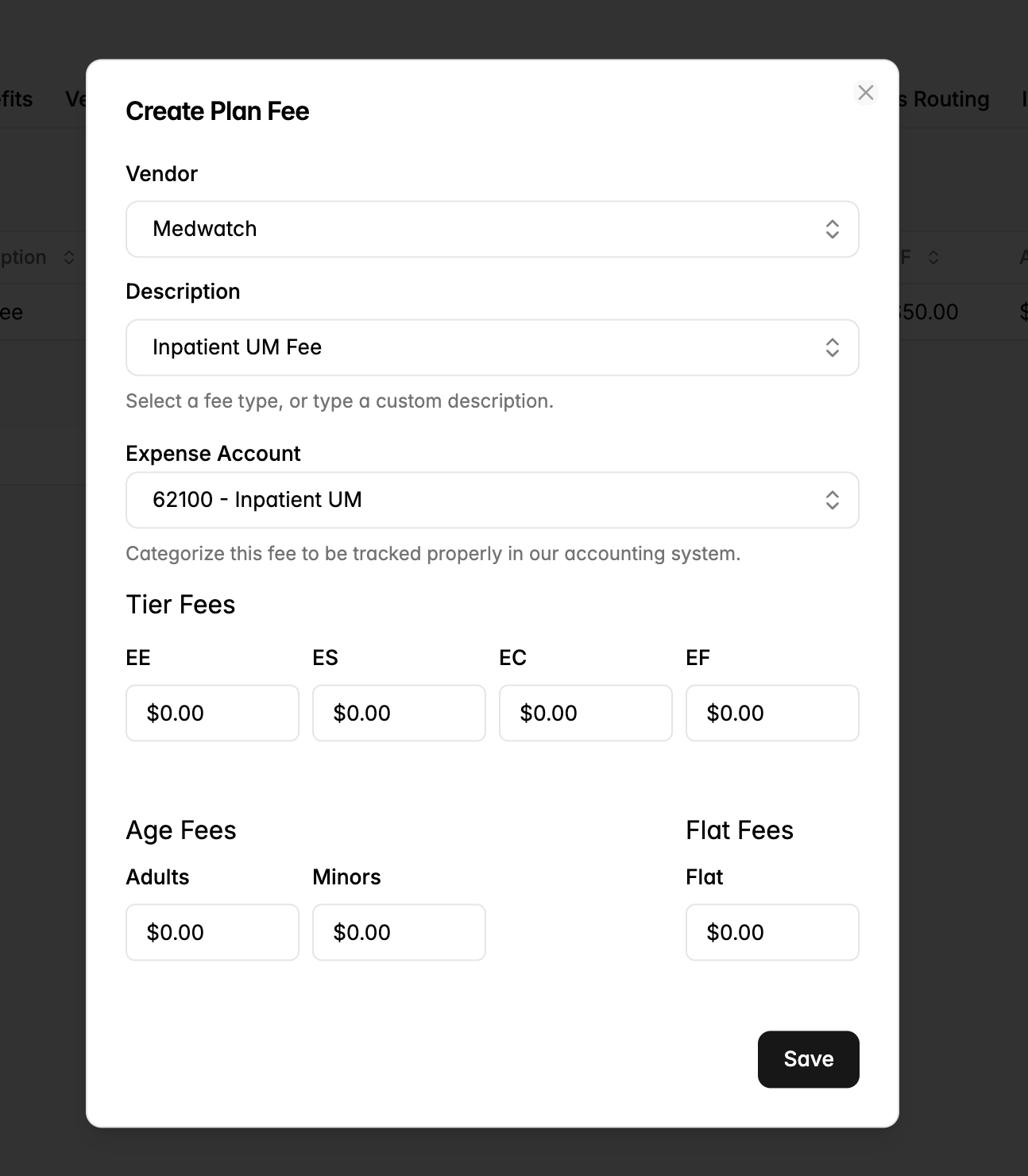
Creating a fee is simple - just add the fee by tier for PEPM or to Age Fees for PMPM.
Fees also need to have an associated expense account for the auto-ledgering accounting to run smoothly - an expense account categorizes the fee for the payments team.
ID Card
Yuzu creates all ID card drafts, and prints all ID cards in-house. As part of our Launch process, Yuzu will take a card design from a Plan Designer, format it properly and upload it to the associated Plan Design. That way, when the plan design is selected for a new group and initial enrollment is loaded, cards automatically populate with the correct member and plan information.
Part of this process is adding variables to adjust based on member, plan, and group details. We have an extensive list of card variables in the portal but some examples include:
{{firstName}} - The member's first name
{{lastName}} - The member's last name
{{memberNumber}} - The member's number
{{familyType}} - The coverage's family type
Full details on card creation and variables HERE
Welcome materials and documents
Similar to ID cards, Yuzu offers customizable member welcome emails and letters. Welcome materials also use variables to adjust based on member, plan, and group details.
Examples below:
{{startDate}} - The member's coverage start date
{{firstName}} - The member's first name
{{lastName}} - The member's last name
{{sponsorName}} - The sponsor (employer's) name
Example Welcome Materials
SAMPLE EMAIL
Hi {{firstName}} {{lastName}},
We're excited to introduce you to the comprehensive health plan provided by {{sponsorName}}, designed to offer you a wide range of healthcare options tailored to meet your needs and preferences that begin on {{startDate}}.
Let's dive into how you can utilize this plan to its fullest potential:
In-Network Providers?
It's highly likely that your current healthcare providers are within our network. To ensure they're in-network, please use the link below:
Network: network.providersearch.com
Your Dedicated Patient Advocate: A Year-Round Health Ally
Have an upcoming surgery, procedure, chemotherapy or other expensive care need? Reach out to your patient advocate!
Reach Out: Contact your nurse navigator for personalized support and guidance at
123-456-7890.
For $0 primary and virtual care, reach out to Preferred Partner at 123-456-7890.
Pharmacy Benefits: Your Guide to Managing Medications
Your prescription benefits will be offered through PBM Name. Your prescription benefit information is on your insurance card.
Request refills early: The most expensive prescriptions will require prior authorization, which
can take a little extra time so make sure to request refills well in advance of when you need a
medication. Contact your Patient Advocate if you think you will run out of medication before
your prior authorization is approved.
Nuts and Bolts: Essential Setup for Seamless Care
Update Your Insurance Information: Remember to provide your new insurance card details at
your doctors' offices and pharmacies.
Health Plan Concierge: For any questions about bills or coverage, reach out to your dedicated team at 123-456-7890
{{sponsorName}}'s health plan is more than just medical coverage; it's a comprehensive approach to your well-being.
Welcome aboard, and here's to a healthy, fulfilling journey ahead!
Warmest regards,
Plan Designer
++ Any fully branded attachments to the email. PDF copies of ID Cards are also attachable.
SAMPLE LETTER
Hi {{firstName}} {{lastName}},
We're excited to introduce you to the comprehensive health plan provided by {{sponsorName}}, designed to offer you a wide range of healthcare options tailored to meet your needs and preferences that begin on {{startDate}}.
Let's dive into how you can utilize this plan to its fullest potential:
For in-network doctors, use Network Name. This is your PPO Network.
For questions about your benefits, or claims, please go to portal.whitelabel.com/signin or call 123-456-7890
Call PBM Name for pharmacy questions. PBM Name helps manage your prescription drug coverage.
{{sponsorName}}'s health plan is more than just medical and pharmacy coverage; it's a comprehensive approach to your well-being.
Welcome aboard, and here's to a healthy, fulfilling journey ahead!
Warmest regards,
Your Plan Designer Team