

What are Cases?
“Cases” is Yuzu’s in-house case management feature that enables communication about a case and attachment of relevant documents between parties.
Note that Yuzu will not auto-adjudicate claims for members will open cases.
Features of Cases include:
Adjusting the status of the claim (e.g., In Progress, Resolved)
Attaching communications (e.g., conversations recorded through our AWS support system)
Attaching claims
Assigning individuals
Assigning a Pool (designating the type of case)
What are Pools?
Pools are what we call the designated Subject Matter Expert (SME) team assignments. Individuals assigned within a Pool will get notifications any time a case is sent to that Pool.
Who can create a case?
Plan Designers | Yes | |
|---|---|---|
Brokers | Yes | |
Stop-loss Carriers | Yes | |
UM | Yes | |
Care Navigators | Yes | |
PBMs | No | |
Networks | No | |
Cobra Vendors | No | |
Providers | No | |
Telehealth | No | |
When to create a case?Create a case for any situation that requires additional context or clarification. Most cases are created after a service has been rendered Examples include:
Claim reprocessing requestsIf you have a claim that needs to reprocessed, please create a case for it. This makes sure we get an adjudicators eyes on the claim and into their queue. Reasons to request a reprocess include:
Single case agreementsSingle case use Care Events to make sure the service is applied to the appropriate benefit. As a pre-requisite for a Care Event to be created, we require a Case to be created with documentation confirming the Single Case Agreement, the relevant details, and the Care Event once created to be tied to the case. Relevant details include:
How to create a case?There are three ways to create a case:
Case Titles Keep case titles short, descriptive, and informative. Titles can include diagnosis, signs/symptoms related to the claims, dispute number, etc. Examples:
Assigning and working in casesAssign cases appropriately so the right team (Pool) can work on them. 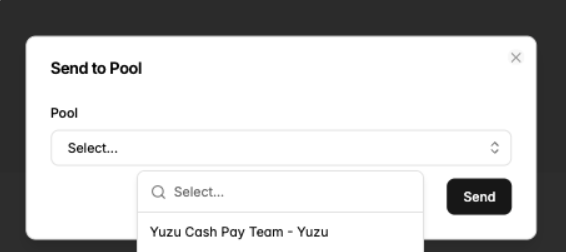
Accessing and monitoring a caseOn the left-hand navigation panel, select Claims under the Data section. This opens a list of members with their claim details, including status, plan pays, OOP amounts, provider, and date of service. From the claim list, click on the member you would like to review. 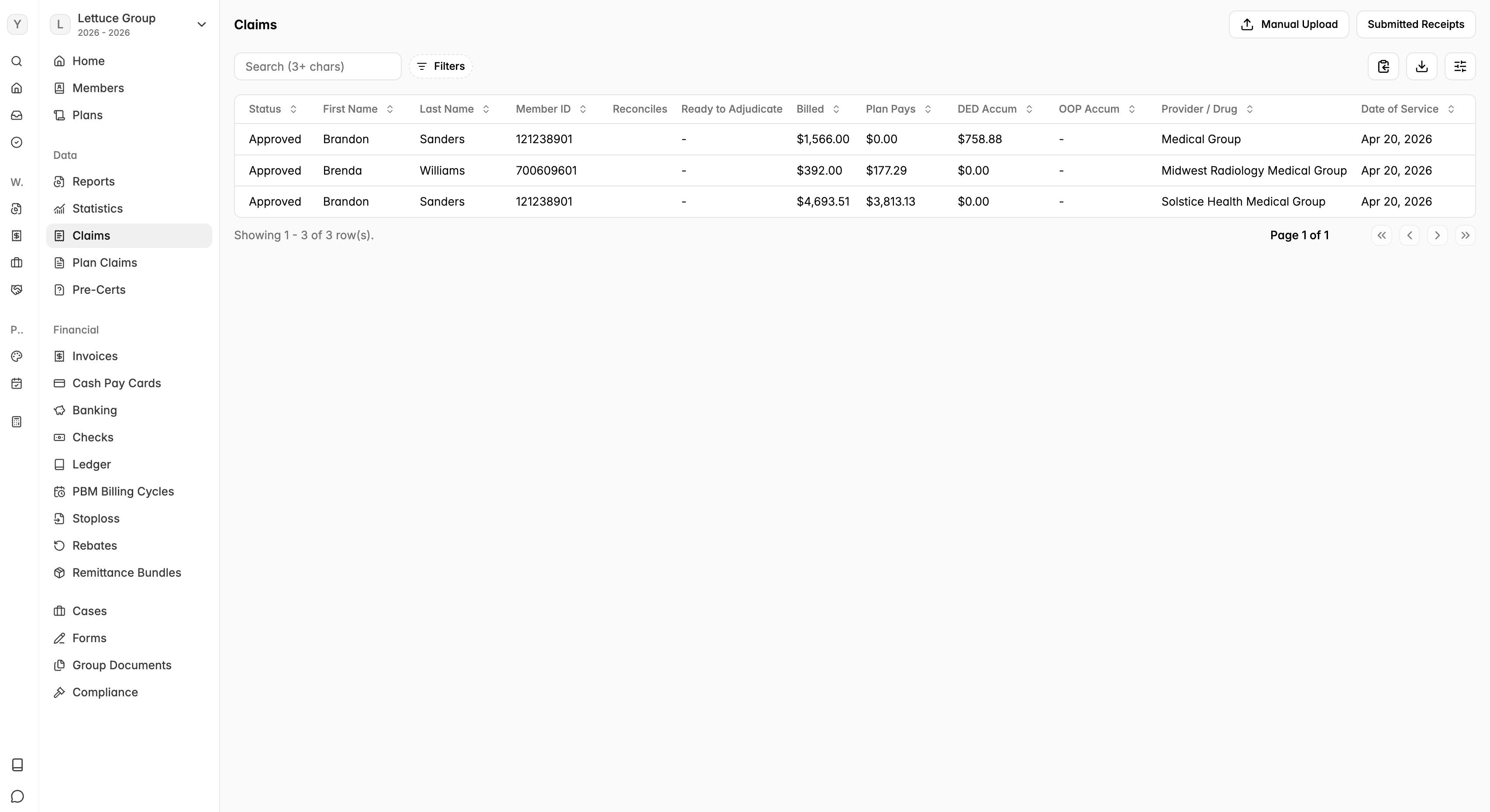 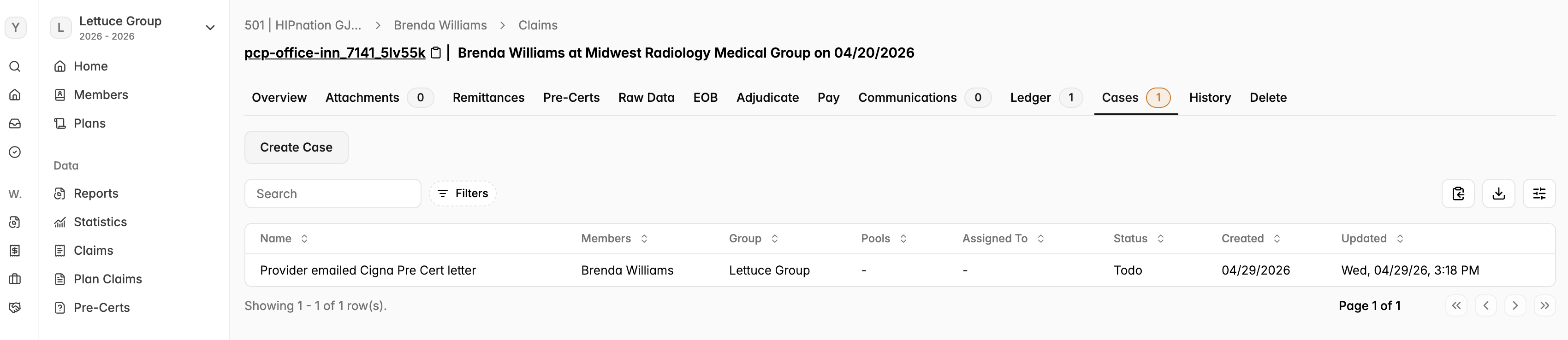 Once inside a member's case, you can view all activity in the case feed. This log shows status changes and comments, along with the timestamp and user who made each update. 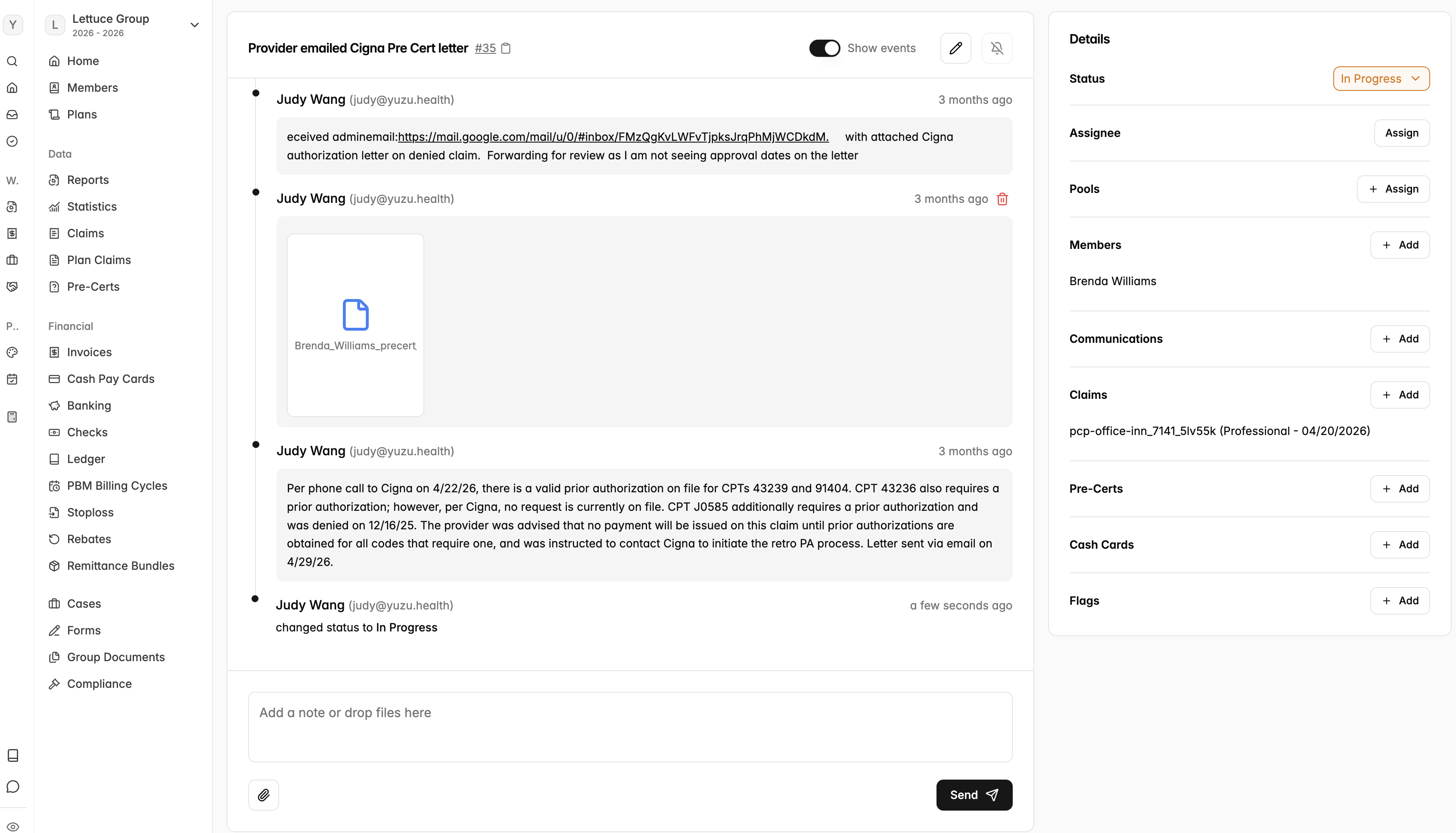 *There are no automatic email notifications for new messages. You must log into the portal and check each member's case for updates. Closing a caseYuzu manages all communications directly with providers throughout the case process. Once the case has been successfully processed, Yuzu will mark it as Resolved. This status update confirms the case is complete and no further action is needed. If the case is upheld, a letter of communication between Yuzu and the provider will be created. Until a case is marked Resolved, continue to manually check the portal regularly for any updates or new communications. |