

Why do I need to link my bank account?
There are two main functions for which we use a member’s banking information.
Claim reimbursements. Linking your bank account allows you to be reimbursed for a service you paid out-of-pocket for is instead covered by the plan.
COBRA election. Linking your bank account is a required step for COBRA election. See here for more information on electing COBRA.
How do I connect my bank account?
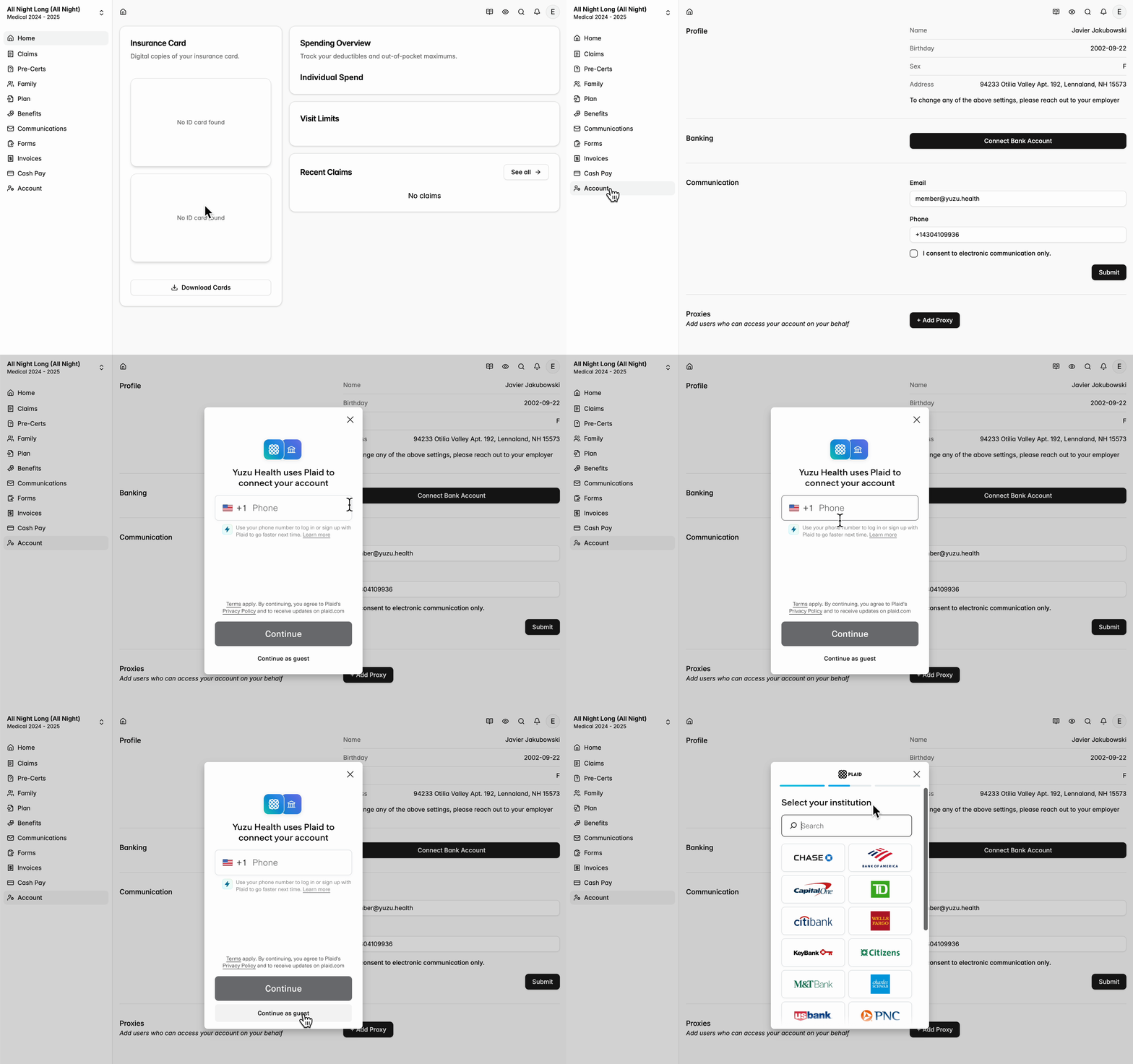
Go to Account on the left side bar > click Connect Bank Account.
We use Plaid to link banking info. If you prefer to link with your account numbers, scroll to the bottom of the page.
Once your bank account is linked, you will need to confirm one micro deposit, and you should be good to go.
Why isn’t my bank connection working?
The most common error we come across is wrongly entered information. Double check your bank name, routing number, and account number.
For other troubleshooting, consult Plaid’s FAQ page or contact your bank directly.