

Yuzu Managed COBRA
How do I know if I’m qualified for COBRA coverage?
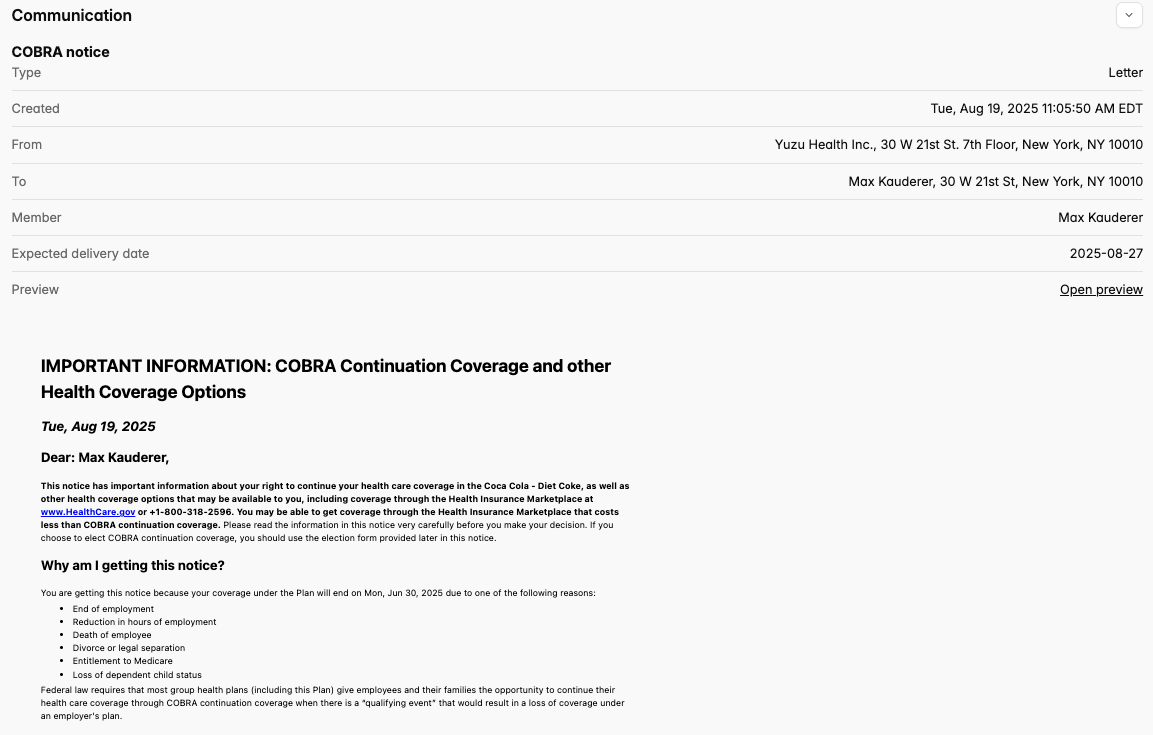
Yuzu will send you a COBRA notice via Certified Mail and by email. You can track those notices in the portal under the "Communications" tab.
Note: If you’ve opted into electronic-only communication, Yuzu will send your COBRA notices through email only.
How do I elect COBRA?
Instructions on electing COBRA will be communicated to you in your COBRA Election Notice. Your COBRA election form will also appear in your Yuzu portal under the “Forms” tab.
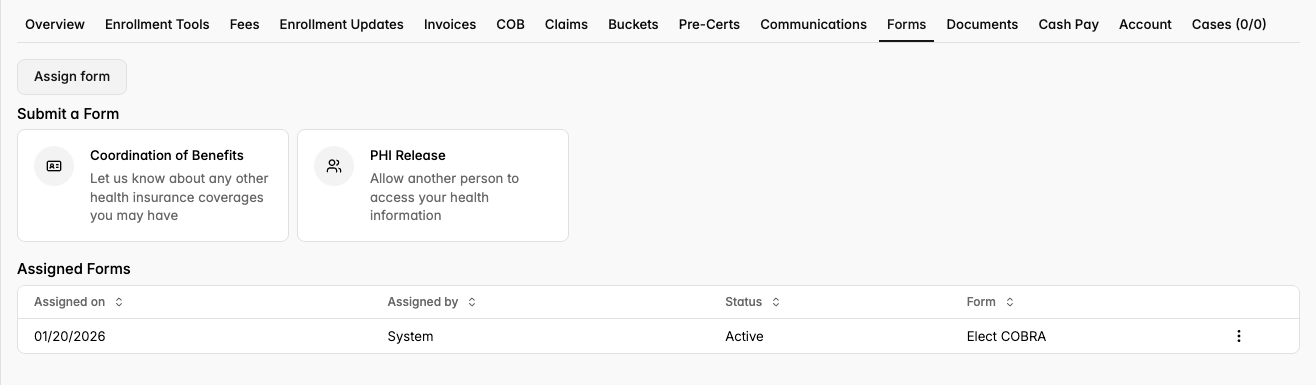
If you’d like to elect COBRA, log in to the Yuzu Portal and complete the electronic Elect COBRA form.

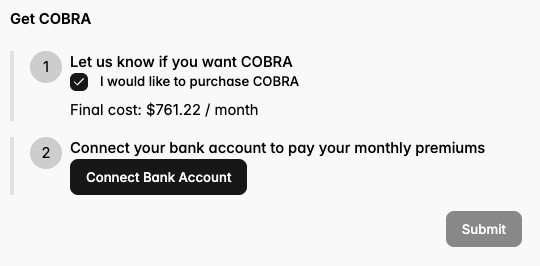
If you choose to elect COBRA coverage by clicking into the Elect COBRA form, you must follow the prompt to connect your bank account to pay your monthly premium:
Why do I need to connect banking?
Yuzu is responsible for invoicing you for your continuation of coverage. Your connected bank account will be used to pay monthly premiums, and must be set up before coverage can continue.
What if I don’t want to elect COBRA?
If you do not wish to elect COBRA, then no action is needed! You will not need to opt in and do not need to connect banking.
What if I have a fringe case or further questions?
If you feel your case raises questions not addressed in this guide, including specifics on workflow, election timelines, payment grace periods, etc., please contact partners@yuzu.health.
External Vendor Managed COBRA
Your Employer’s external COBRA vendor and/or Employer will send notices, collect decisions, and collect members’ bank information. For more information, please contact your Employer’s HR directly.