

Decision tree for deciding what type of card to request
The first decision is what type of card to create. At a high level, there are ‘Small Case,’ ‘Recurring,’ and ‘Custom.’ See the decision flow for the card type to request:
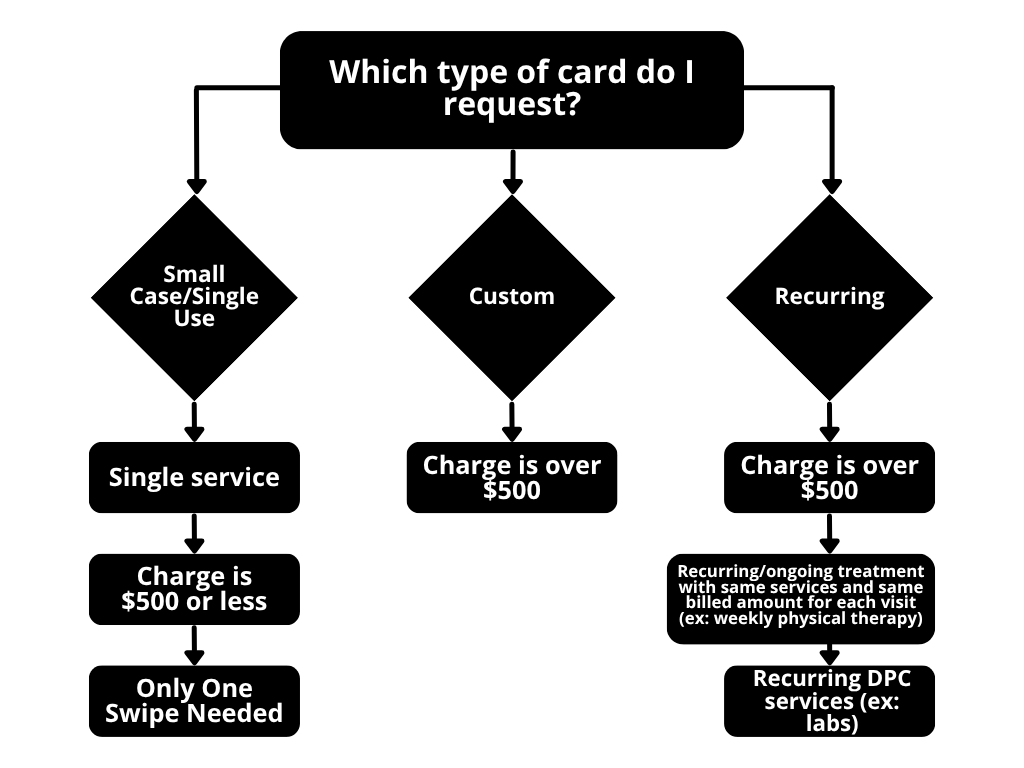
Small Case Cards (under $500) do not require TPA approval, while recurring and custom cards do. All card types will require a receipt upon swipe.
Please See “Cash Card Flow Guide” on card expected behaviors
Good faith estimate required for > $5,000
All transactions over $5,000 require a Good Faith Estimate.
As part of the No Surprises Act, a GFE must be given to the member if the appointment is scheduled at least 3 business days in advance.
Due to the nature of these services being planned out farther in advance, we have not run into many issues from a timing perspective.
Additionally, the GFE tends to be the exact amount of the final service. As part of the No Surprises Act, if the actual cost is $400 or more above the GFE for a specific provider or facility, the patient has the right to dispute the bill.
All transactions over $10,000 require Pre-certification.
Details required for a card
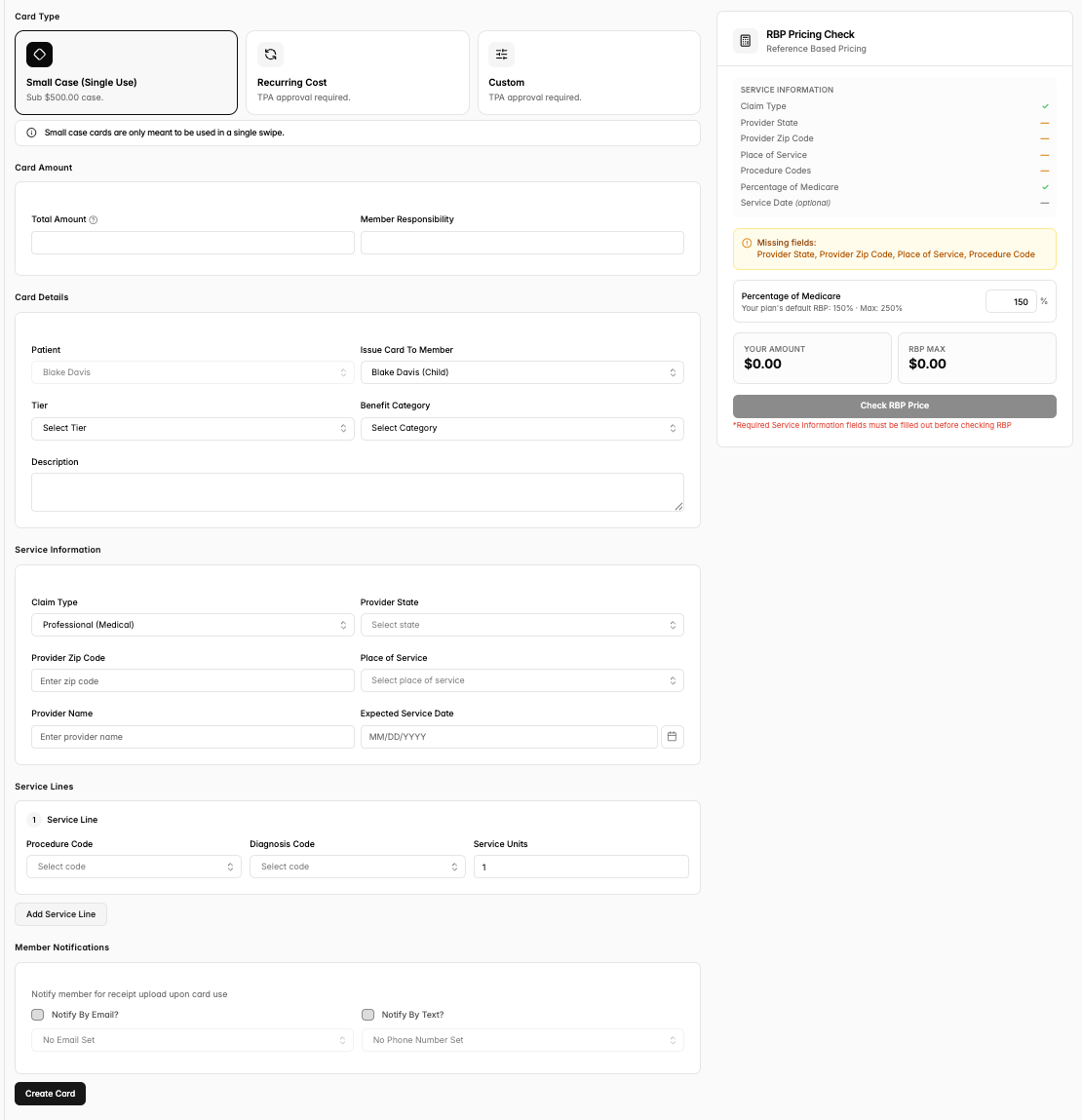
Each card requires:
Total Amount ($)
Tier and Benefit Category
A detailed description
All details inside the Service Information box
Expected Service Date for small case and custom cards
Cancelation date for custom and recurring cards
Terminated Member cards will expire same date of termination at midnight.
If medical: procedure (CPT) code
If pharmacy: product name, dosage, NDC, and therapeutic class
Note: If you need to increase a cash card for any reason, cards not to exceed $500 can be edited by care navigators once created as long as the final amount remains at or below $500. If you need to exceed $500 or reduce the card amount, you can do this as well by selecting “Request Update” on the top right of the card details page. it will just require Yuzu review & approval!
Priority Level Designations
We have the ability for you to select priority level for card requests for Recurring and Custom cards.
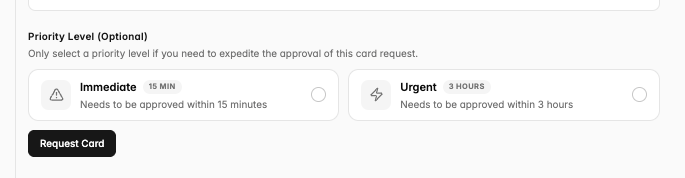
Choose “Urgent” if your card needs approval within 3 hours, and immediate if it needs approval within 15 minutes.
Where do I check to make sure the group has enough funds for card creation and claim reimbursements?
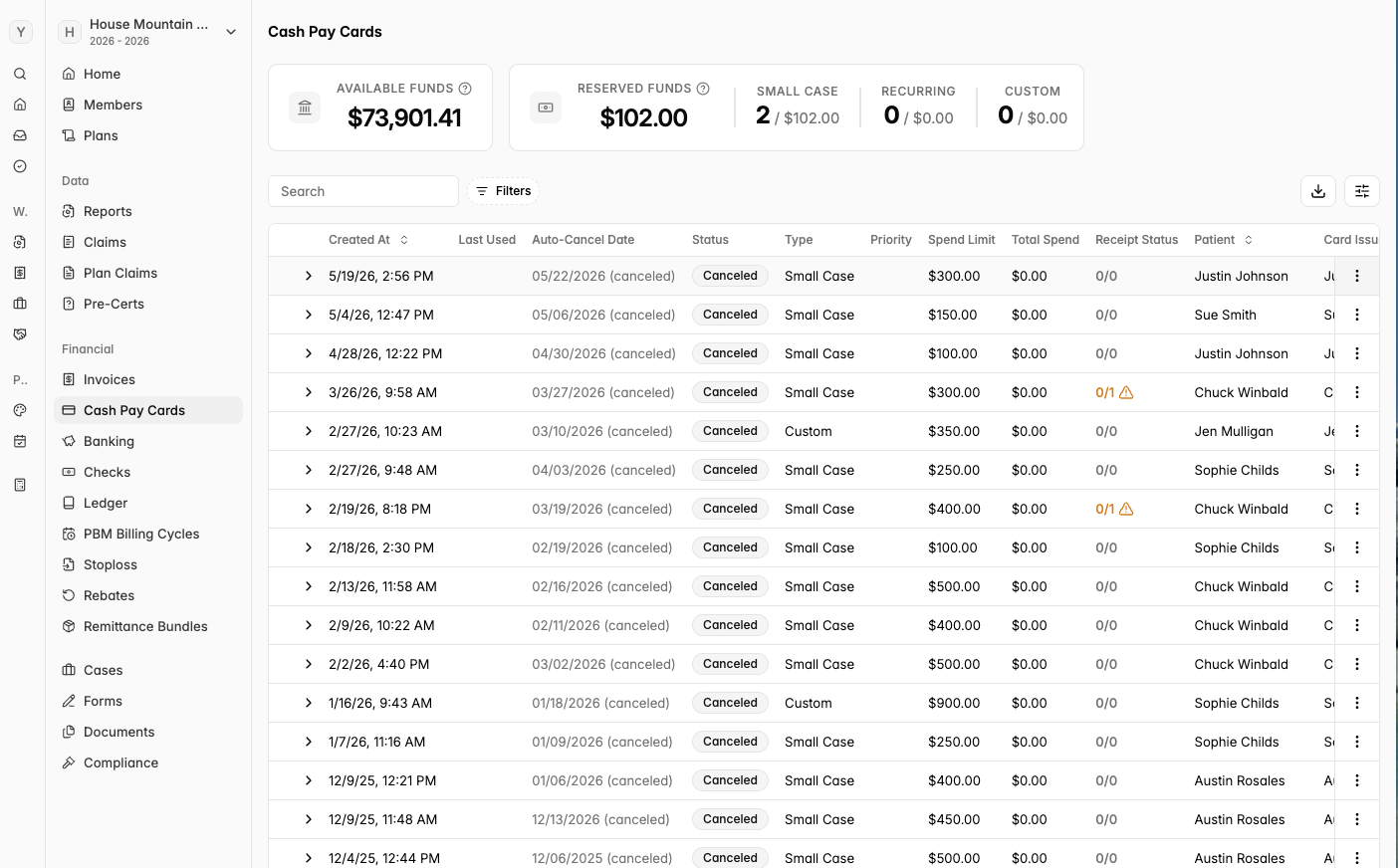
The most accurate and up-to-date location to check the health of the group’s claim fund would be navigating to the “Cash Pay Cards” tab on the left hand toolbar within the Yuzu Portal.
From there, you will see the following: Available Funds, Reserved Funds, and details around Small Case, Recurring, and Custom cards.
The Available Funds will let you know how much money your group currently has to make new card requests or reimburse manually submitted claims.
The Reserved Funds will show you how much is currently on reserve (already approved cards as well as cards still active and not fully spent)
Member notifications upon swipe
We recommend turning on member notifications (email or text) upon swipe of card to ensure the highest likelihood of a same-day receipt upload.
Reminder notifications will be sent to members every Monday
We can only push these notifications if we have a member phone or email on file. To add this information to a members profile click on the member’s profile > on the overview tab click ‘Edit’ in the top right corner > add the phone or email and reload the page.
Managing cards for dependents
To create a card for a minor, please go to that minor’s claim overview page —> select ‘Request a Cash Pay Card’ —> double check the Patient lists the minor receiving the care and that the ‘Issue card’ is the subscriber. This will ensure that once the card is swiped and a claim is created, the claim is created under the right patient/claim profile.
Per Stripe’s rules, we do not make cards in the name of those <14 years
old and therefore the card can be created in the name of the subscriber, spouse or
elder dependent responsible for the minor. Whoever’s name the card is requested
for will also be sent SMS and email notifications for receipt reminders.
Adding and Managing Cash Card Tags
To get to the Cash Pay tab, you will look at the left toolbar, Reports & Data —> Cash Pay tab top header —> top right button ‘Manage Tags’
You can use Tags to filter out your unique Tags to help manage important specifics. These tags are unique to your organization
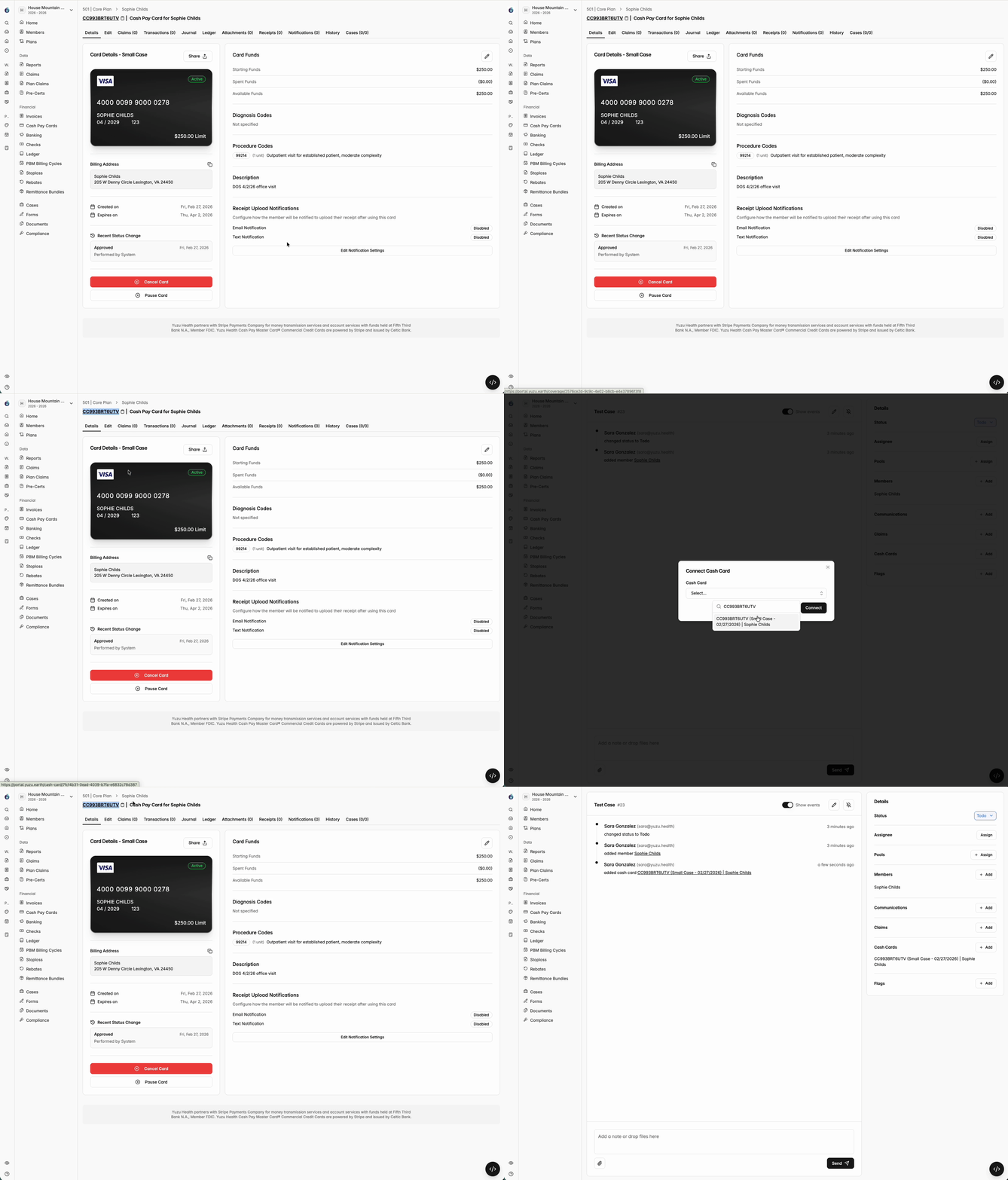
Attaching Cash Cards to Cases
When a case might be complex, or we are needing to process cards on prior plan years, make exceptions, etc. we can now attach Cash Cards to Cases. We will also be able to see that a Case is attached to a specific card on the Cash Card overview page.
Creating Cash Cards on Prior Plan Years
You can now request cash cards from prior plan years. Please still make sure you are requesting the card on the plan year in which the date of service falls. These cards will expire at midnight and will require Yuzu approval.
PO boxes as addresses inhibiting card requests
Stripe (our cash card vendor) does not allow card to created for members with PO boxes as an address.
All Card Billing Addresses will be the employer address. That is the zip code you will use when entering details to make payment using the Cash Card.