

Policy for Dependents 13 and Up
Parents of children thirteen and over will need a Protected Health Information (PHI) release form (also known as a HIPAA authorization form) to continue viewing their child’s full profile. This ensures compliance with the HIPAA Privacy Rule, which otherwise prohibits disclosing records to family, employers, or attorneys.
How to Fill Out the PHI Release Form
When your child turns thirteen, you’ll receive an email notifying you that a release form will now be required to maintain access to your child’s medical information. If your child wants to sign the PHI release form, they must follow these steps:
Log into their own member account.
Navigate to Forms and click “PHI Release Form”
Sign the PHI Release Form, adding you as an authorized user.
If your child cannot access their account or needs further assistance, contact the Member Services number on the back of their ID card to help set up an account.
Once your child adds you as a proxy, you will show up as a listed proxy in the “Account” tab.
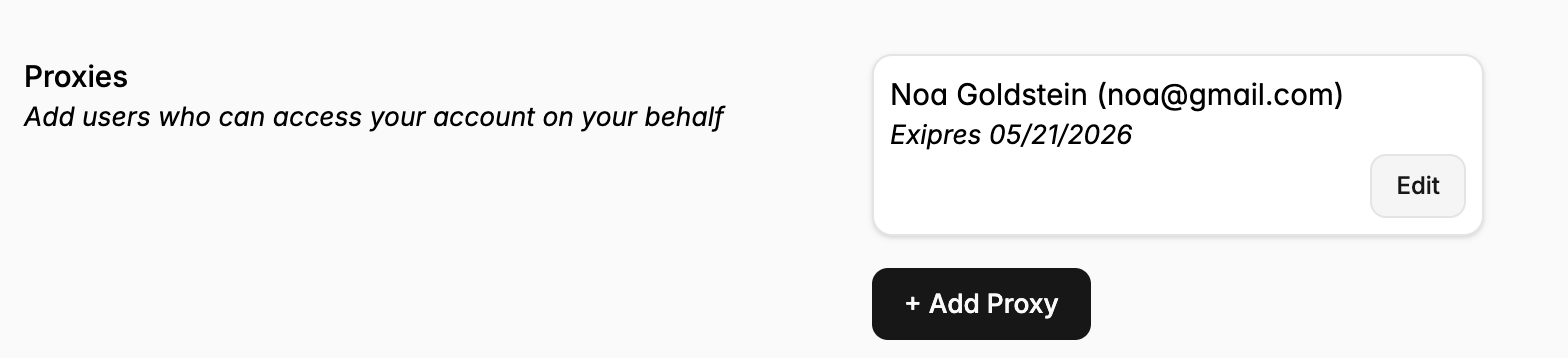
Subscribers looking to add spouses as proxies may follow the same flow as above.