

Part 1: Why ACH instead of paper checks?
ACH (Automated Clearing House) is the secure U.S. banking network used to move money electronically between bank accounts (the same system behind direct deposit for payroll.)
Instead of Yuzu printing and mailing a paper check, payments are deposited straight into the practice's bank account.
No fees – Providers receive 100% of their payment, directly to their bank account. No fees like the Zelis/Optum model.
Quick setup - Takes less than 2 minutes to enroll in the Yuzu portal providers already use.
Secure & compliant - Yuzu follows NACHA rules and industry regulations, and every change is logged, so provider banking information stays protected.
Faster, more reliable payments - No waiting on the mail and no lost checks. Providers can also receive their 835s through Availity.
Providers control the setup - Banking details are entered directly in the Yuzu portal. No one at Yuzu will ever ask for them by phone or email.
Part 2: How to set up ACH?
Admin users: set it up in the Yuzu portal
Admin users complete ACH enrollment themselves:
Sign in to the Yuzu portal.
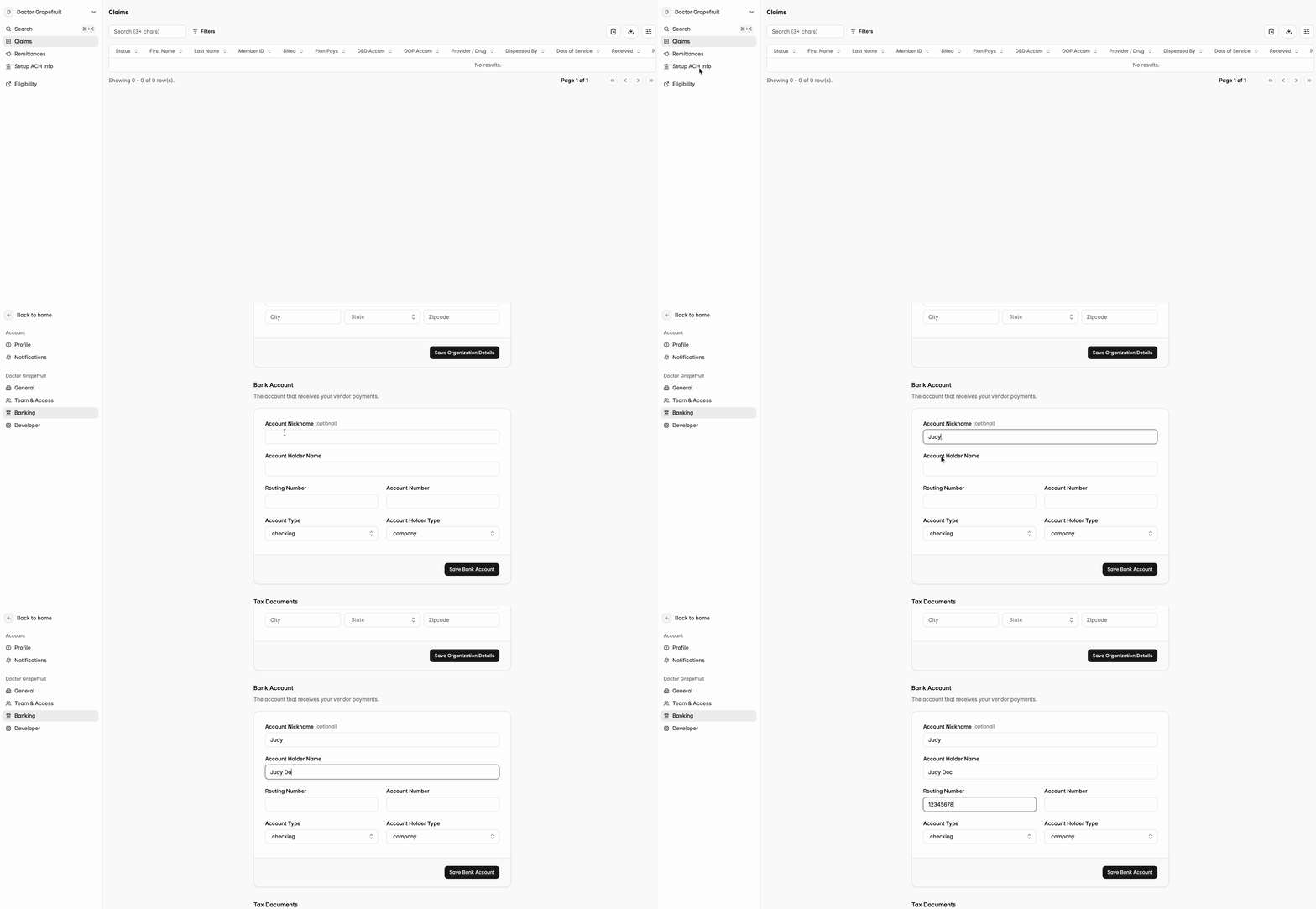
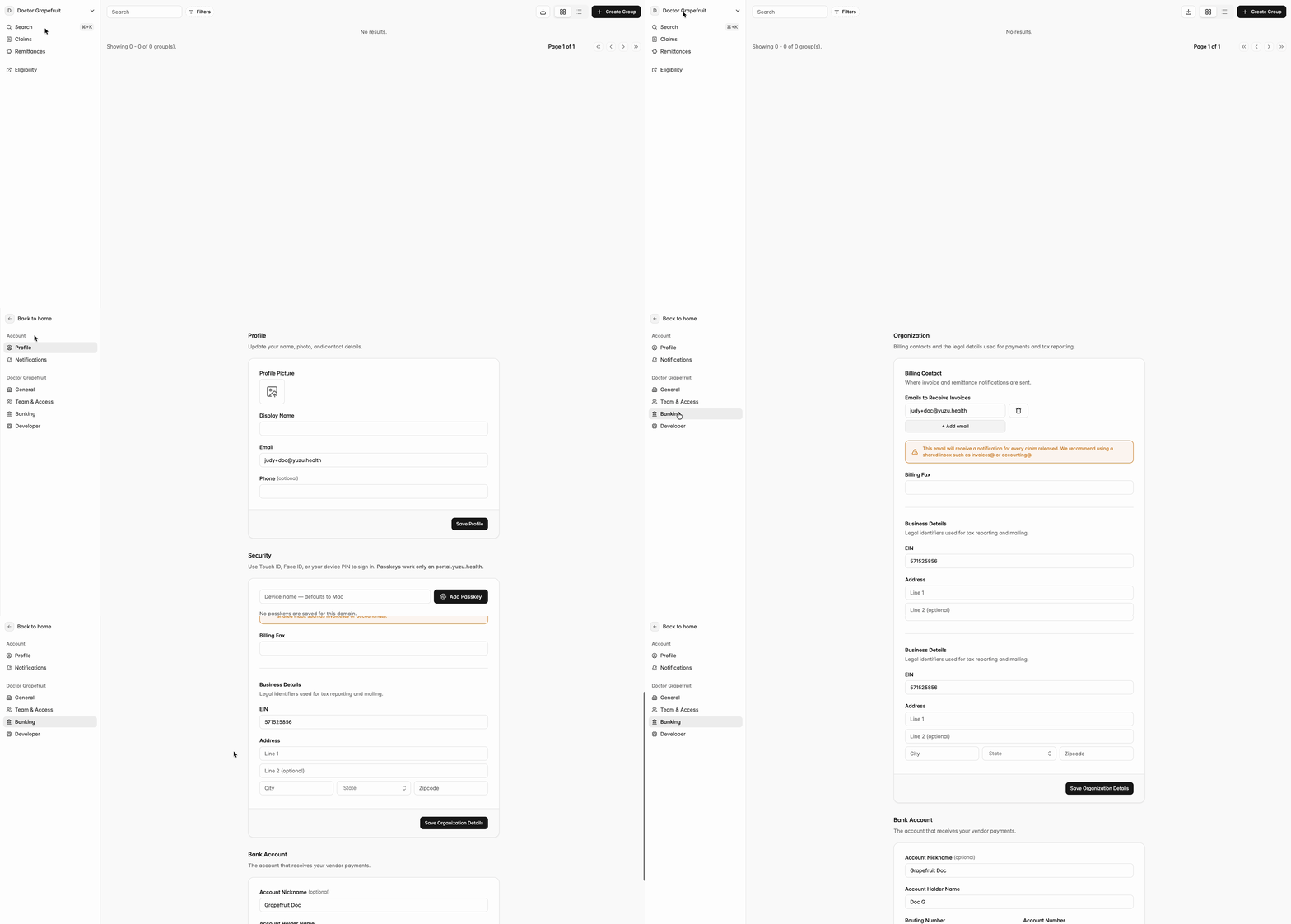
Click on the Setup ACH Info on the left-side bar. This tab will take you directly to the banking tab in group settings.
Note that “Setup ACH Info” tab will not show up if the banking is set up in the system.
To change the banking info, go to Settings → Banking
Enter the ACH details directly in the portal. See more details in guide: Sign Up For Portal
Non-admin* users: email Yuzu
Non-admin* users: email Yuzu
*Non-admin users include providers who haven’t signed up in the Yuzu portal or are not an admin user.
Providers who aren’t admin users should email support@yuzu.health with the subject line “ACH Set-up” and include:
The name and email of the person best suited to set up the banking details
The practice’s Tax ID Number (TIN)
Yuzu will follow up to get that person set up as an admin so they can complete enrollment in the portal.
Unsure if you are an admin or non-admin user?
Please follow the instructions for non-admin users.
Security Reminder
Never send bank account or routing numbers by email or give them over the phone they should only be entered in the Yuzu portal.