

Add a new DPC:
On the new ‘Vendor’ tab, click ‘+Add Vendor’ in the top right
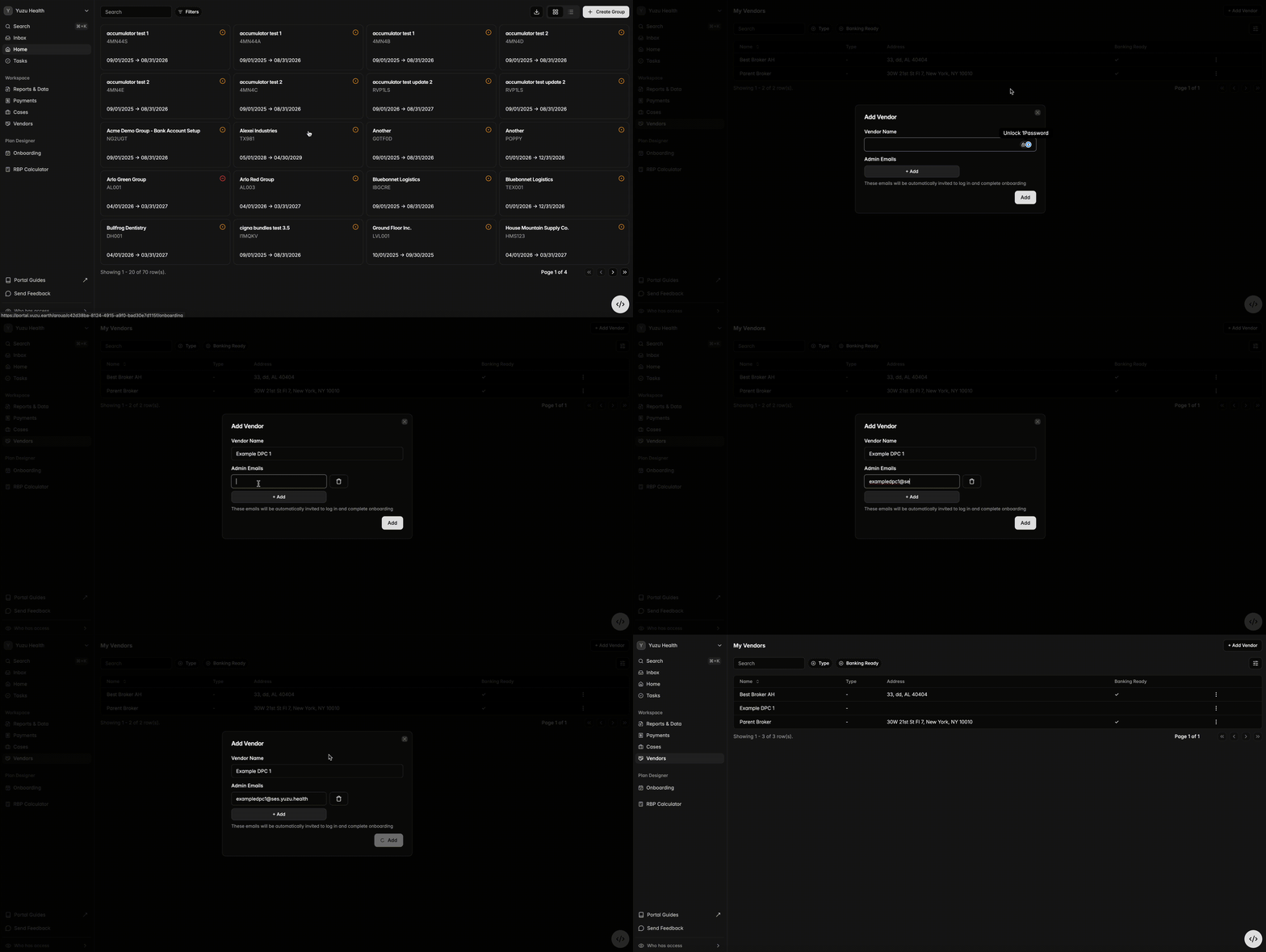
DPC then receives the email > Adds their group, banking, and tax information directly to the portal.
Once completed, they can be added to a group as a vendor. Worth noting, without this information, a vendor cannot be added to a group.
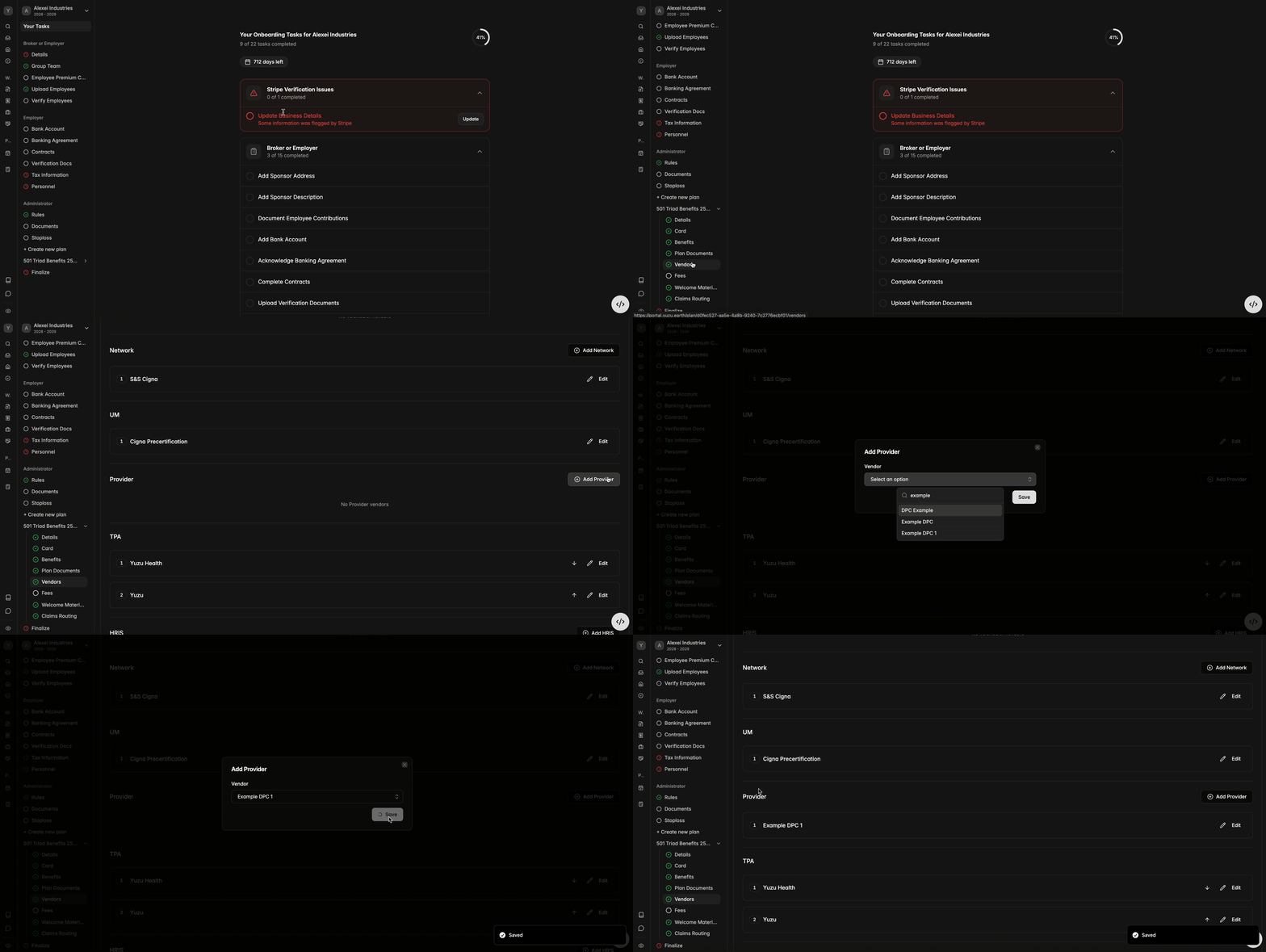
Assignable fees:
Then, when adding the fees, be sure to click ‘These fees are assignable’, verify by checking if there is a checkmark on ‘Assigned?’
Note: This is the only way a DPC can be assigned to a member, so this step is crucial.