

On any page in Yuzu’s portal, you can see which other vendors and permissions roles have access to see that page. This information is available by hovering over the Eye icon on the bottom left hand corner.
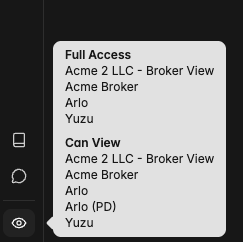
This is useful when you are directing other people on how to securely view information they have access to in the portal. By seeing that someone has access to a page here, you can ensure that when you send them a link to the page they will be able to see it.
This transparency also allows everyone to be on the same page about Yuzu’s privacy permissions model.