

Accumulator Loading
There are two ways to load accumulators (giving members credit for their spend towards their deductibles and max out of pockets when their employer switches plans mid-year) in Yuzu:
The individual accumulator credit feature
Via an accumulator file
Yuzu’s Perspective on Accumulators
As a general rule, Yuzu discourages loading accumulators. Accumulators loading is:
Messy - data reliability is low
High Touch - members get very upset if you get it wrong
Bad for $0 Tier Plans - for any plan that has a $0 member steerage tier, loading accumulators is shooting yourself in the foot (giving members access to more free care not through your navigators)
Indicating Accumulators will be Loaded
To let us know that the group will be loading accumulators, the Plan Designer needs to:
Select calendar year in the accumulator period section of the Benefit Builder
Select calendar year in the Rules tab.
Click on the load accumulator box in the Rules tab.
Individually Loaded Accumulators (Preferred)
Once the group is live, the Plan Designer can either:
Encourage individual members to login to the portal and submit an EOB to get accumulator credit themselves. This is what Yuzu’s flow was originally built for - to ensure that the highest-touch members were taken care of, even if an accumulator file had not yet arrived. We highly recommend this method.
If members are unwilling to login and upload EOBs themselves, Plan Designers and brokers are also able to load accumulators on the members’ behalf using the same feature.
Please note that we only accept individually-loaded accumulators for the first 21 days of the plan to make sure claims are paid quickly and accurately. The Yuzu team can extend this deadline if needed by setting a new accumulator loading end date in Internal on a live group. Please contact your dedicated account manager via Slack if you need a deadline extension.
Here’s how it works:
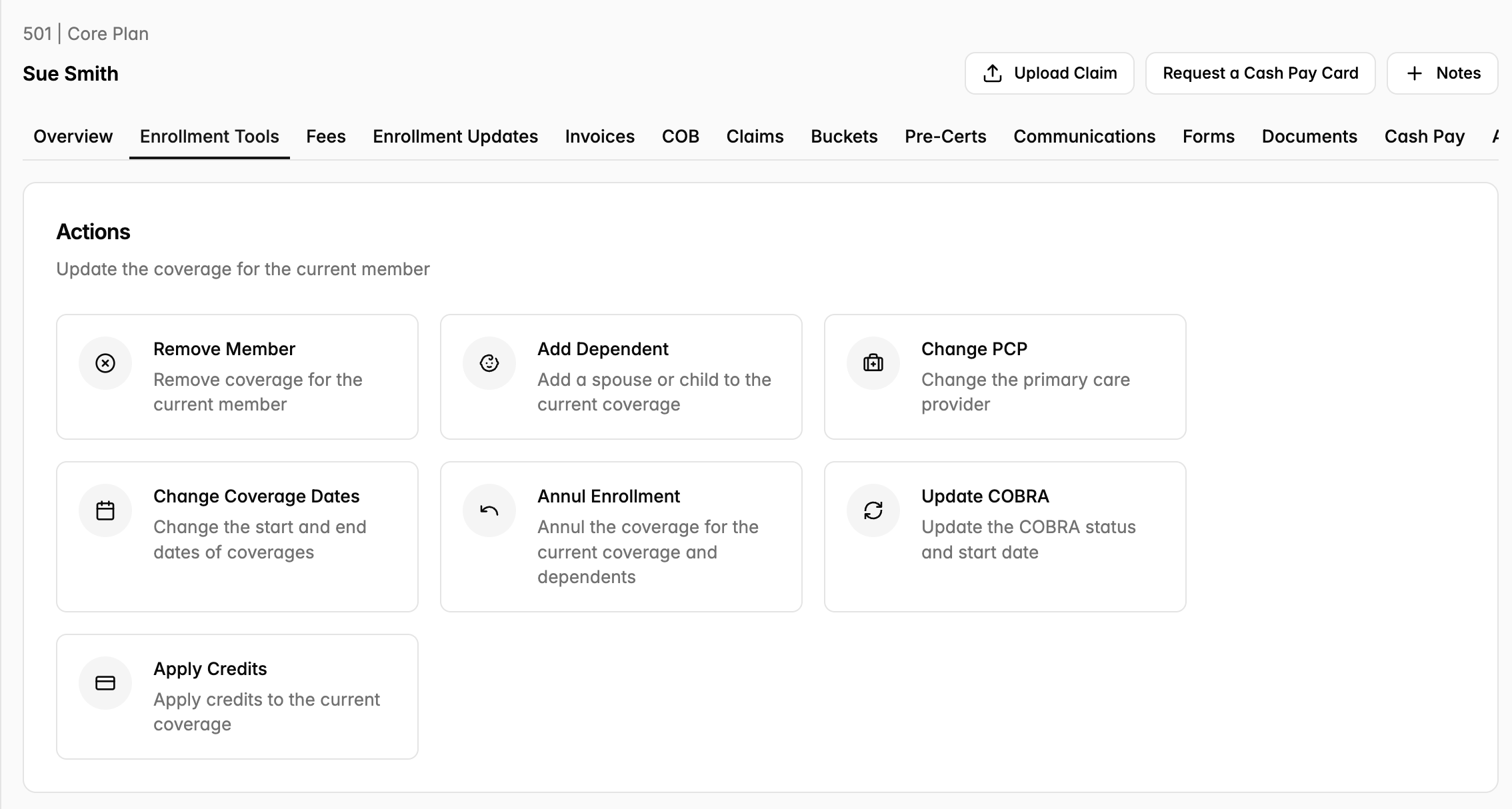
The person loading accumulators goes to the member page, goes to Enrollment Tools, and clicks on the Apply Credits button.
Once you click on Apply Credits, you’ll be taken to the page below, where you can submit accumulator credits and see the status of any previous accumulator credit submissions.
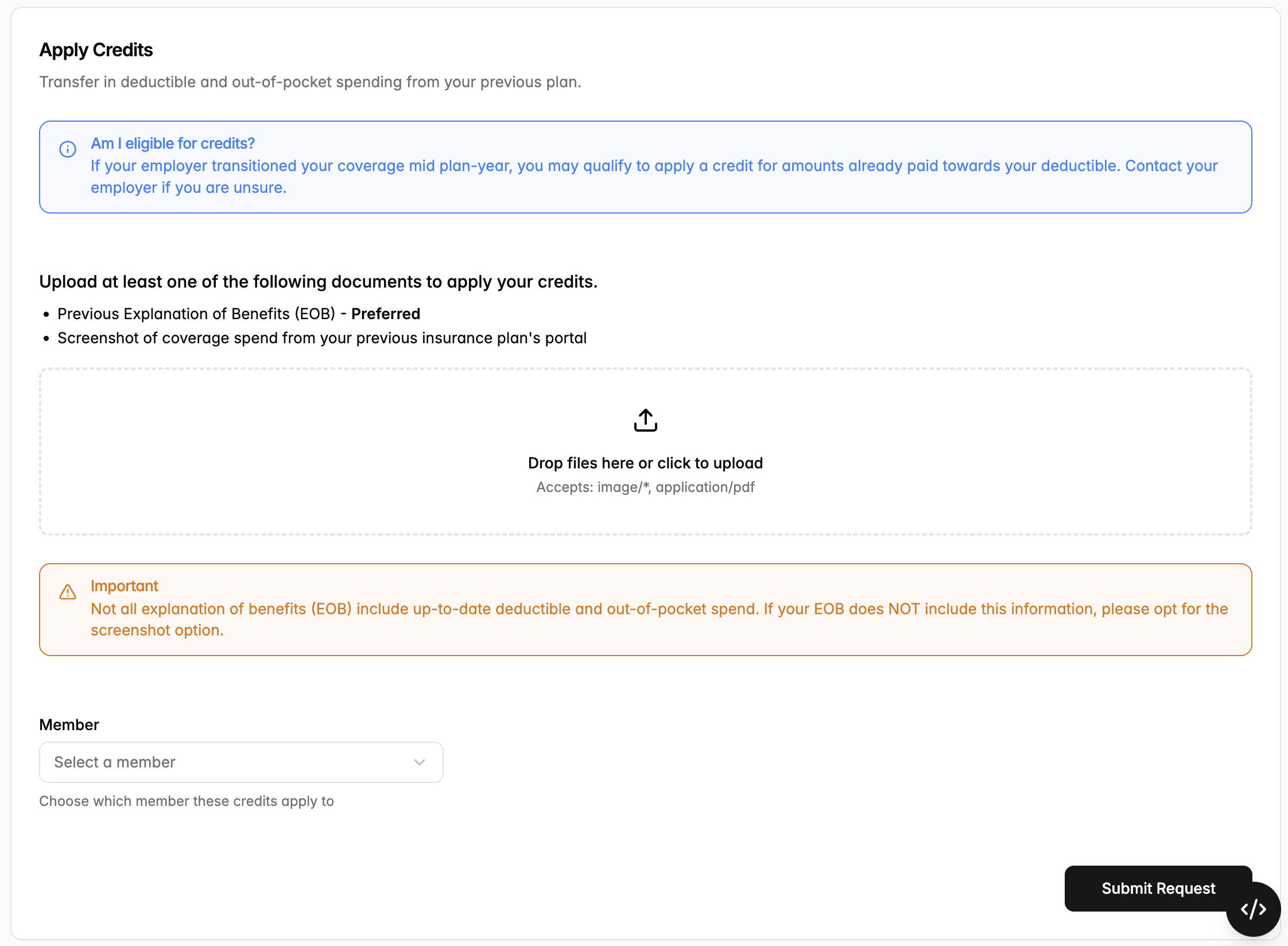
Once you hit submit, the accumulator load will be added to our approval queue, and a member of the operations team will approve or deny the accumulator load. If we need to deny it, we will reach out to let you know.
File Loaded Accumulators
Admins of the group are able to upload an accumulator file on behalf of a group if needed. We typically reserve this ability to groups over 100 EEs.
If a group is large enough to merit a file-loaded accumulator update, live group Admins can go to “Claims”— “Manual Upload” — “Accumulator” to upload the accumulator file. If you have trouble uploading, feel free to reach out to Yuzu.
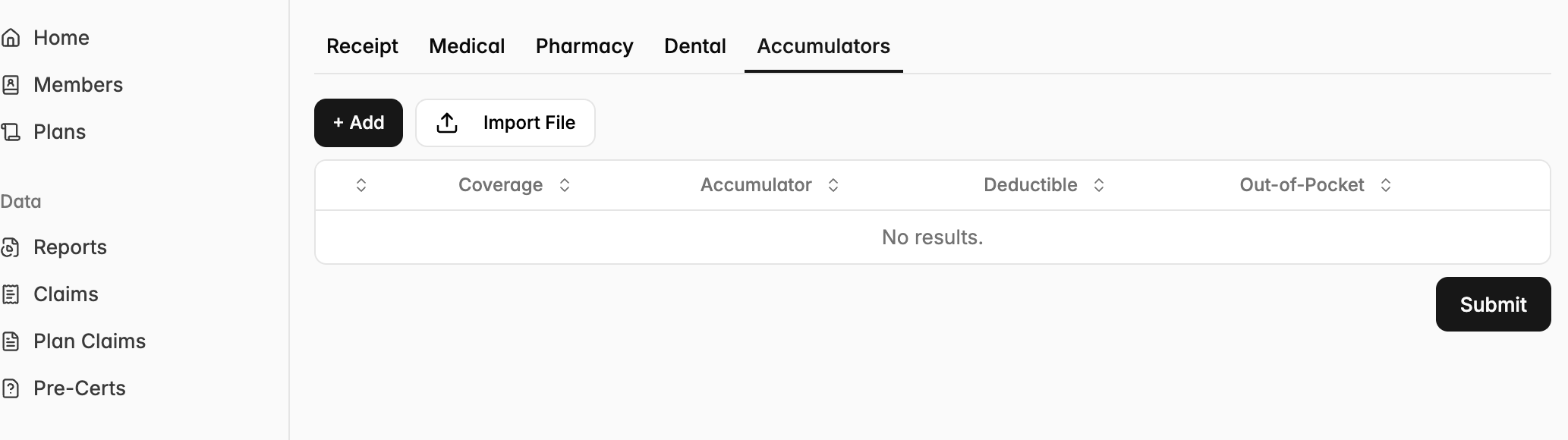
The required fields in an accumulator file are:
First Name
Last Name
IND Out of Network DED
IND Out of Network MOOP
IND In Network DED
IND In Network MOOP
Yuzu’s strong preference is to receive this file within the first 21 days of the plan going live. We will load up to two accumulator files - we are happy to load one “early” file in those first 21 days, and a second “final” file 45-60 days into the plan.