

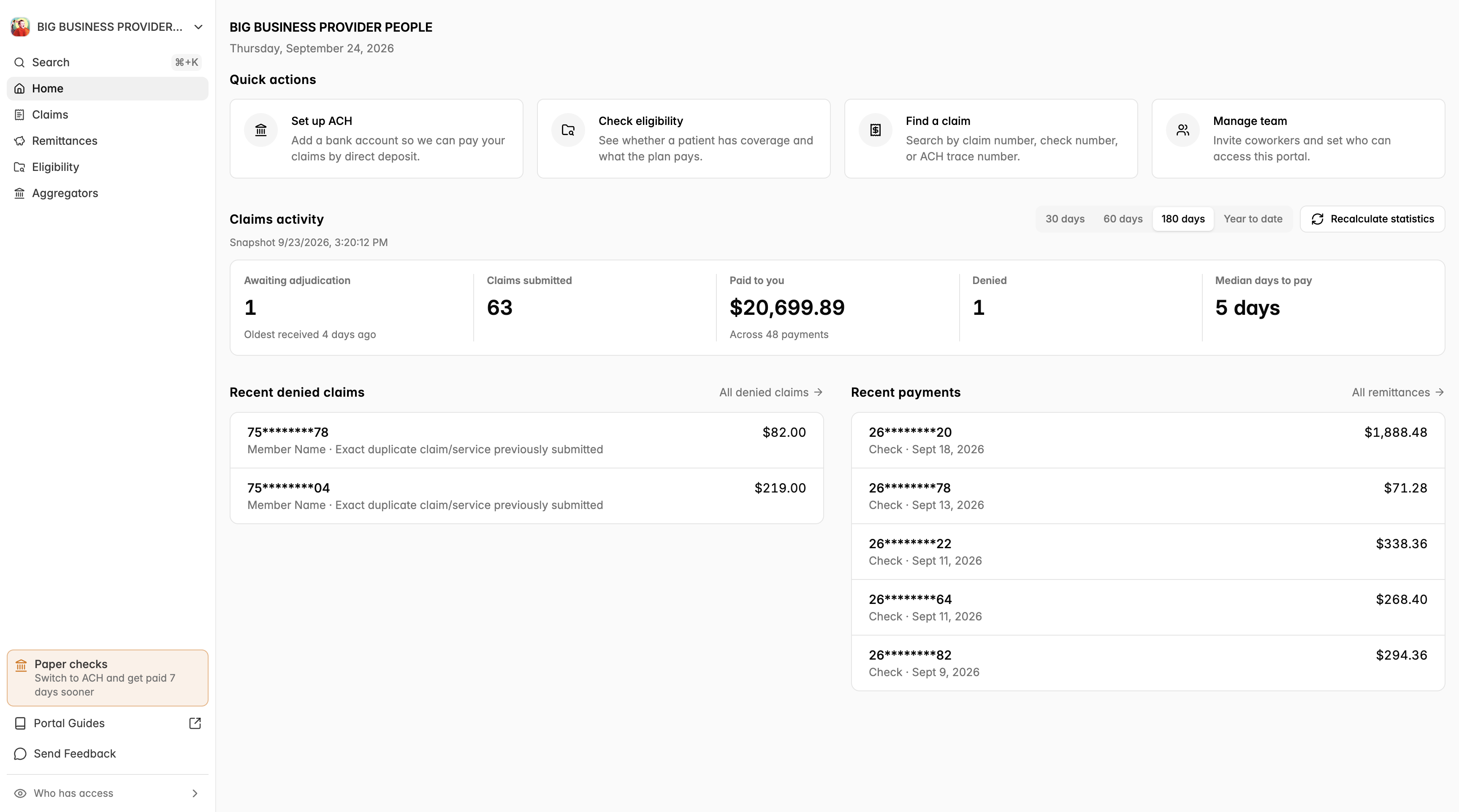
When you sign in you land on your organization's Home page. It gives you a quick picture of where your claims stand and shortcuts to the things providers do most.
Quick actions
Four buttons at the top of the page:
Set up ACH – add a bank account so we can pay your claims by direct deposit. Once set up, this button becomes Banking information, where you can review the account and remittance contacts. Administrators only.
Check eligibility – see whether a patient has coverage and what their plan pays. See Check Benefits and Eligibility.
Find a claim – search by claim number, check number, or ACH trace number.
Manage team (or View team) – invite coworkers and control who can access the portal.
Claims activity
A snapshot of your claims for the period you choose (30 days, 60 days, 180 days, or Year to date):
Awaiting adjudication – claims we have received but not finished processing, and how old the oldest one is
Claims submitted
Paid to you – total paid and the number of payments
Denied
Median days to pay
The numbers are calculated periodically; the time of the last snapshot is shown under the heading. Click Recalculate statistics to refresh them (you may need to wait a few minutes and reload).
Recent denied claims
The most recent claims that were denied, with the patient, the reason, and the billed amount. Click any row to open the claim details, or click All denied claims to see the full list. If there is nothing here, nothing needs your attention.
Recent payments
Your most recent payments, showing the claim, how it was paid (ACH or check), the date, and the amount. Refunds are labelled. Click All remittances to see every payment.