

Viewing Buckets
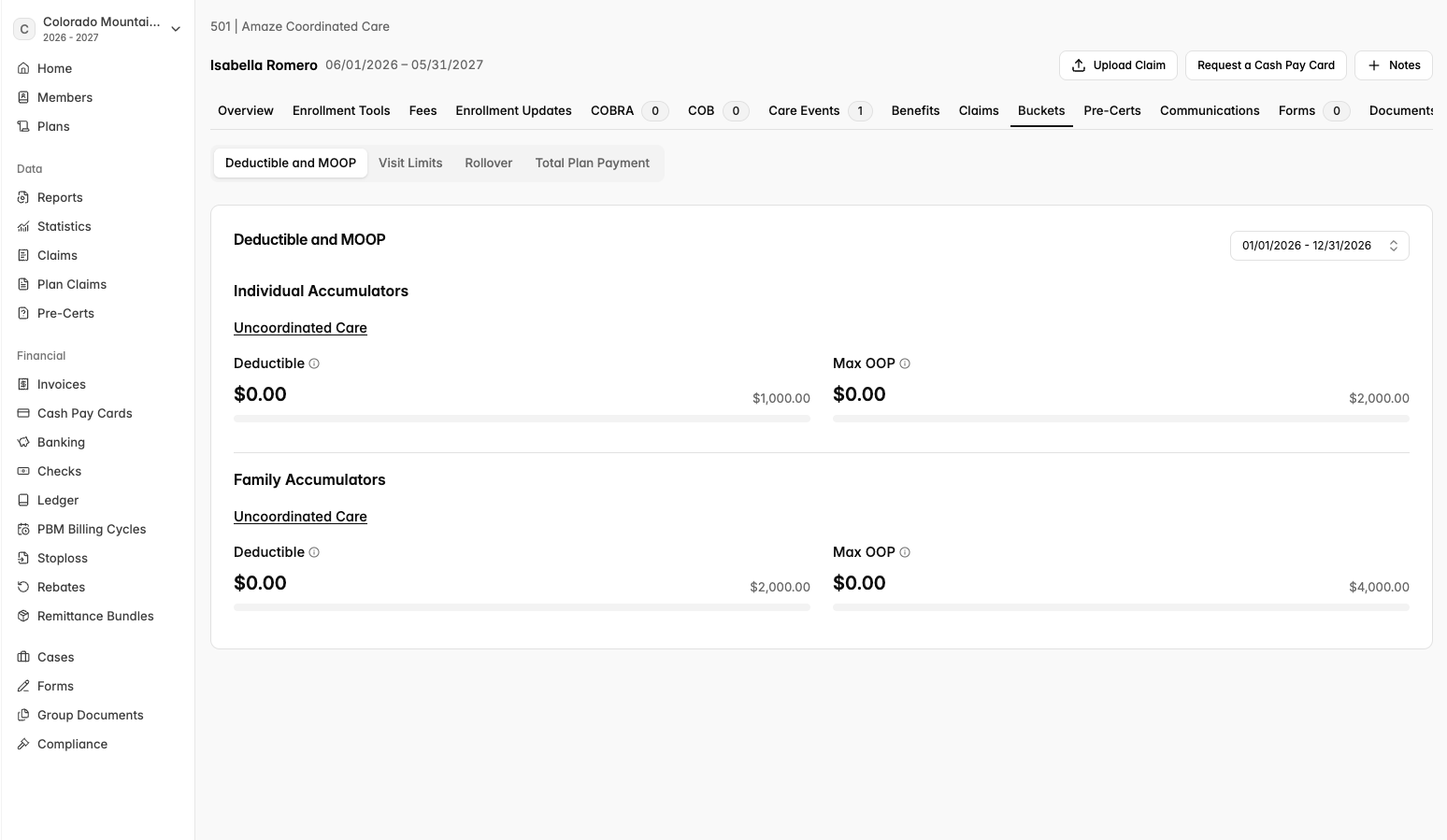
To see a member’s buckets:
Open their coverage page.
Select Buckets in the coverage menu.
Use the date range selector in the top-right corner of the card to switch between plan years. The current plan year is selected by default.
Access Summary | |||
|---|---|---|---|
Member | See their own buckets and family members’ buckets. | ||
Employers | See members’ buckets on their coverage pages. | ||
Brokers | See members’ buckets on their managed groups. | ||
Plan Designers | See members’ buckets on their managed groups. | ||
Providers | See buckets for any member whose coverage they have access to. Providers can also check a member's accumulators without logging in by using the eligibility look-up on the provider page. | ||
Other vendors (networks, PBMs, utilization management, care navigators, COBRA) | See buckets for any member whose coverage they have access to. | ||
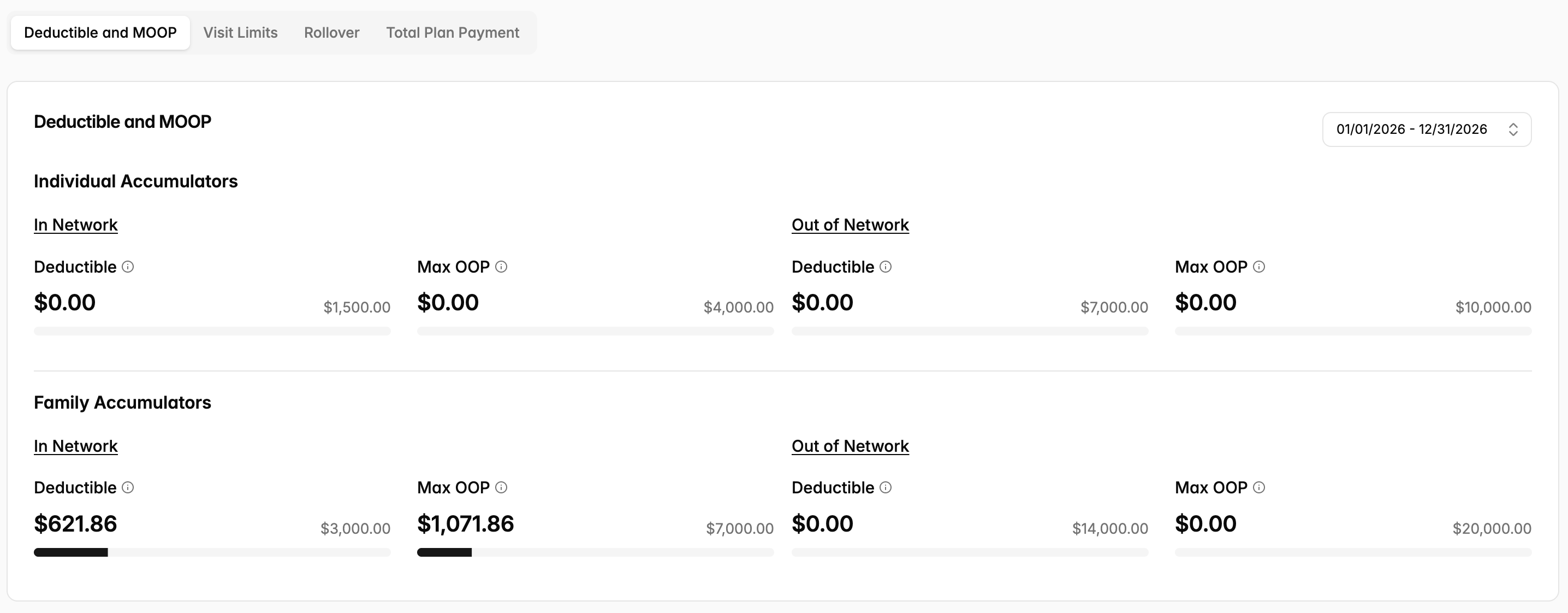
Deductible and MOOP
This tab shows the plan's accumulators.
Deductible: what the member has paid toward the deductible, and the deductible limit.
Maximum out-of-pocket (Max OOP): what the member has paid toward the out-of-pocket maximum, and the MOOP limit.
Individual Accumulators: amounts for this member only.
Family Accumulators: amounts for the whole family on the coverage. If the plan uses an aggregate deductible, a note explains that all covered family members’ expenses count toward the family deductible and out-of-pocket maximum.
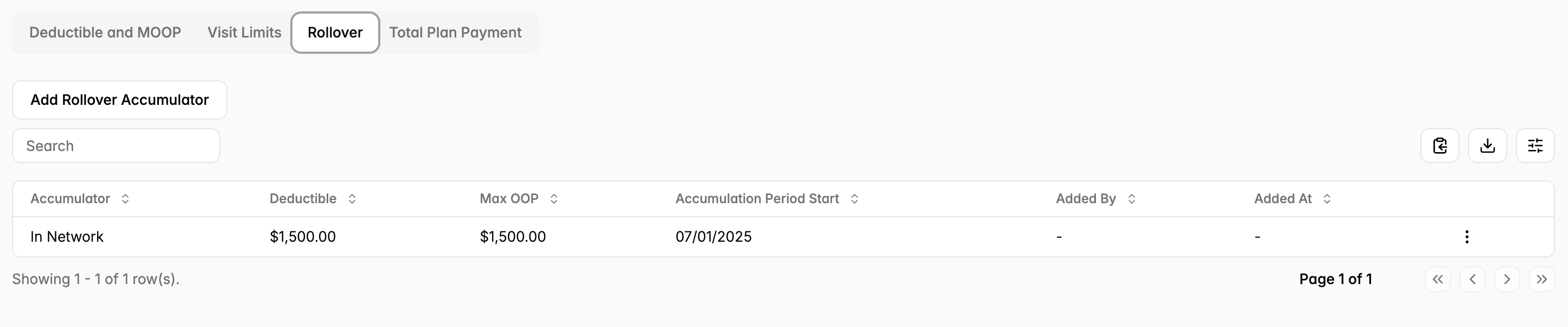
Rollover Accumulators
If credits were carried in from a prior plan or plan year (for example, a mid-year plan change), they appear as rollover amounts inside the accumulator and already count toward the totals shown.
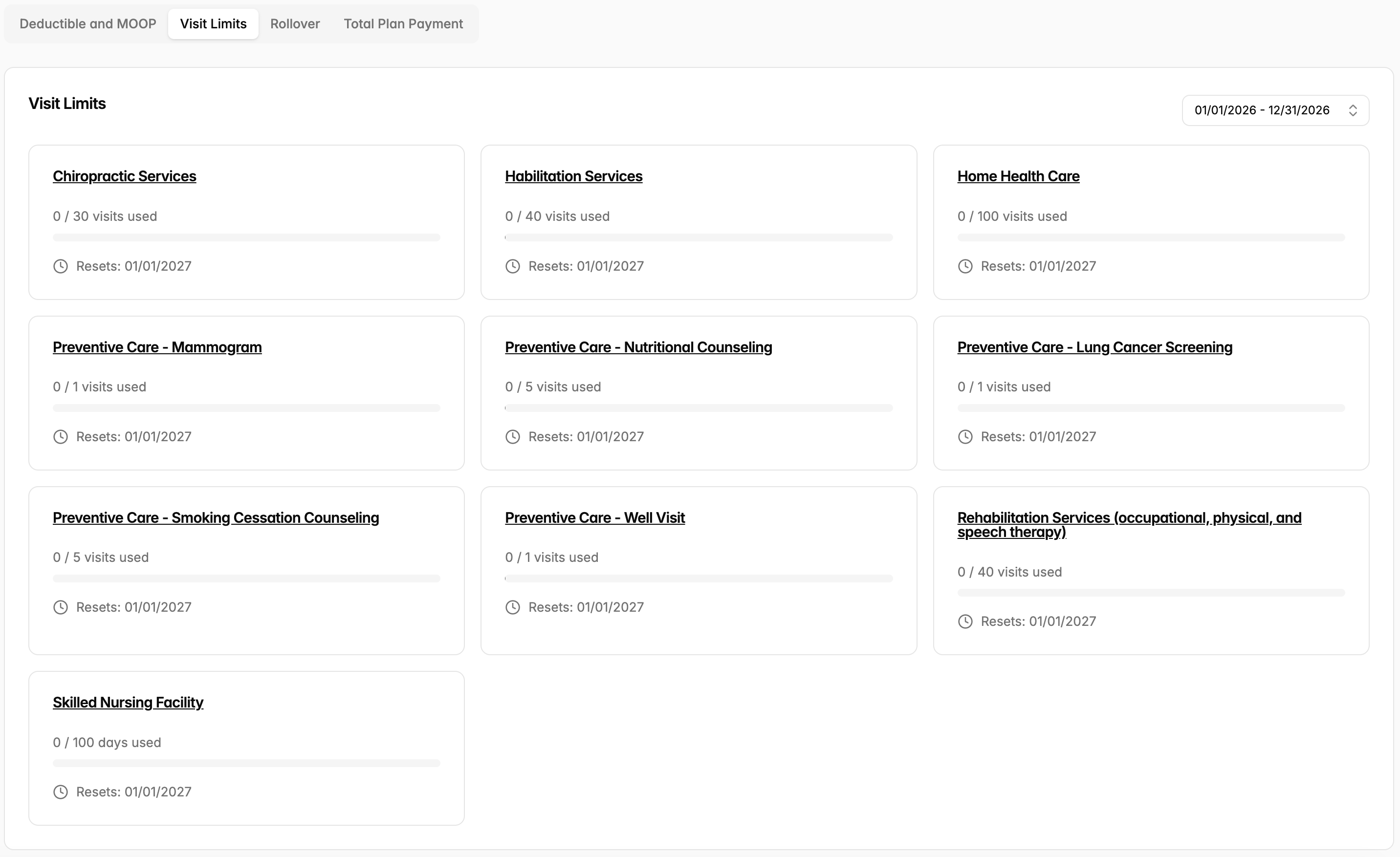
Visit Limits
This tab shows each benefit that has a limit on the number of visits, days, or dollars per plan year.
For example, physical therapy visits, inpatient days, or a dollar cap on a specific benefit. Each card shows: the benefit name, used/limit, and the date the limit resets.
How are accumulators and visit limits calculated?
Amounts update when a claim is processed and approved. Claims that are still processing, pended, or denied do not count.
If a number looks wrong (for example, a paid claim is missing), contact support@yuzu.health and include the member's name, the plan year, and the claim in question.