

Who manages my COBRA coverage?
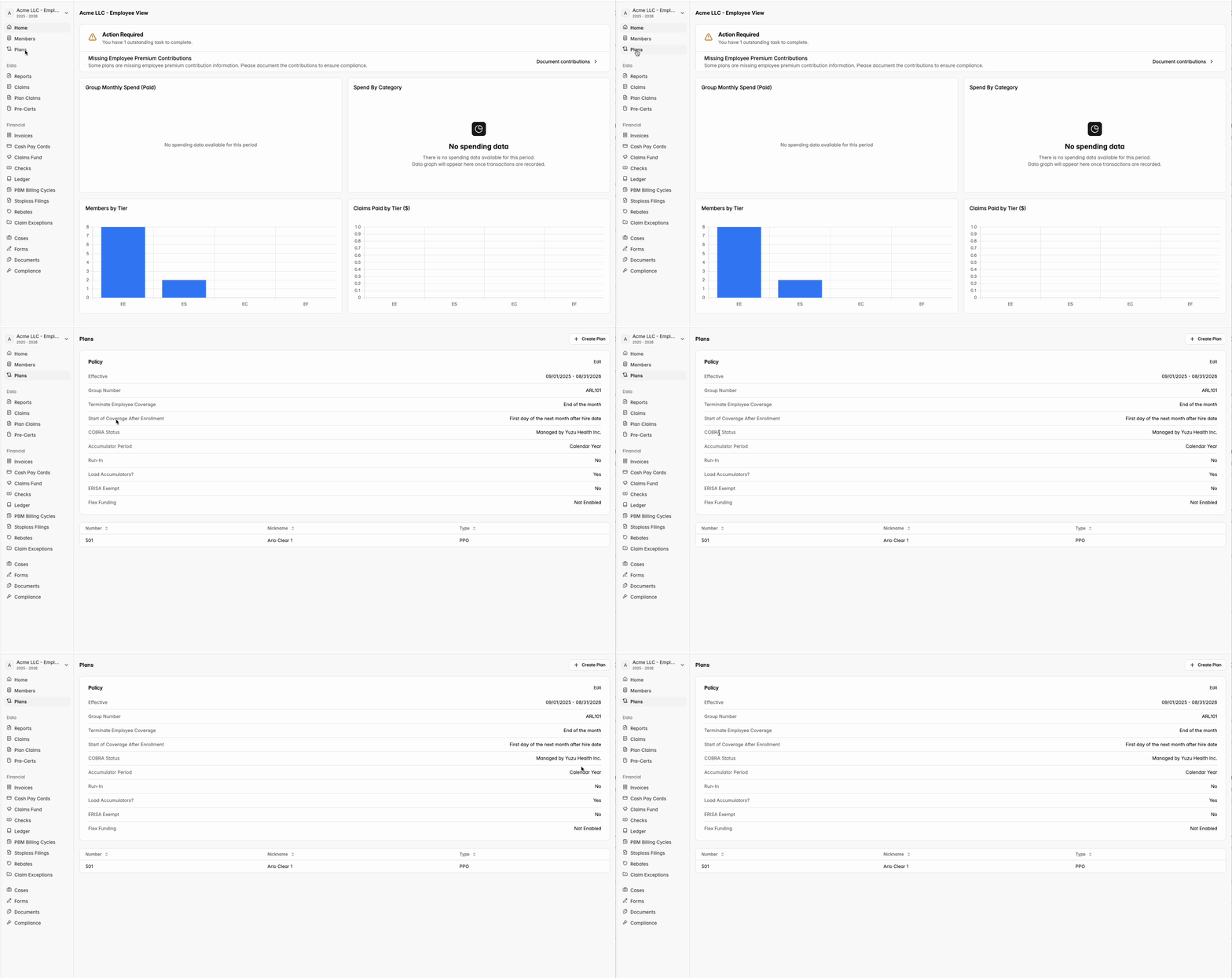
Click into the ‘Plans’ tab on the left-hand side of your portal and find the ‘Cobra Status’ row to determine who manages your COBRA coverage.
Can I change who manages COBRA?
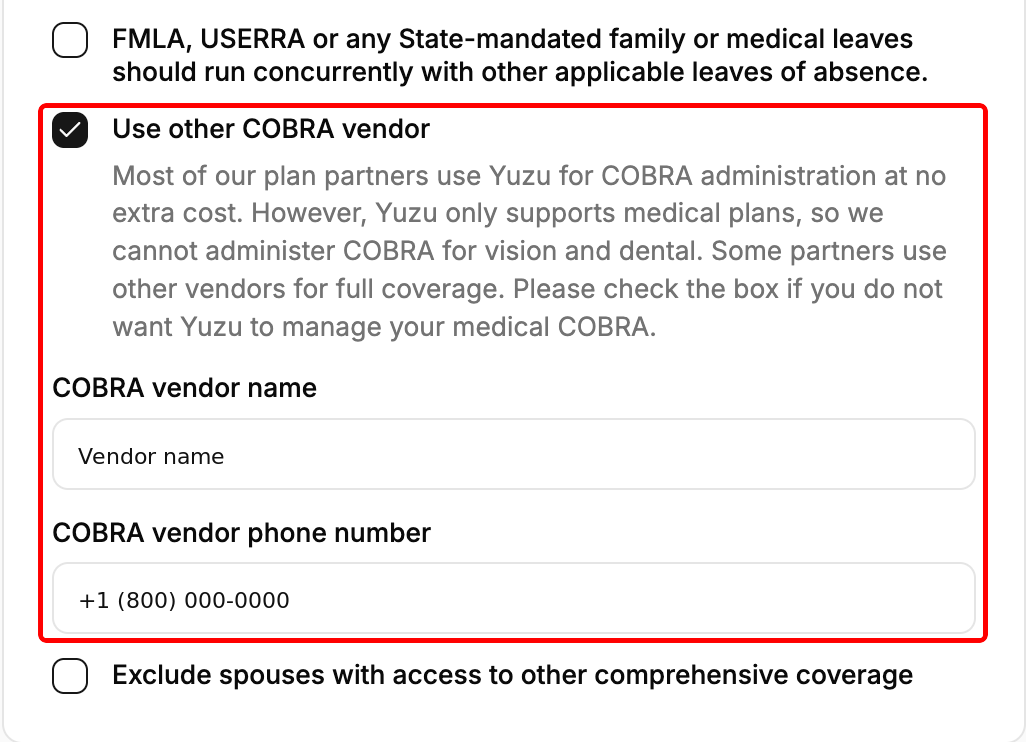
Yes. Go to Plans, find the Policy card and click Edit. Update the COBRA settings - tick Use other COBRA vendor and enter the vendor's name and phone number, untick it to move to Yuzu-managed COBRA, or tick Employer is exempt from COBRA - then click Submit.
This only works while nobody in the group is currently on COBRA. If someone is, you'll see "Cannot change the COBRA vendor while members have active COBRA coverage" - contact Yuzu instead.
Change only the COBRA settings in that save. Other policy settings (dates, waiting periods, rules) still go through Yuzu after onboarding
TPA Managed COBRA
Check out this guide on what you can expect if the plan’s TPA (Yuzu Health, Inc.) also manages COBRA coverage.
Externally Managed COBRA
See this guide for more details on what action is required if your plan’s COBRA coverage is managed externally.