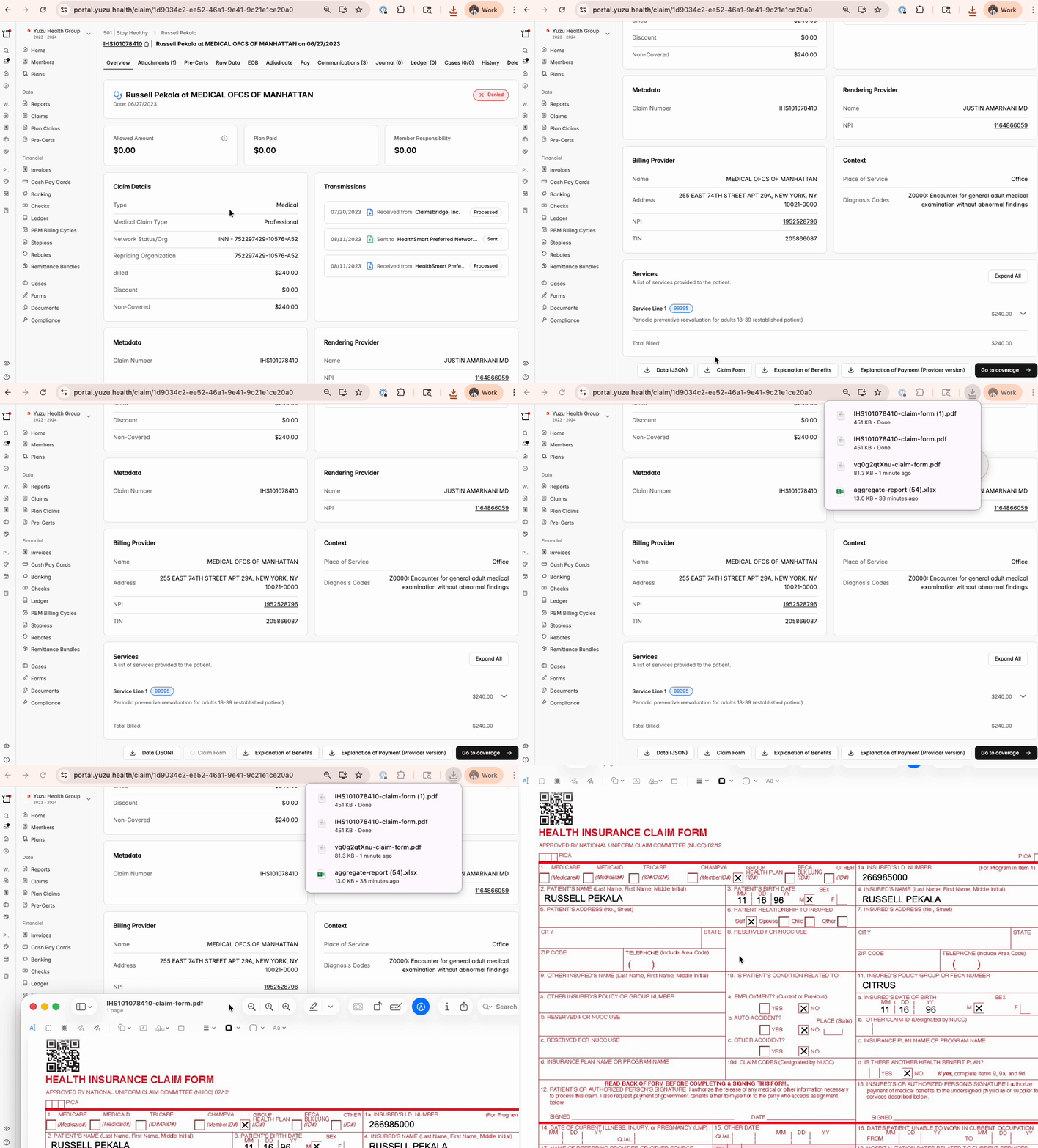
Find EOB Download
Click into a specific claim
On the ‘Overview’ tab, go to the bottom right of the page and click download ‘Explanation of Benefits’ and it will download directly to your computer
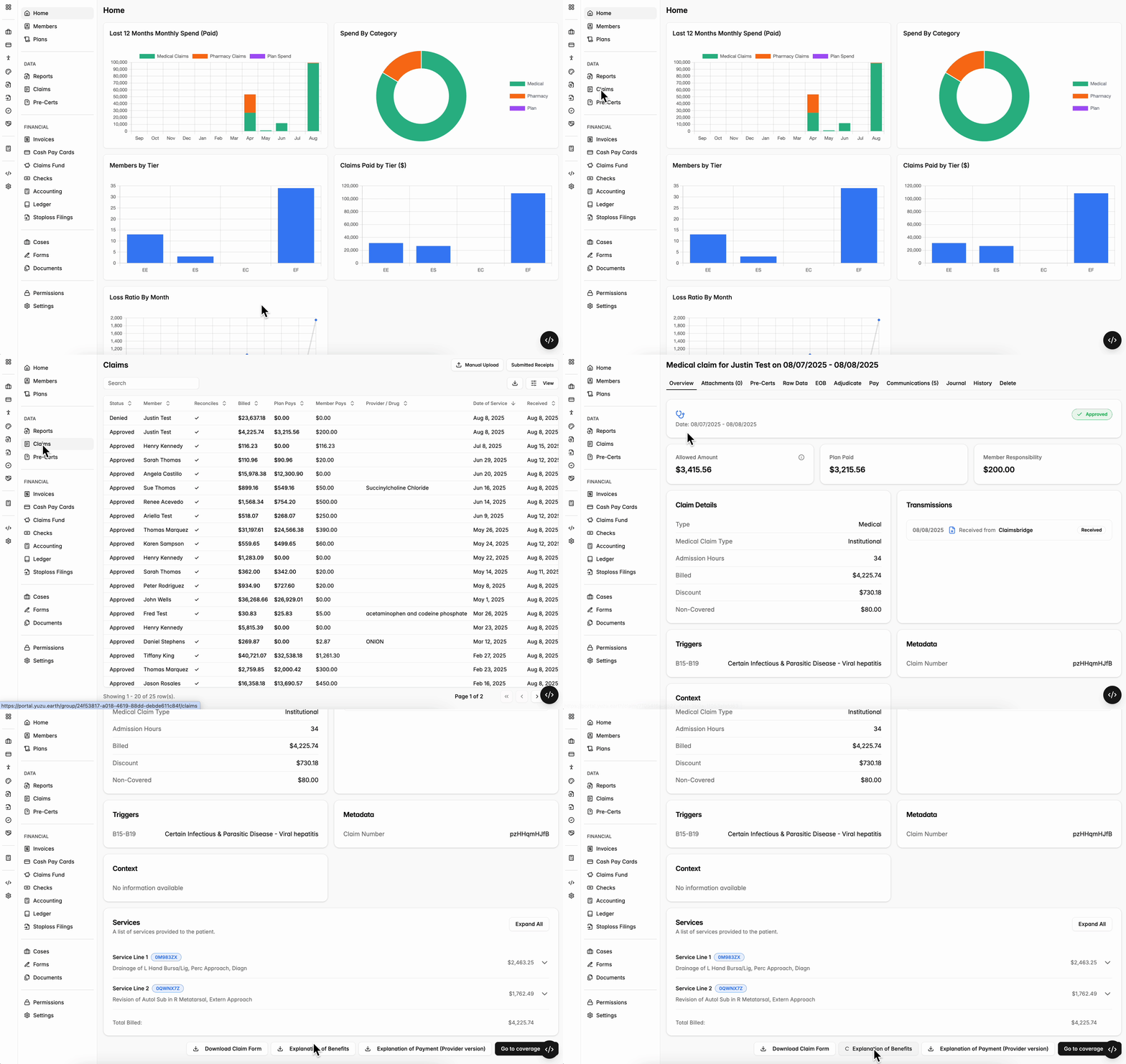
Fax an EOB to a Provider
If a provider asks for a copy of the EOB, you can fax it to them from the portal:
Open the claim and click the EOB tab.
Click the share button above the EOB and choose Fax to provider.
Enter the provider's fax number and a recipient name, then click Send Fax. The same menu lets you print the EOB or download it as a PDF.
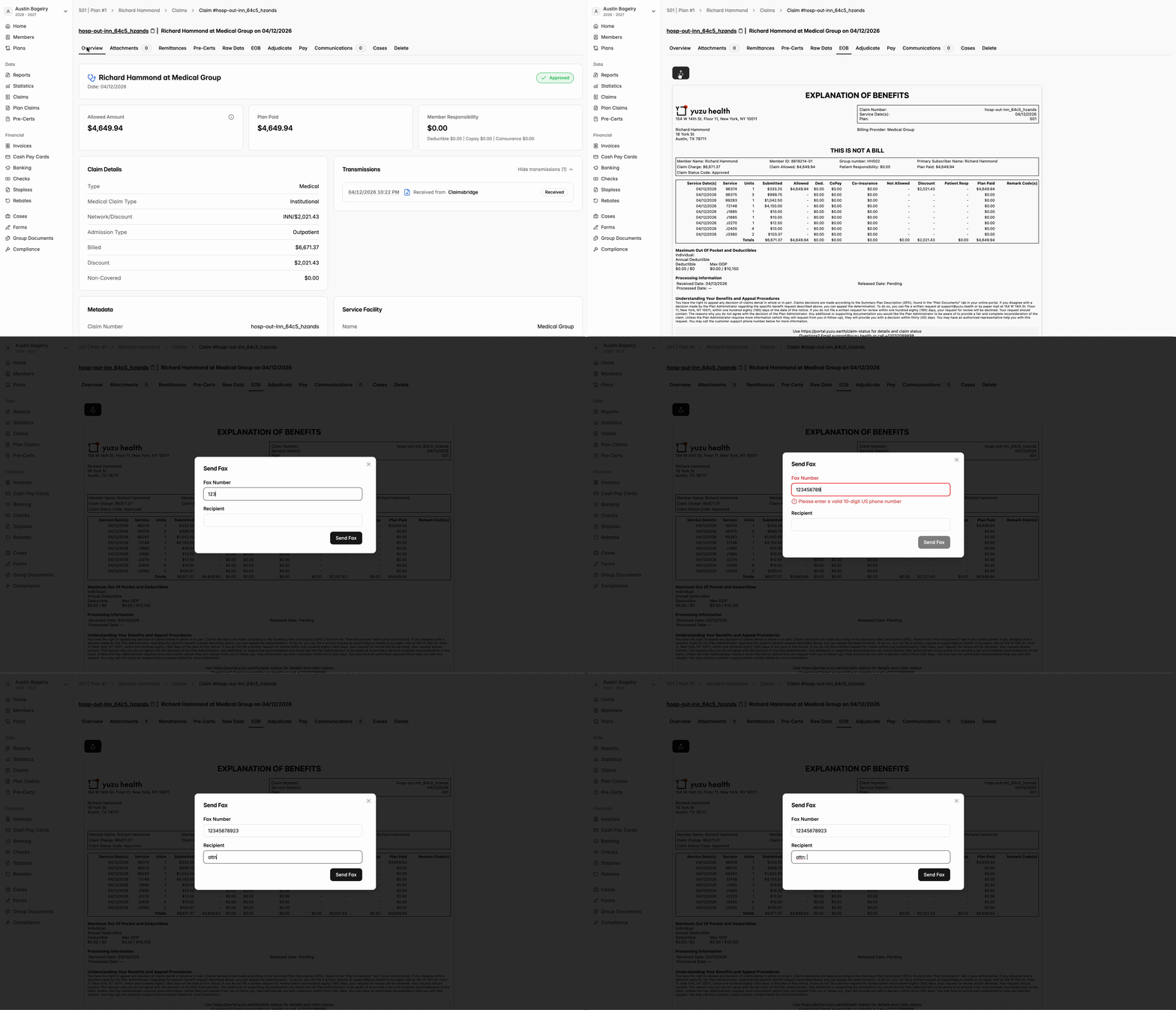
Download a Claim Form
On rare occasions carriers or other auditors might need to download a HCFA or UB04 Claim form for a claim. This can be done in the same area of the Claim Overview page.