

Portal access and email file feeds
Portal access
For all vendors requiring outbound eligibility, we are able to give them portal access to download eligibility files directly. This is often our preferred approach given ease of use of the portal and resourcing requirements to complete a integration.
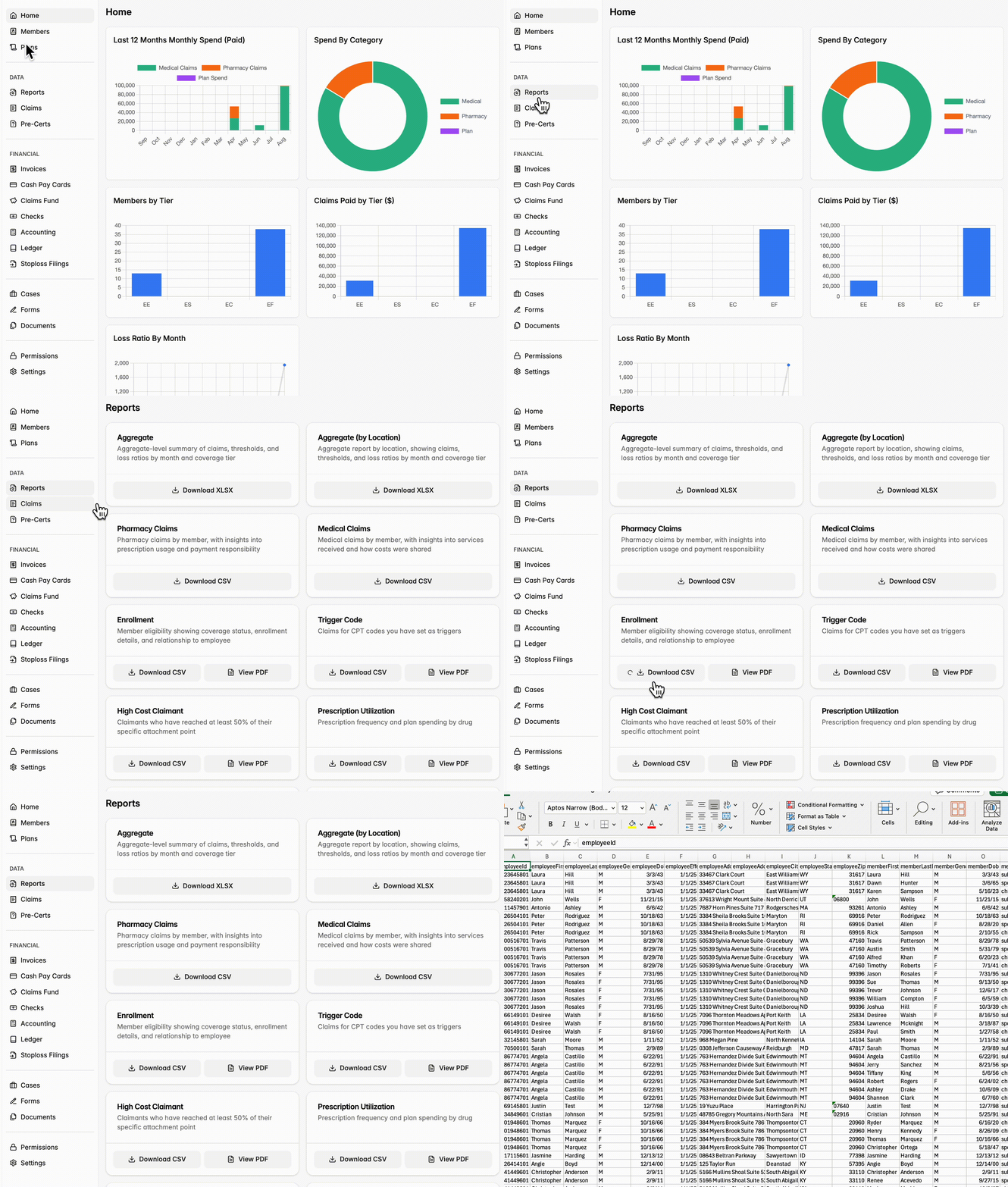
Email file feeds
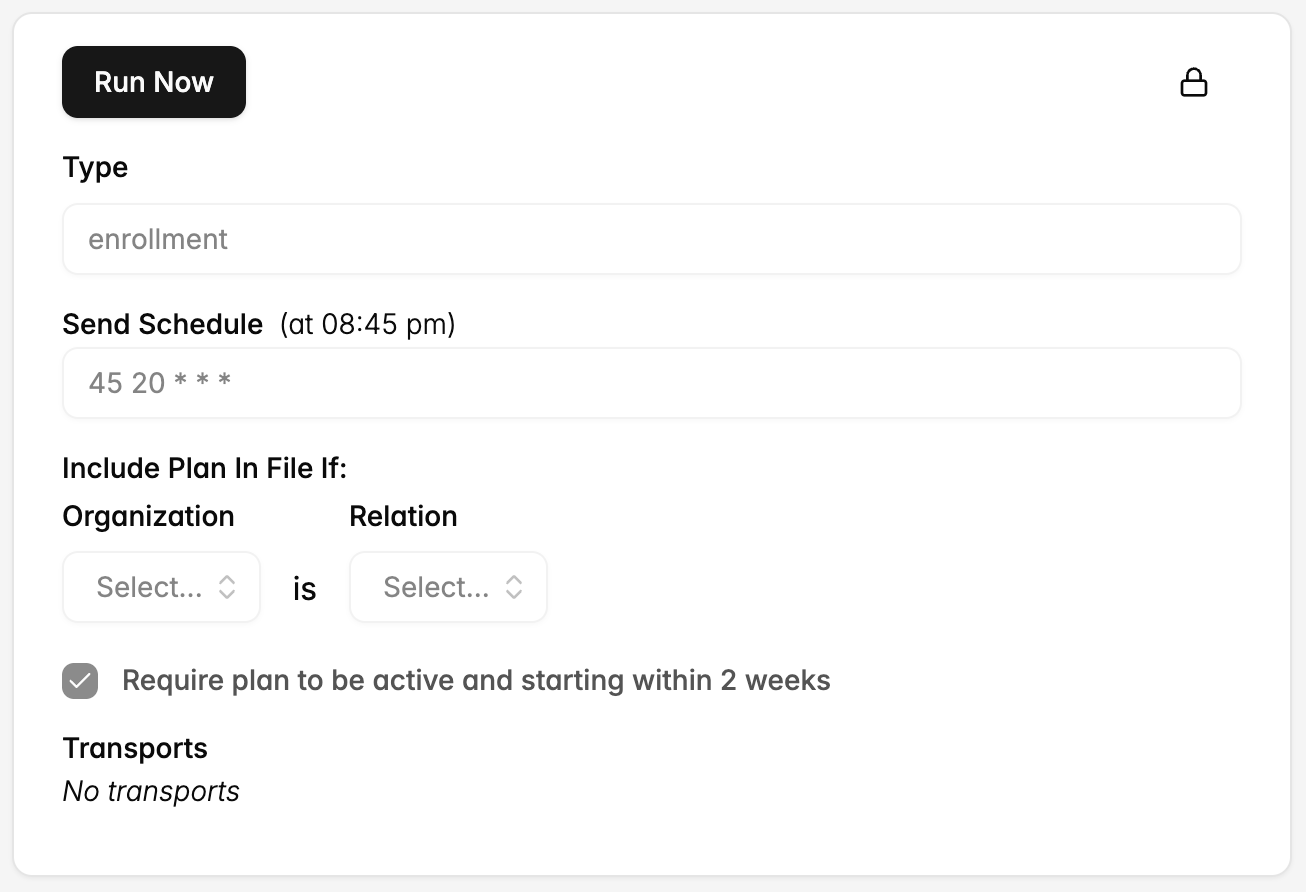
Additionally, we can set up an outbound eligibility file feed to deliver as a CSV at a custom time and frequency to multiple email addresses. To get started, reach out out partners@yuzu.health with details on your preferred:
File types (eligibility, medical claims, pharmacy claims, accumulators, high cost claimants, aggregate reports)
Cadence (send schedule)
Emails
Process to set up an SFTP connection
For high priority vendors we are integrating with, we have a strong preference for 834 EDI for outbound (and inbound) eligibility. Details on our typical process to set up an SFTP Connection below.
One note on termination dates: If we are doing a custom file, we only support explicit termination dates.
Prerequisites
See technical implementations guide sent by the Yuzu team
Connection Setup
Yuzu generates and shares SFTP credentials (host, username, password/private key, folder paths)
The vendor/HRIS configures their system to connect to the Yuzu SFTP server.
Folder paths are standardized:/outbound → files Yuzu sends to the vendor (e.g., eligibility).
Configuration
Define the file format (834 EDI is strongly preferred, flat files supported if required it is a mission-critical vendor).
Confirm field mappings and any custom rules (e.g., plan codes, COBRA handling).
Set the schedule for file delivery (daily, weekly, or custom).
Testing Phase
Initial File Validation: Yuzu generates and drops a test file into /outbound.
Vendor validates file format, required fields, and data accuracy.
Test files may be run through ingestion workflows to confirm members are created/updated correctly and terminations and COBRA enrollments process as expected.
Error Handling Protocols: Validate how exceptions (e.g., missing fields, malformed files) are reported and remediated.
Launch / Go-Live
Once testing is successful, file status is moved to Production.
Automated schedule is enabled (e.g., weekly Monday drop).
Ongoing monitoring in the first few weeks ensures successful ingestion and delivery.
Post-Launch Monitoring
Vendors and Yuzu can review file history logs.
Any ingestion errors trigger alerts/workflows for quick remediation.
Periodic audits confirm eligibility data matches across systems.
Noted above, but if a vendor is mission-critical to plan success, but does not use 834 EDI, we can set up custom CSV for inbound and outbound.