

How do I log in?
Go to the portal URL (on mobile or desktop): https://portal.yuzu.health.
Enter your email address or phone number in the sign-in box.
You’ll receive a code to your email inbox. Copy that code and paste it in!
If you are not getting a your login code delivered to you, there is a chance it was not added to your profile by your employer, and you will have to contact them to update your eligibility.
Where’s my ID card?
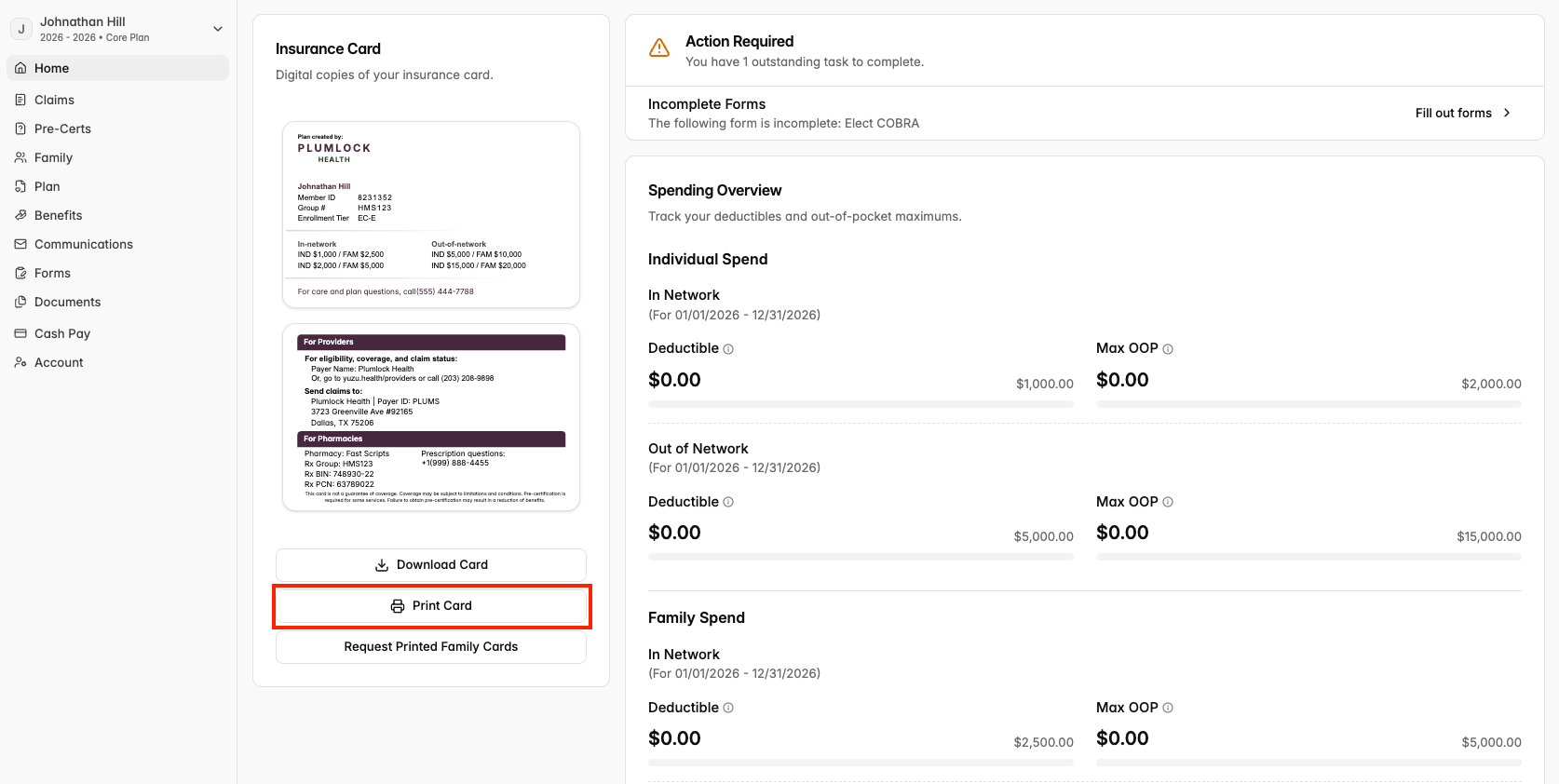
Press the Home tab in the top left of your screen. Your member ID card will be displayed on the Home page.
Press “Download Cards” to download the card for future reference, or to send to a provider.
How to print ID cards at home?
You can print a temporary ID card directly from the member portal in just a few steps.
Log in to the member portal and click Print Card on your homepage.
A PDF of your ID card will open –– save it or send it directly to your printer.
Your printed card is ready to use right away while your physical card is on its way.
How much of my deductible have I accumulated?
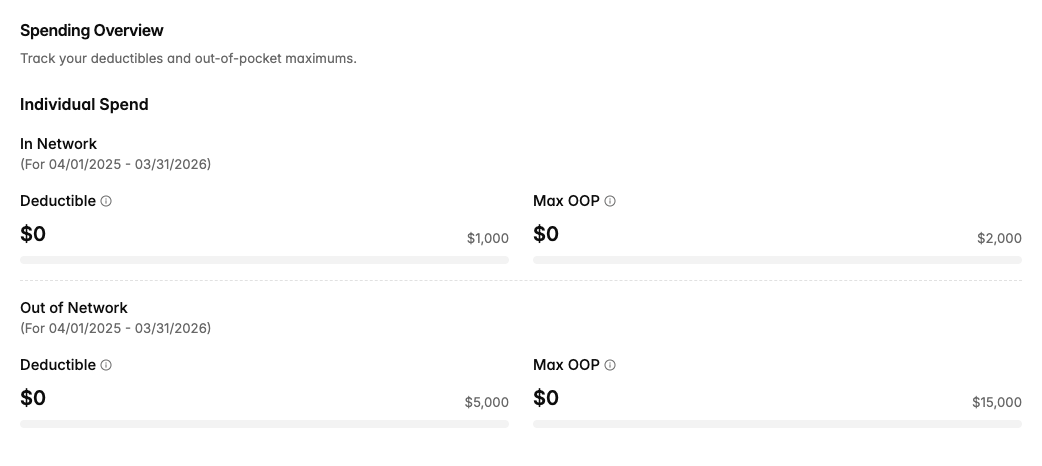
Also on your Home page, you’ll find a box called Spending Overview. Here, you can track how much you’ve accumulated of your individual and family deductibles and out-of-pocket maximums.
How many visit limits have I used?
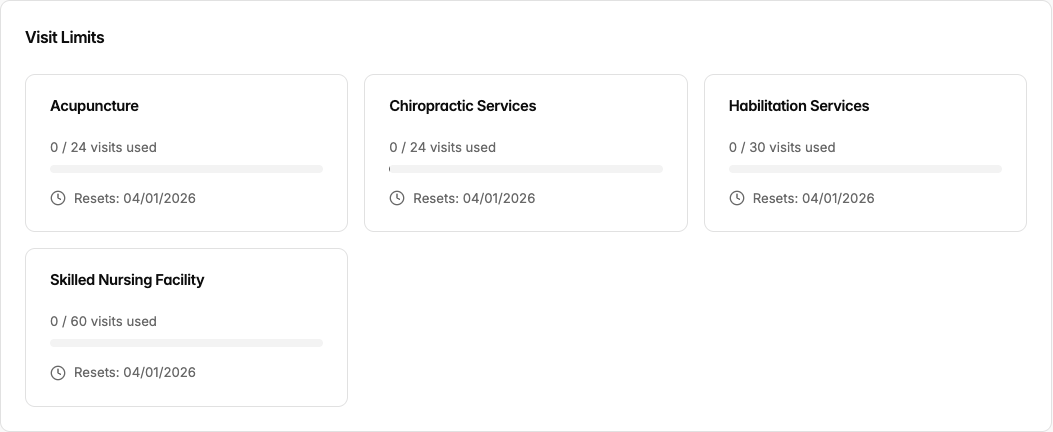
Some benefits have visit limits, meaning that the plan will only cover a set number of those services per year.
Also on your Home page, below your Spending Overview, you’ll find a box of Visit Limits, separated by each visitation type on which your health insurance plan has limitations.
This page will update after each one of your visits.
How do I download an EOB?
Click the Claims tab on the left of your portal. Click on the claim that you want to download, then press the “Download Explanation of Benefits” button at the bottom.
How do I see prior plan years?
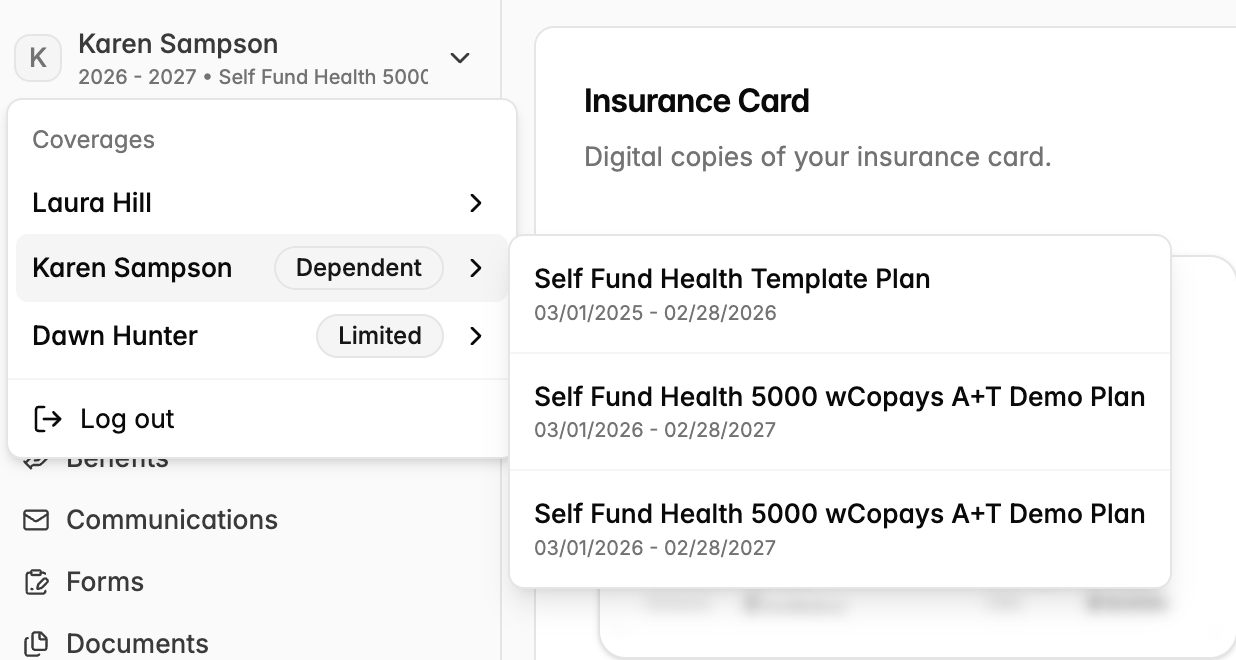
To toggle between plan years, go to the top left of your portal where you see your name. Click that, and you will see your historic plan years. This will be useful if you need to submit reimbursements for prior plan years.
How do I check the status of a claim?
The claims tab lets you view
Who in my family is covered?
Click the Family tab on the left of the portal to view the members of your family covered by your plan.
If something looks off, contact your employer.
How do I download official documents?
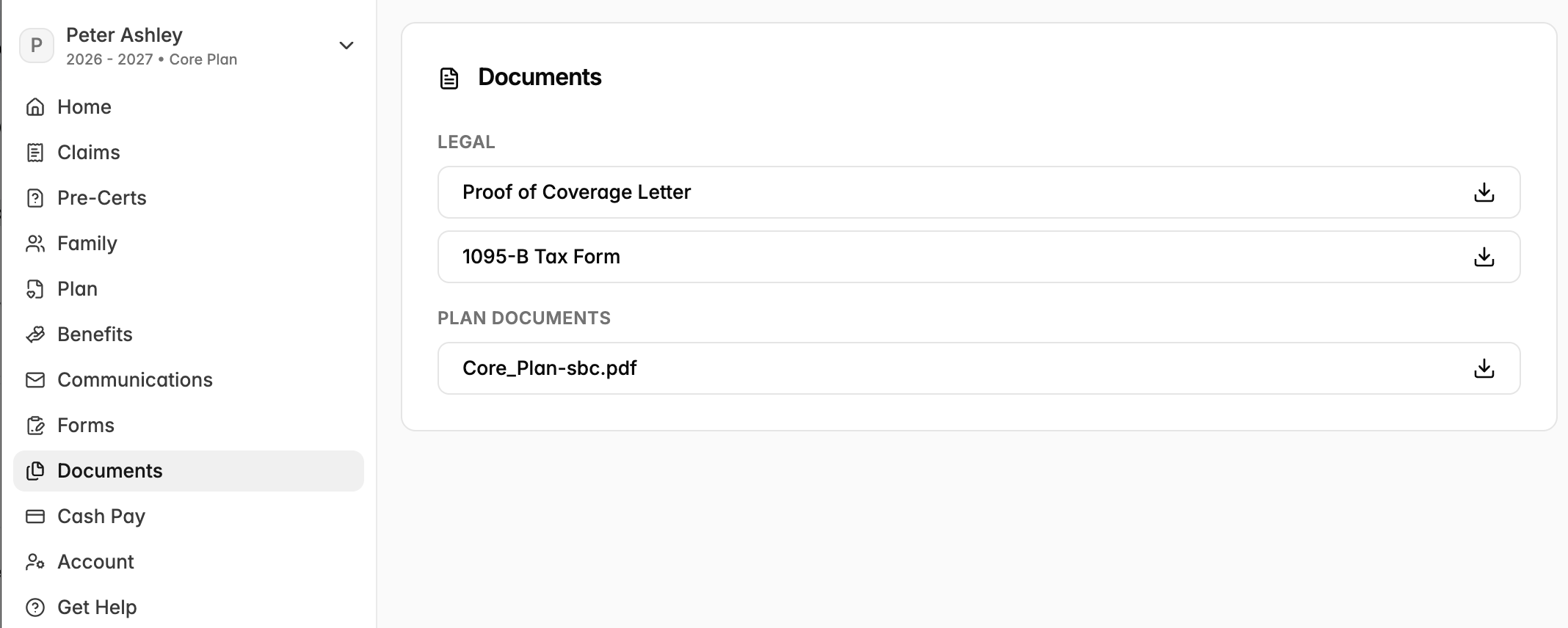
The Documents tab lets you download the following documents:
“Proof of Coverage Letter”. This letter serves as your plan’s official confirmation of your coverage. You or a dependent may need this letter to prove to educational institutions that you have coverage and includes things such as dates and compliance information. The letter will include the names of everyone on your policy with coverage.
Tax information. For filing taxes, you may need to submit your 1095. You can access and download this document on the Documents tab. Learn more about 1094s and 1095s in our Compliance Guide.
Summary Plan Documents (SPD) and Summary of Benefits and Coverage (SBC) are available on the Documents tab as well (if they have been completed and signed by your employer). See more information about these documents in the Glossary.
Communication Preferences: Can I Opt out of Paper Mail?
There are a few types of mail that you can expect to receive, including EOBs and COBRA election notices. Legally, insurance plans have to send you these communications over mail unless you elect to opt out. You can opt out of paper mail within the Yuzu portal.
On the “Account” tab on the left of the portal, navigate to the “Communication” section and click the checkbox “I consent to electronic communication only.” From there, you will stop receiving paper communications.
Note: if you are trying to receive a reimbursement for a claim whose payment is owed directly to you and want this reimbursement to be processed over ACH (instead of a paper check), you will have to opt into electronic communications only.
How do I change my address?
If you change your address, reach out to your employer directly. You cannot change your address in your member portal.
Can I see my dependents’ profiles? Do I need a PHI release form?
On the Family tab, you may preview your family’s member ID cards. If your child is under thirteen, you may see their full profile.
Parents of children thirteen and over will need a PHI release form to continue viewing their child’s full profile. On your dependent’s profile, they may click the tab “Forms” on the left of the portal, then click the “PHI release.” There, they can assign a guardian as an authorized individual on their account and press “Submit.”