

Yuzu portal managed vs. HRIS eligibility
When there is no HRIS integration for a group, Yuzu enrollments on the portal act as the source of truth for eligibility. This is our strong preference as it guarantees accuracy and removes the frequent ingestion failure issue from HRIS systems. We have full documentation on how to add and remove members.
HRIS file requirements
Technical documentation
Yuzu’s 834 Inbound Eligibility Guide is HERE. Yuzu does not accept inbound eligibility in a format besides 834 full replacement files. Files are required to be full replacement files and have explicit termination dates.
Member information requirements
Files are REQUIRED to have:
Subscriber and Dependent Names, DoB, SSN, Sex.
Sex MUST be either M or F.
Subscriber and Dependent physical addresses.
A phone or email for subscribers. Highly recommended for dependents so they can have access to the platform as well.
All dependents must have subscribers on the file.
Failure to include any of these fields for any member WILL prevent full file ingestion.
Phone and email requirements
As mentioned above, a phone and emails are require for ALL subscribers. Due to privacy concerns, these MUST be different phone and emails than what is on the Group’s “Team” page. Navigate to a Groups “Team” page by clicking the Group Name in the upper left > “Settings” > “Team.”
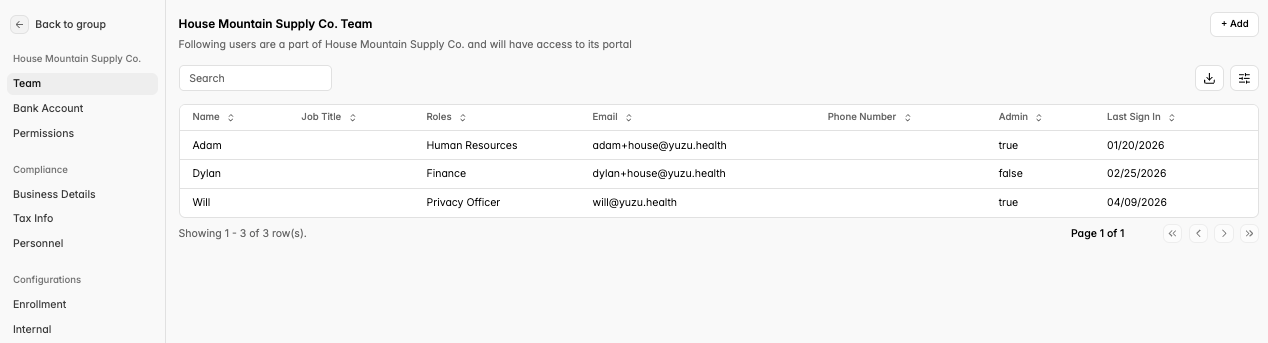
If there is a phone or email in the HRIS file that matches a record on the “Team” page, the file will fail to ingest. Either the team member can be removed/information changed in the portal or the submitted file can be updated.
By default, Employee Navigator does not include dependent information in the HRIS file, this will need to be toggled on manually. Details on how to do that HERE.
COBRA
We dot NOT support COBRA election on the 834. When a member is terminated, COBRA election must occur in the portal.
Live file feed: HRIS as the source of truth
Member information
All member information and member enrollments must be updated in the HRIS. We do not support making changes to the portal only regardless of the member field.
Action / Field | Change must be updated in the HRIS?* | Change must be updated in the portal as well?** |
|---|---|---|
Add a member | Yes | No |
Remove a member | Yes | No |
Name (First and Last) | Yes | Yes |
Social Security Number (SSN) | Yes | Yes |
Date of Birth | Yes | Yes |
Sex | Yes | Yes |
Phone and Email | Yes | No |
Address | Yes | No |
Hire Date | Yes | No |
(*) Changes must be updated in the HRIS: If a change is only made to the portal, it will be overridden by the next HRIS file (e.g., Member’s email changes in the portal but not HRIS, what is on file with the HRIS).
(**) Changes must be updated in the portal: If a change to demographic information (Name, SSN, DoB, Sex) occurs, then this change must also be made in the portal. If the change is not made, the file will fail to ingest.
Enrollment ingestion errors
By integrating, you are acknowledging that eligibility maintenance has move upstream to the HRIS. This means all downstream HRIS enrollment errors are now the broker / consultants or the sponsor employee’s responsibility to fix.
There is a full guide on how to fix the errors HERE. Please familiarize yourself with this process prior to integration.
Note: We do not support partial ingestion of files. Partial ingestion leads to more downstream issues as flagged issues are never fixed by the relevant parties.
Turning on enrollment error notifications
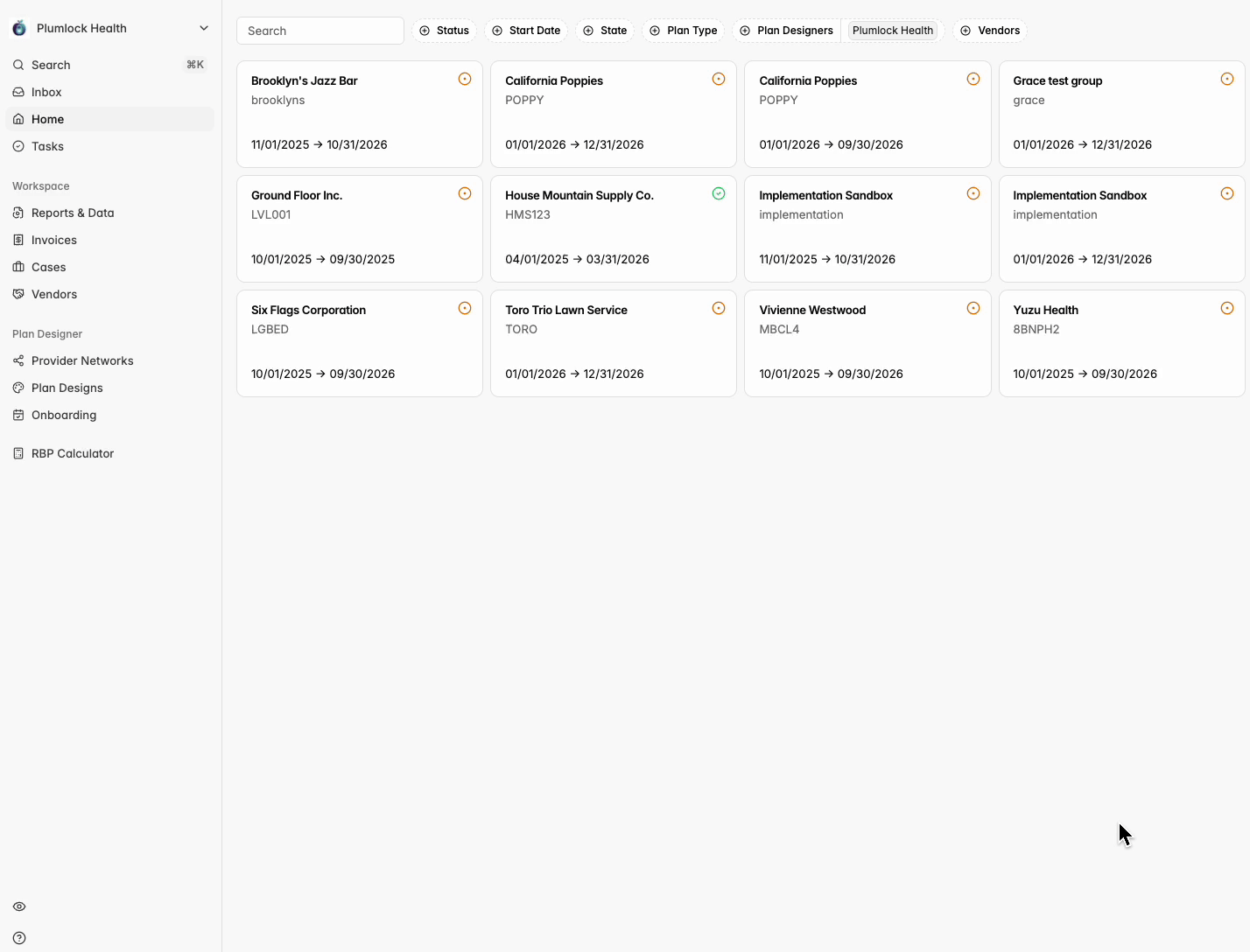
It is required to sign up for Notifications of a enrollment ingestion error. In the top left corner, click the Icon with your group name > account settings for your log-in > Notifications > Toggle On ‘Ingestion Failures’, and choose that you want to receive an email for the notification.
More details on notifications HERE.
Technical errors
Technical errors (i.e., errors that cannot be solved in a self-serve fashion) are monitored continuously by the Yuzu team and will be actioned by us. If you spot an HRIS error, reach out to HRIS@yuzu.health.
HRIS systems Yuzu is currently integrated with:
Employee Navigator (Preferred)
Paycom
Paylocity
Benetrac
ADP
UKG
Workday
Employee Navigator vs. other HRIS platforms
Yuzu strongly prefers to integrate with Employee Navigator as the HRIS system. This is for the following reasons:
Ease of integration:
Groups utilizing Employee Navigator can typically get their file transmission settings properly configured in under an hour. This requires no technical know how from Yuzu or the person with EN access.
Other BenAdmins and HRIS systems require assignment of a project manager, completion of forms, back and forth emails.
Even with HRIS / BenAdmins we have integrated with previously, this process frequently takes weeks to complete.
Downstream errors with other systems:
These connections sometime break and lead to downstream errors. Fixing frequently requires engineers at the HRIS/BenAdmin systems to fix. They are typically slow.
These systems have widely different ways to populate complex scenarios like COBRA or retroactive coverages. While Yuzu attempts to be adaptable we have the most experience working with Employee Navigator on these scenarios.
For these reasons, a new HRIS integration with Employee Navigator will be actioned immediately. New or additional integrations with other HRIS / BenAdmin platforms will be put at the back queue for integrations. During periods of high integrations volume and the non-core nature of the service, Yuzu cannot guarantee timelines for HRIS integrations during busy seasons.
Employee Navigator guide HERE
Process to set up a new SFTP connection
This process typically takes weeks to get the right stakeholder present. Establish the goals and work required over email.
Yuzu is connected to a contact at the HRIS or the group emails HRIS@yuzu.health to begin setup.
Connection Setup
Yuzu generates and shares SFTP credentials (host, username, password, folder paths).
The HRIS configures their system to connect to the Yuzu SFTP server.
Folder paths are standardized.
Configuration
Define the file format, 834 is required using the Yuzu Technical spec.
Confirm field mappings. Account structure for the first group is provided.
Set the schedule for file delivery (weekly on a Monday).
Testing Phase
Initial File Validation: HRIS generates and drops a test file into /inbound.
Yuzu validates file format, required fields, and data accuracy.
Test files may be run through ingestion workflows to confirm members are created/updated correctly and terminations process as expected.
Error Handling Protocols: Validate how exceptions (e.g., missing fields, malformed files) are reported and remediated.
Launch / Go-Live
Once testing is successful, file status is moved to Production.
Automated schedule is enabled (e.g., weekly Monday drop).
Confirmation that Enrollment Ingestion Errors are turned on.